
Optimize Patient Flow with Smart Scheduling
Deliver a smoother patient experience with a cloud-based platform that supports online appointment booking and responsive front-desk operations.
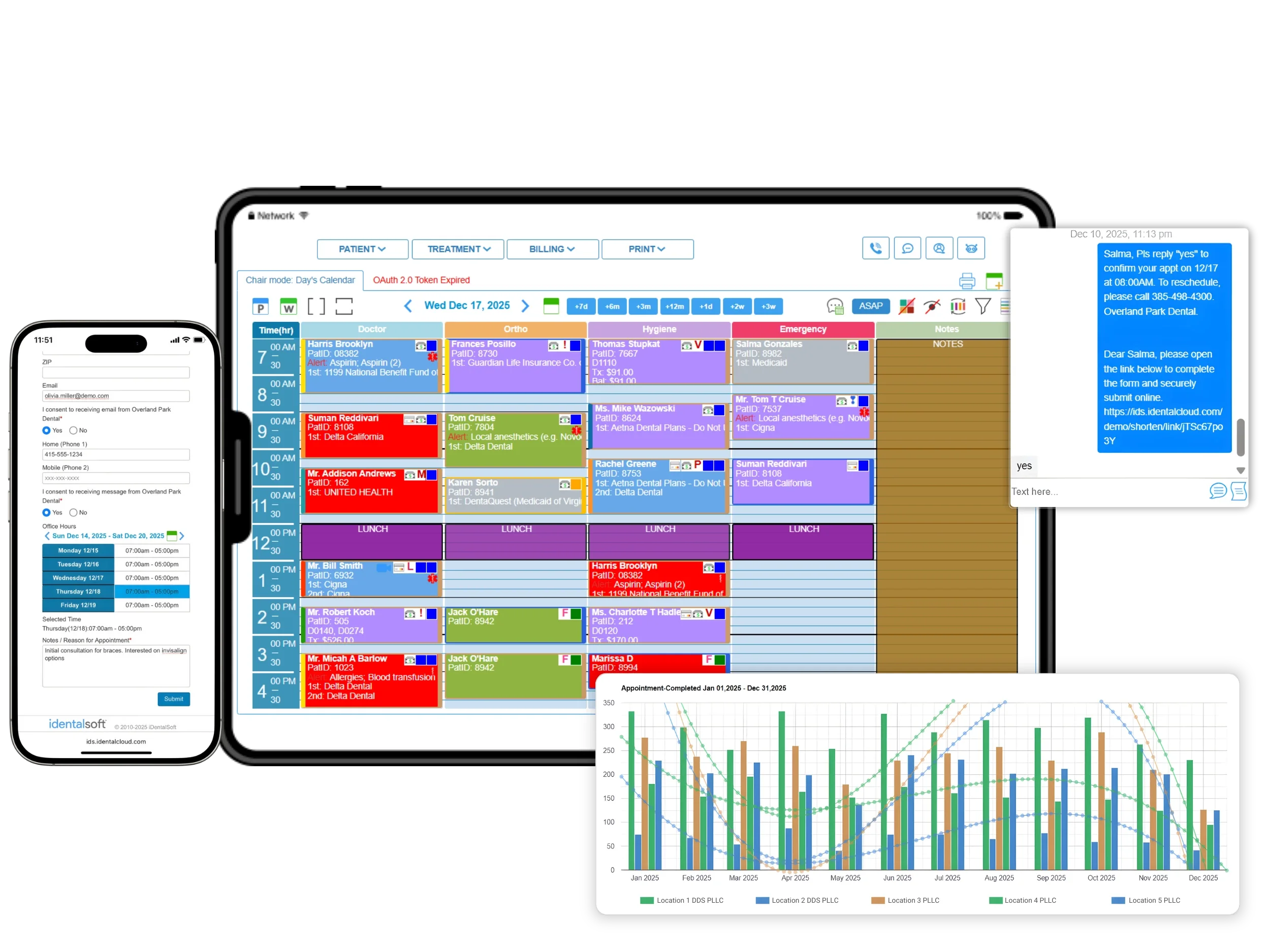
Key Dental Appointment Scheduling Features
Boosting bookings with an online Patient portal
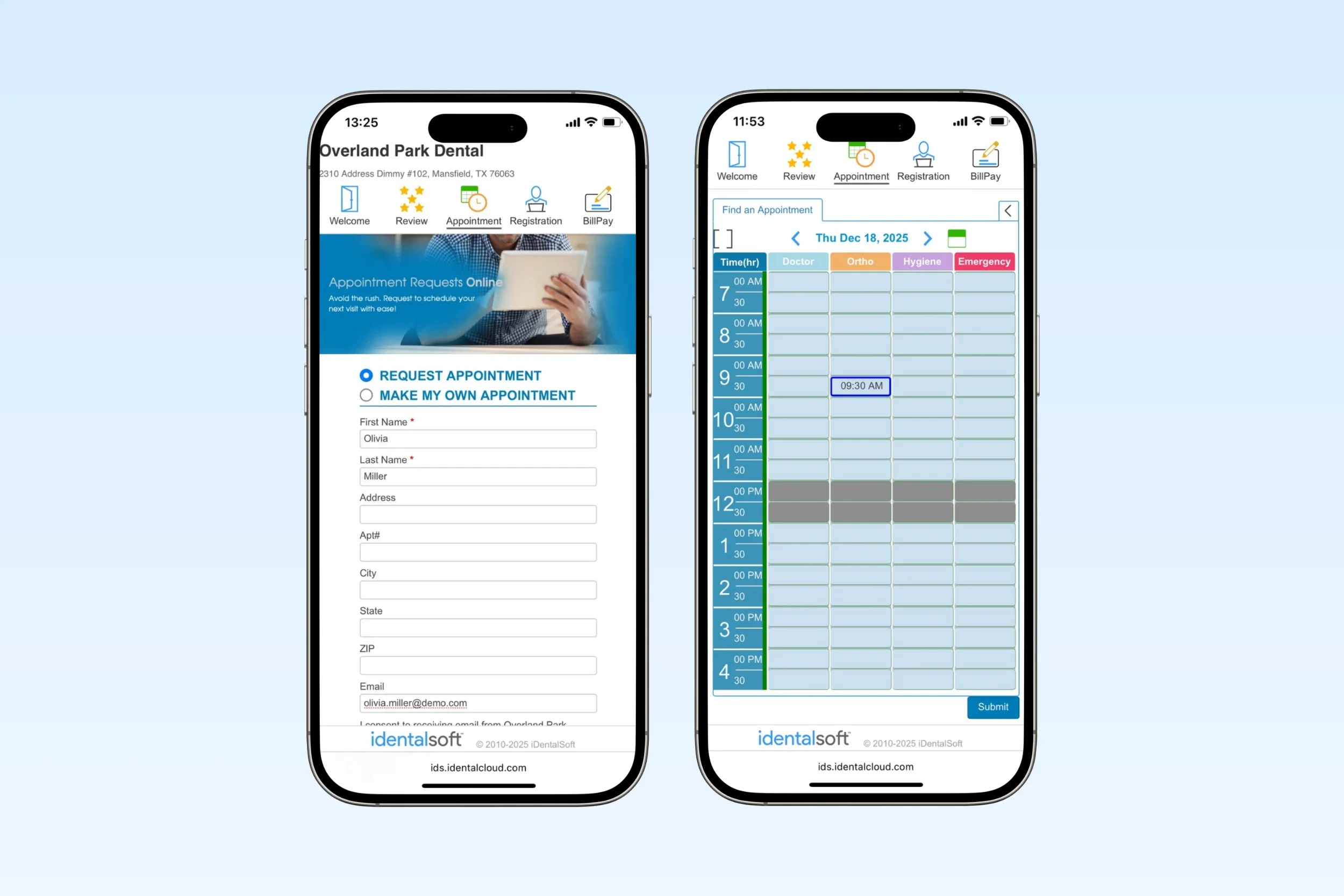
Give your patients the flexibility to self-schedule appointments anytime through our patient portal. With options to choose their preferred location, browse available time slots, and book the appointment type they need (e.g., hygiene, ortho, emergency).
iDentalSoft supports scheduling on any device, whether mobile, tablet, or desktop. By maximizing patient convenience, your practice can see a direct increase in appointment volume.
All online bookings are protected by HIPAA-compliant data security, reinforcing patient trust while ensuring your practice meets regulatory standards.
Smart scheduling to simplify front-desk workflows
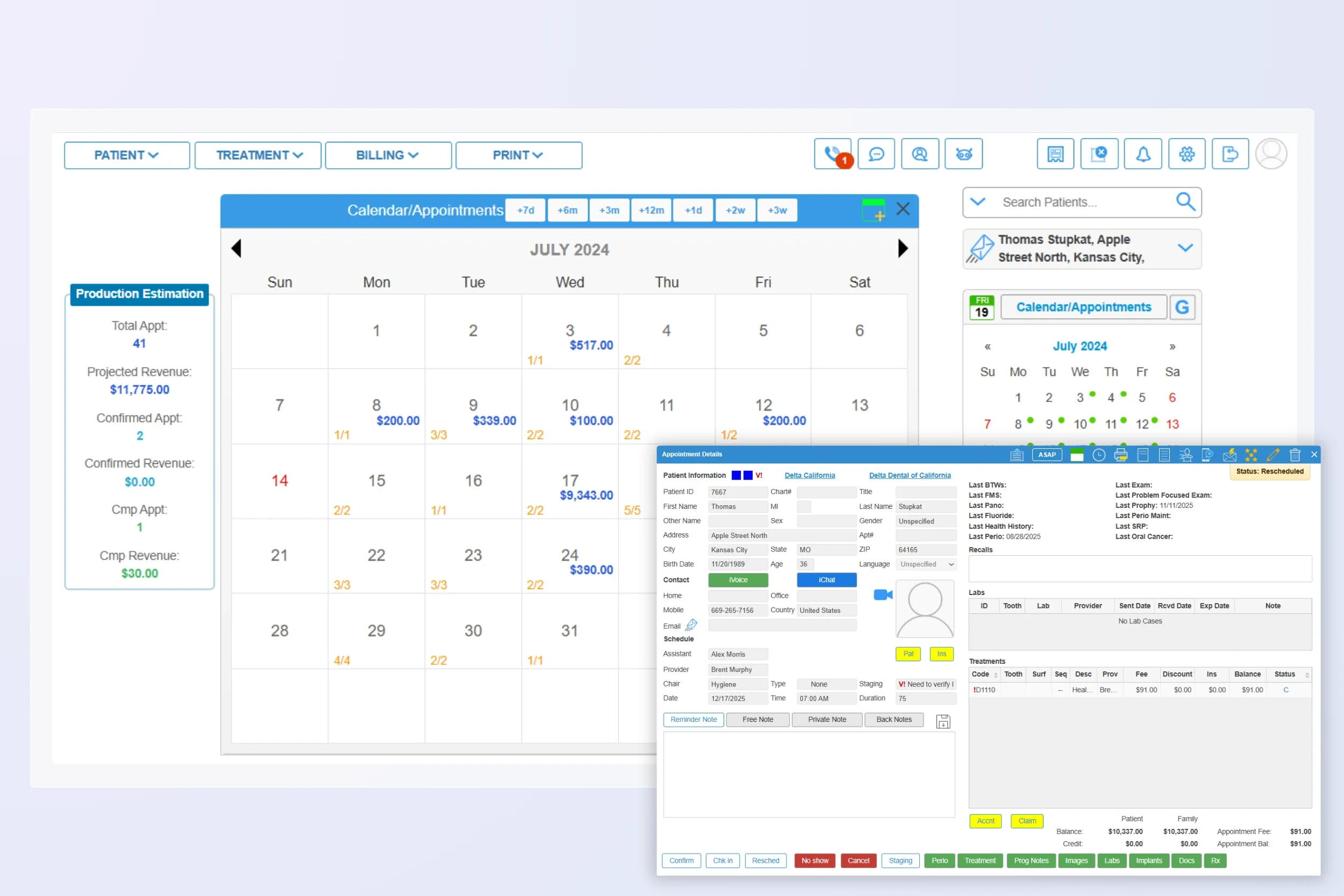
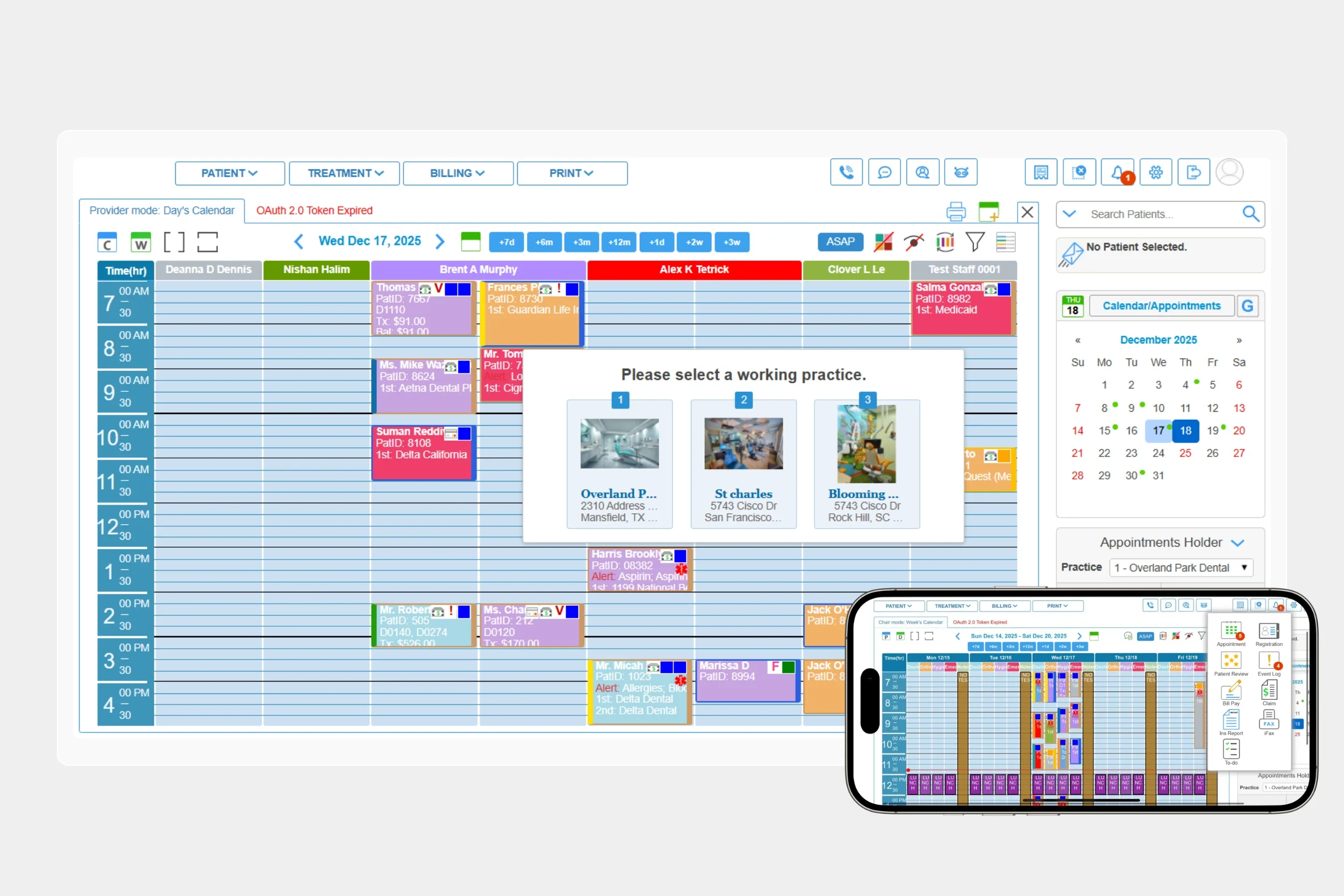
- Give your team complete visibility across the schedule by multiple calendar views by day/time, operatory, or provider.
- Pull procedure codes and fees directly when scheduling treatment-based appointments, supporting accurate estimates and billing alignment.
- Make adjustments effortlessly using drag-and-drop to update appointment types and durations based on provider availability.
- Set recare appointments in seconds by selecting the patient from the calendar after their visit, keeping continuity of care simple.
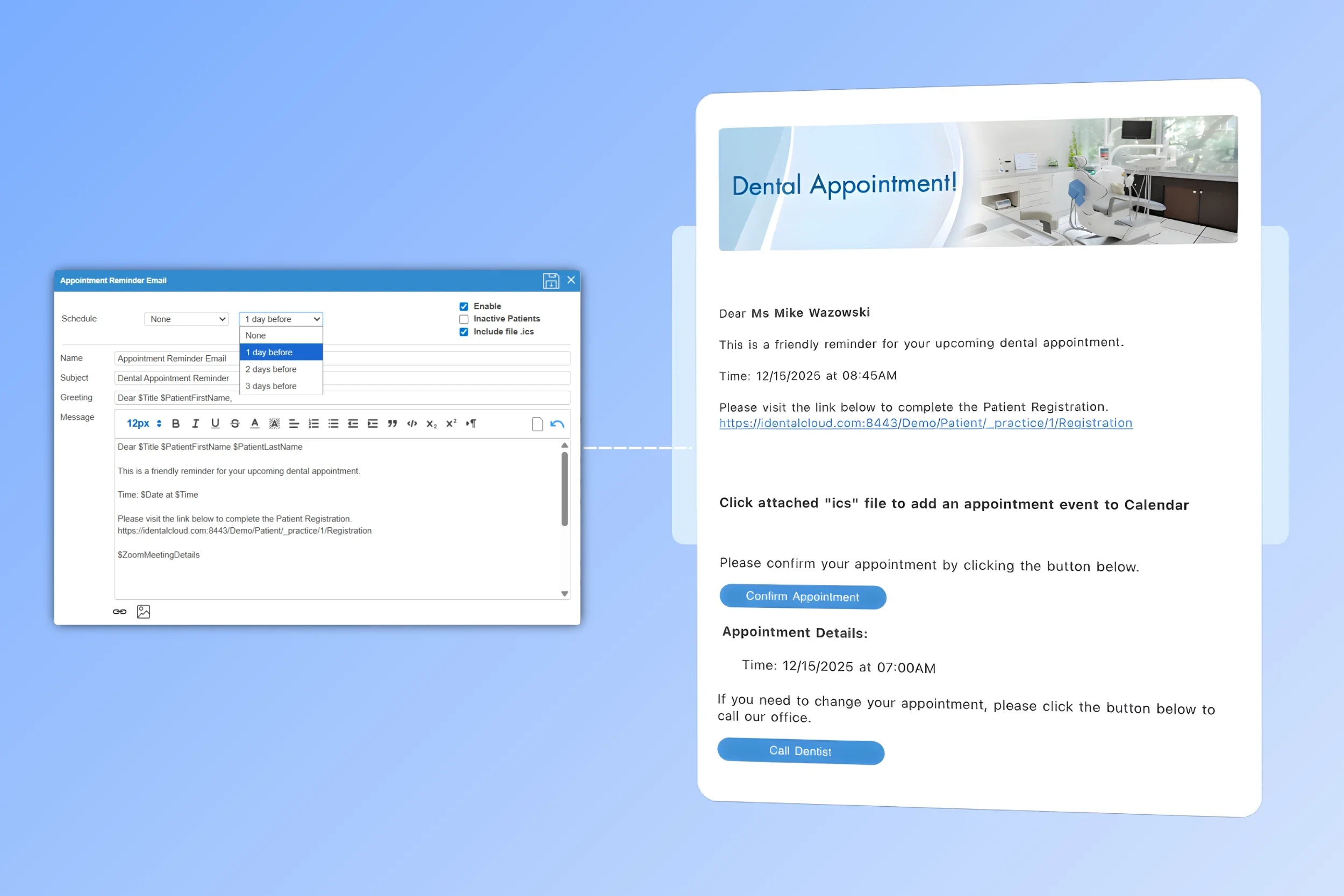
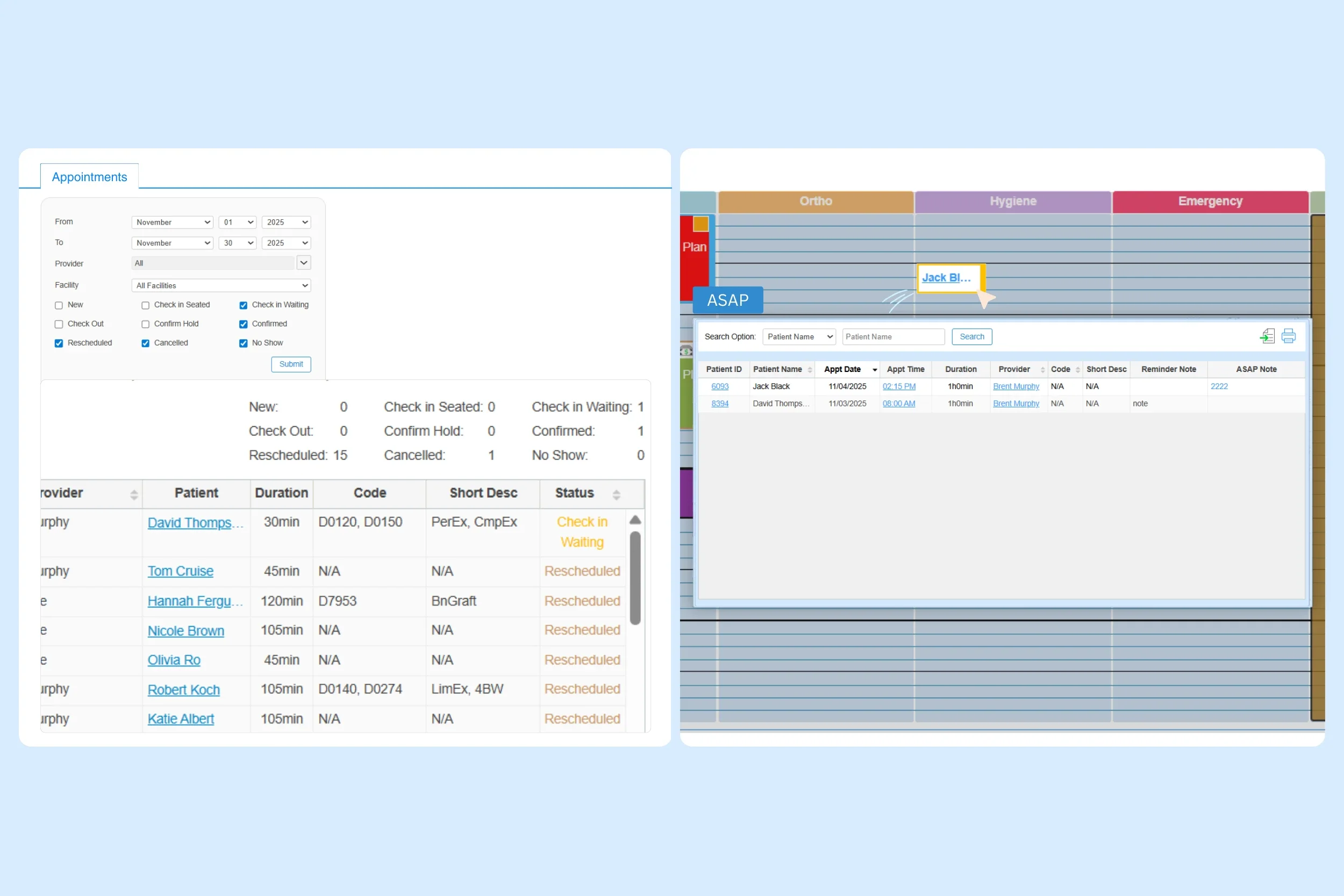
- Lock in more appointments with one-click confirm buttons sent to patients via email or text, supported by included dental appointment reminders at set intervals. Confirmed status is updated automatically on the practice’s calendar.
- Text all no-shows and cancellations for the day at once using the iDentalSoft bulk messaging feature, driving faster reschedules and recovering production.
- Use the ASAP quick fill tool to replace last-minute openings with waitlist or same-day visits, so urgent patients get seen sooner, and chairs don’t sit empty.
Multi-location scheduling management
Support group practices to schedule patients from office to office, matching appointments to the right provider and patient preferences across locations.
Manage schedules for all locations from a single dental cloud-based platform with automatic synchronization, and keep teams coordinated with a notification center that highlights workflow alerts, including new appointments, claim status changes, ERAs/EOBs, faxes, declined cards, and assigned tasks, and more.
Access the schedule from any device, including mobile, to stay in control even on the go. Role-based permissions define exactly what staff can access.
Understand appointment performance
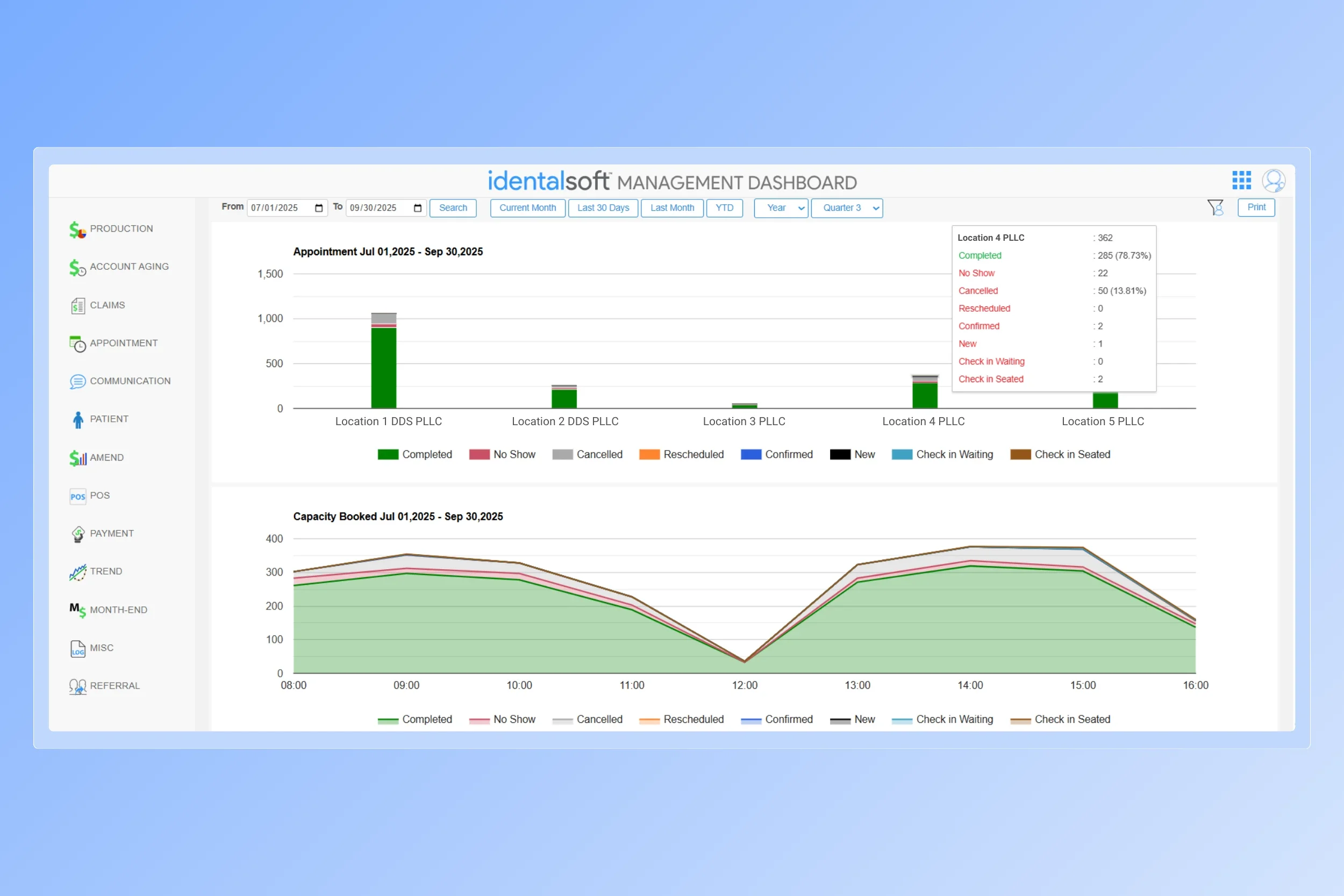
Keep managers aligned with our built-in analytics dashboard that visualizes production and appointment performance by location, provider, and timeframe filters.
Dive into appointment metrics such as no-show, cancelled, rescheduled, and completed to evaluate your patient communication approach and reduce schedule leakage.
Full customization for your office
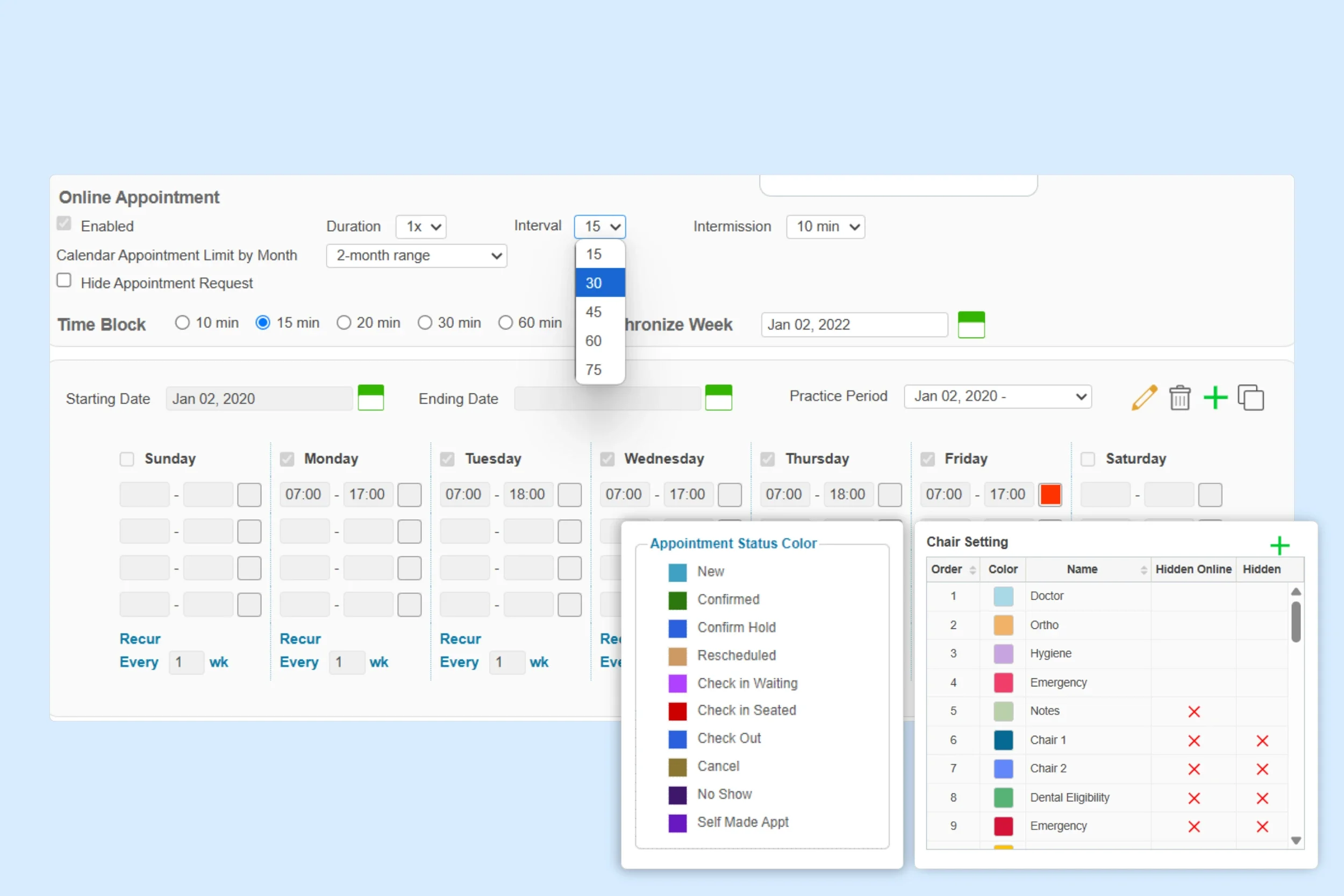
Display which appointment types patients can book online by configuring online scheduling options according to your availability rules.
Define appointment durations (e.g., 30, 45, or 60 minutes) and set custom time intervals between visits to match provider flow.
Categorize appointment time slots with custom color codes and tags, so staff can spot key details like patient status, insurance type, and medical alerts in about 5 seconds.
Connecting scheduling to your whole patient care workflow
Your office scheduling system doesn’t stand alone; iDentalSoft includes features that keep every step of the patient’s visit connected in one smooth flow.

Paperless Patient Forms
Send mobile-friendly digital forms before the appointment date, with auto-filled patient details syncing into their profile and eSignature support.

Patient Profile & History
Create or update patient profiles directly from submitted forms, support sliding fee scales for public health clinics, and add patient pop-up alerts when reviewing appointment details.

Insurance Verification
Verify eligibility in seconds with details pre-populated from intake, cutting data entry and payer website logins.
Online Payments
Offer convenient patient portal payments that tie back to scheduled care.
Frequently Asked Questions
-
Implementing dental scheduling software in your dental office in 5 steps:
1. Customize the cloud platform to your practice's workflow by setting up operatories, provider/staff profiles, linking procedure code and fee.
2. Configure appointment scheduling workflows by setting practice hours, durations, intervals/buffers, and confirmation/reminder templates.
3. Migrate patient data and integrate with existing devices.
4. Provide staff with 1-on-1 training for immediate scheduling proficiency.
5. Go live on a set date, then monitor usage and feedback to optimize operations.
-
The dental scheduling software provides a recurrence feature with start-day synchronization; by default, the starting day is the nearest previous Sunday to keep weekly patterns aligned across the dental office calendar.
-
Staff receive real-time in-system alerts for online dental booking requests, with optional email or SMS notifications based on office settings. When staff open the notification inside the software, they can view all pending appointment requests and take action by confirming, rescheduling, or calling the patient directly if follow-up is needed.
-
Online dental appointment scheduling software reduces no-shows by including automated reminders sent by text and email. Reminders can be timed at set intervals as the appointment date approaches, with buttons that let patients quickly confirm or reschedule.
-
Dental scheduling software supports recare scheduling and patient retention by assigning automatic recall rules tied to procedure codes, customizable recall types and intervals, and providing patient reports (scheduled, overdue, inactive) that help the team run targeted outreach all inside the software.