
Cloud Dental Charting Software for Smoother Clinical Workflows
Stop losing time to repetitive charting and scattered notes with our cloud-based platform. Built for faster entry, plus a clearer progress view for patients and teams.
Visualize patient findings with interactive dental charts
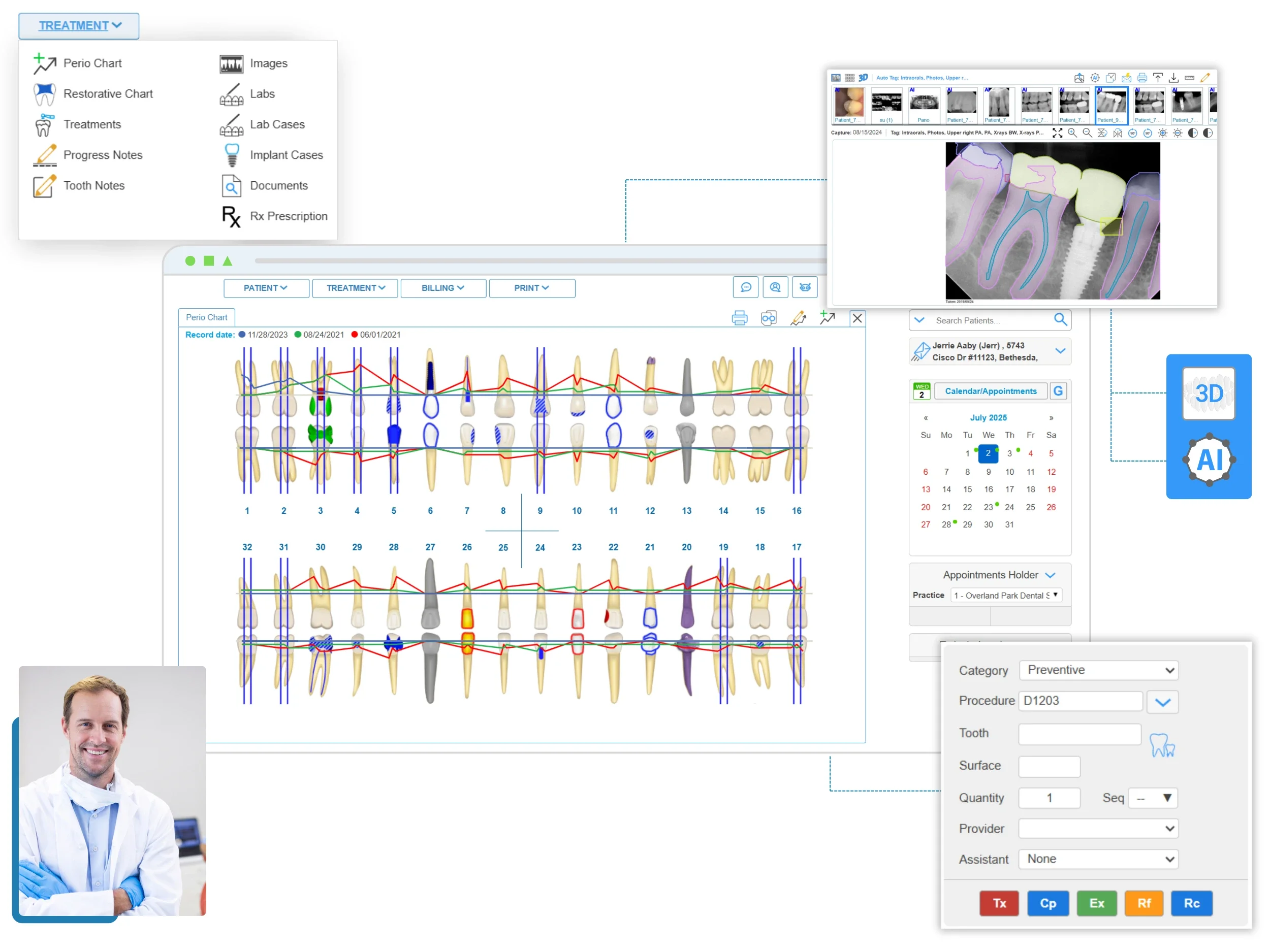
Interactive odontogram and perio chart view
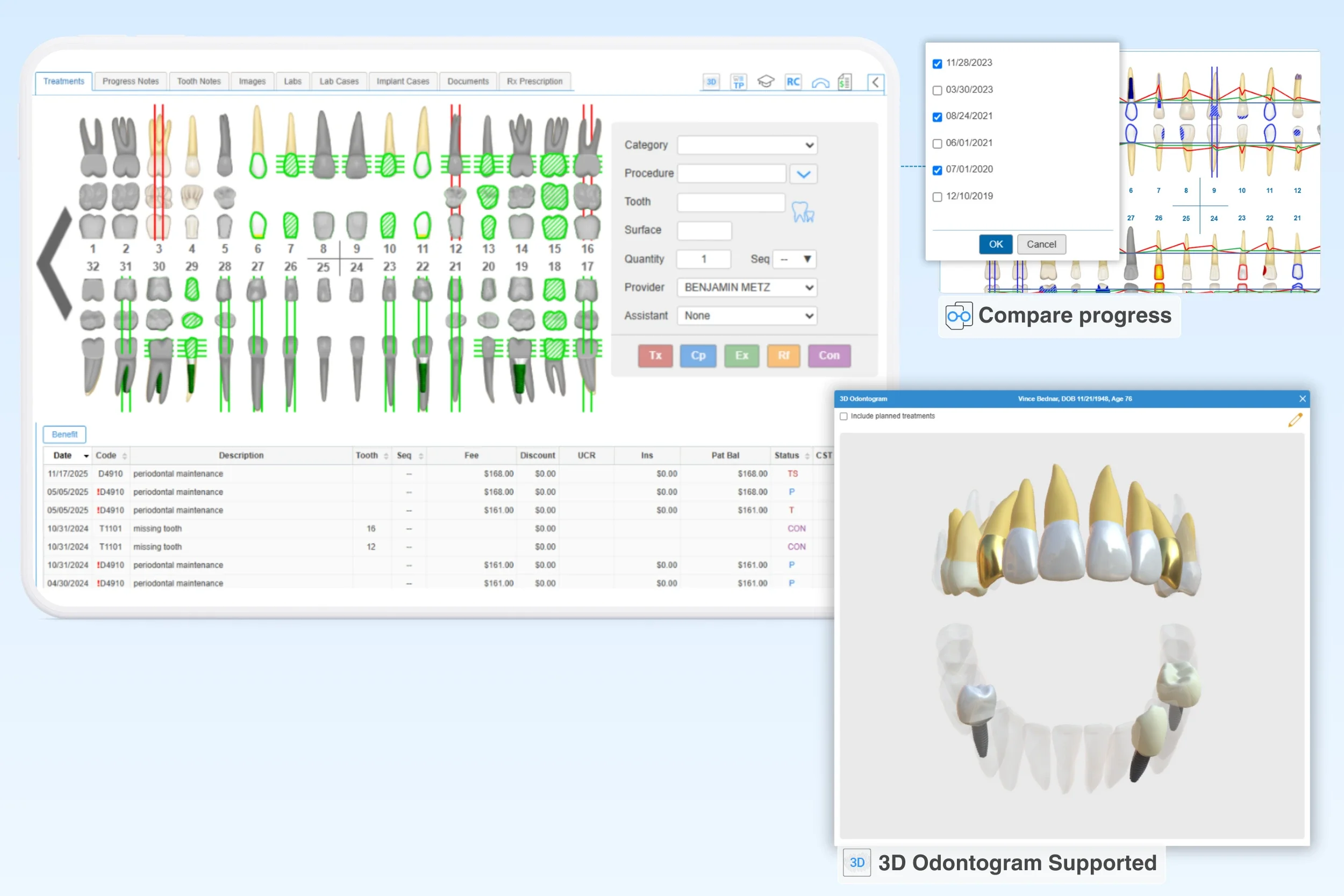
Visually represent a patient’s full dental status by viewing tooth conditions and perio findings in one workflow. Chart surfaces in the odontogram and enter perio measurements quickly, then use the 3D odontogram visualization to present findings clearly to patients.
Open the dental imaging view alongside the chart for quick comparison without leaving the clinical screen.
Color-coded chart indicators
Quickly review treatment state on the odontogram with color-coded indicators applied to each tooth or surface. Use the built-in legend to interpret existing findings, planned treatments, and completed procedures at a glance.
Progress tracking with historical overlays
Click to compare past and present exams, such as perio chart history, to show visible changes in patient health. Clearly highlighted progress supports clinical decisions and promotes ongoing care.
Clinical tools that reduce clicks during exams
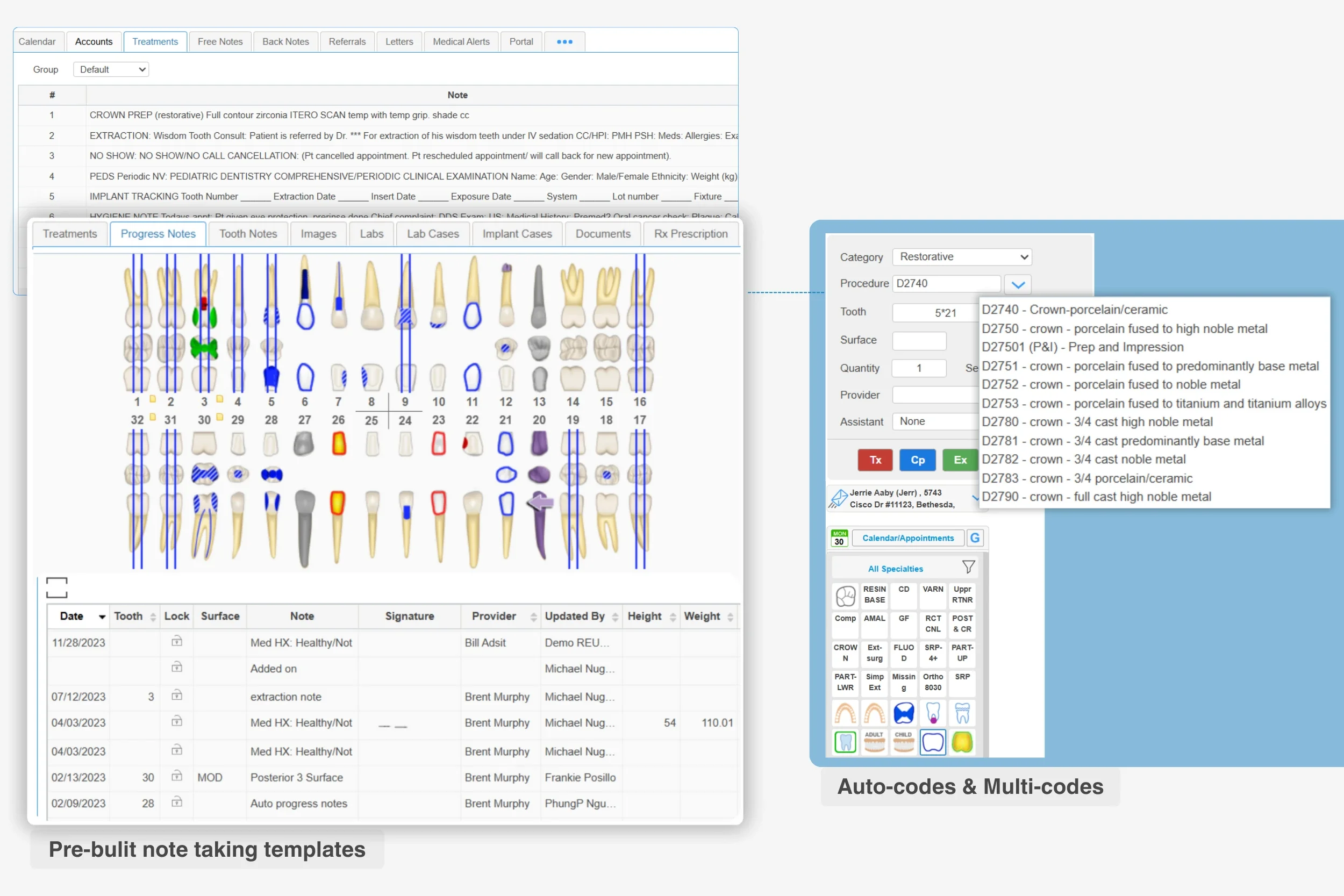
Custom templates for quick note-taking
Speed up routine documentation with templates that pre-load common notes, procedures, and codes into the dental chart. Keep provider preferences intact by saving templates by doctor, case type, or specialty.
One-click treatment plan creation
Generate dental treatment planning directly from the chart with a single click, no need to re-enter the same data. Link procedures to specific teeth or conditions so plan details stay clear for staff and patients.
Procedure Shortcuts: Multi-Codes & Auto-Codes
Reduce chairside clicks by using Multi-Codes to add common procedure sets to the chart with one selection. Auto-Codes can trigger the right code set based on tooth number, surfaces, or selection mode, helping keep chart entry consistent across providers.
Simple Chart Management
Multi-location chart sync
Access patient charts from any device so providers and staff can stay aligned across locations. iDentalSoft stores charts in a HIPAA-compliant cloud environment with role-based access controls and encrypted backups.
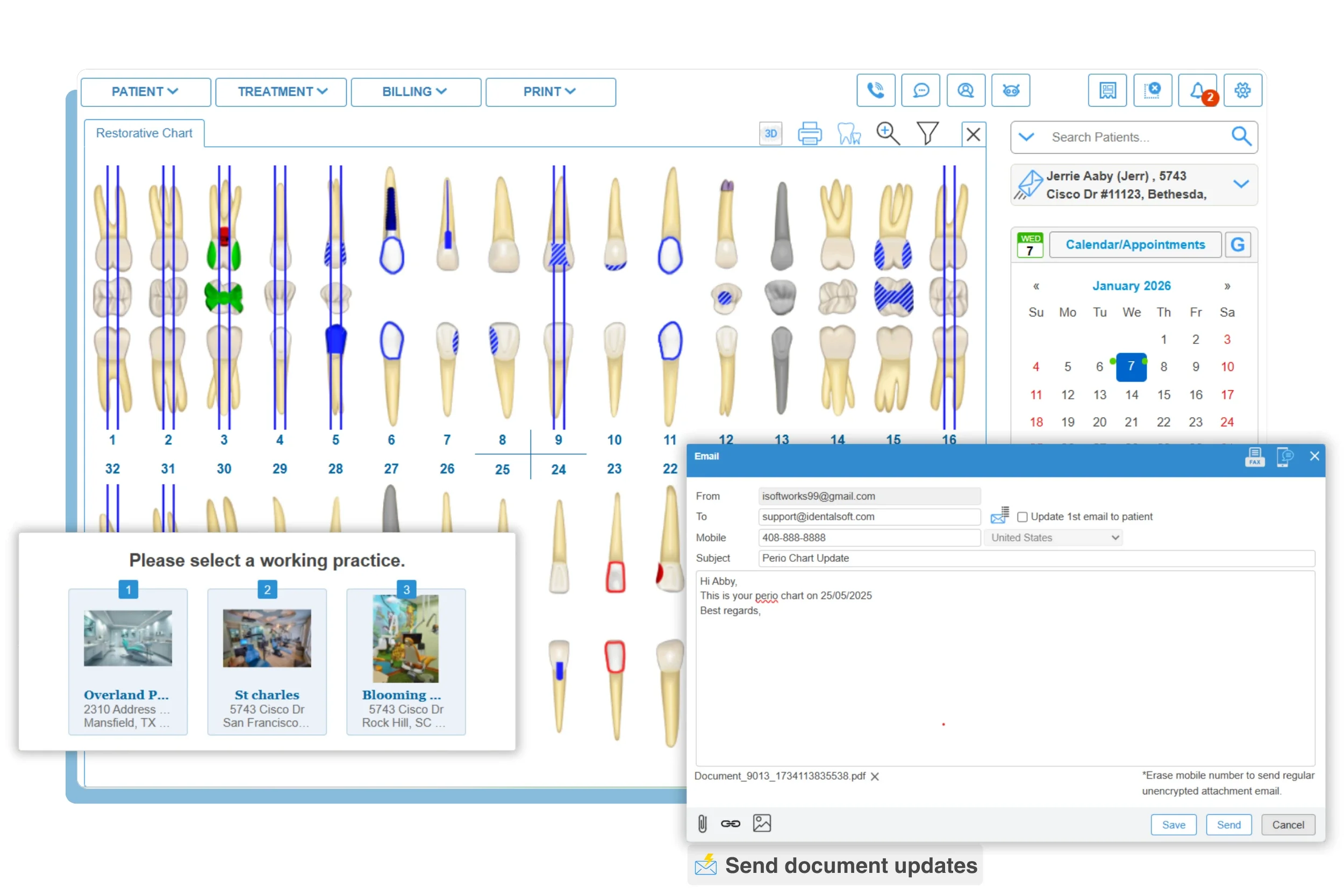
Referrals & patient correspondence
Use our one-click share button to send charts, images, and clinical notes to outside specialists for referrals or patients for treatment progress updates.
Achieve charting efficiency with iDentalSoft
75% Less
Daily charting and documentation time
80% Increase
Charting consistency across providers
35% Improvement
Treatment acceptance rate with visual plans
2,300+ dentists trust our Dental Charting solution.
Frequently Asked Questions
-
The dental charting software supports these chart types and documentation views:
Odontogram (Tooth chart): Chart tooth conditions, surface-level findings, and treatment status (proposed/completed/existing).
Periodontal (Perio) chart: Record perio parameters and compare charts over time for the same patient.
Orthodontic (Ortho) chart: Document ortho conditions and progress, including appliances, brackets, wires, and elastics.
Extraoral and Intraoral exam charts: Capture soft tissue, TMJ, oral cancer screening findings, and other exam notes using customizable forms.
Progress and Clinical notes: Add notes to findings or treatments and link them to specific teeth or charted areas.
-
When switching, data migration is fully handled by the technical team to protect your historical records, including your patient data, chart and treatment history. The process takes approximately a week, during which your practice can continue daily operations without any downtime.
-
Yes, the cloud dental charting software works on mobile, tablet, and desktop so providers can review charts, update notes, and view images chairside or on the go.
-
1-on-1 onboarding training is provided to ensure your staff becomes proficient in the new dental charting software quickly. Template setup and user-friendly functions also help to reduce the learning time across the team. Ongoing technical support is available to assist with any questions during and after the transition.
-
No. Charting is part of the integrated cloud-based dental platform, so your team can connect clinical documentation with treatment planning, scheduling, billing, and patient communication in one system.