
Dental Patient Portal for Easy Online Access
Deliver an online experience patients love, with cloud-based sync that keeps the front desk updated.
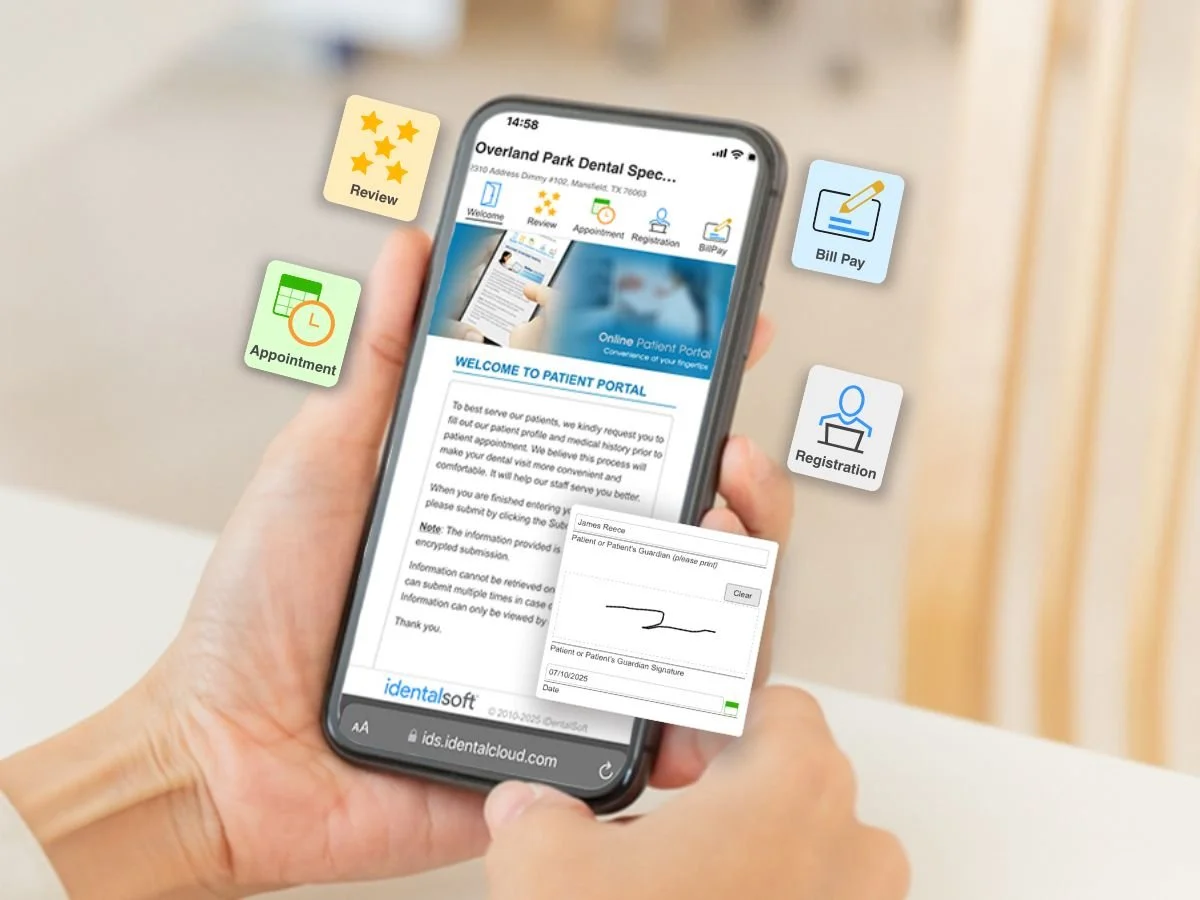
Access anytime, anywhere with the patient portal
Cloud-based portal flow
Patients can securely open the portal from the practice’s website, an email link, or a front-desk QR code; no app download required. Portal submissions are instantly flagged in your notification center for staff review. Staff can click to review and confirm, then the updates sync to the patient record automatically.
Mobile-friendly design
A responsive, mobile-first layout helps patients complete forms, request appointments, and pay balances in a few taps without extra instructions needed.
HIPAA-compliant protection
Protect patient data with encryption in transit and at rest, role-based permissions, and audit trails across your locations.
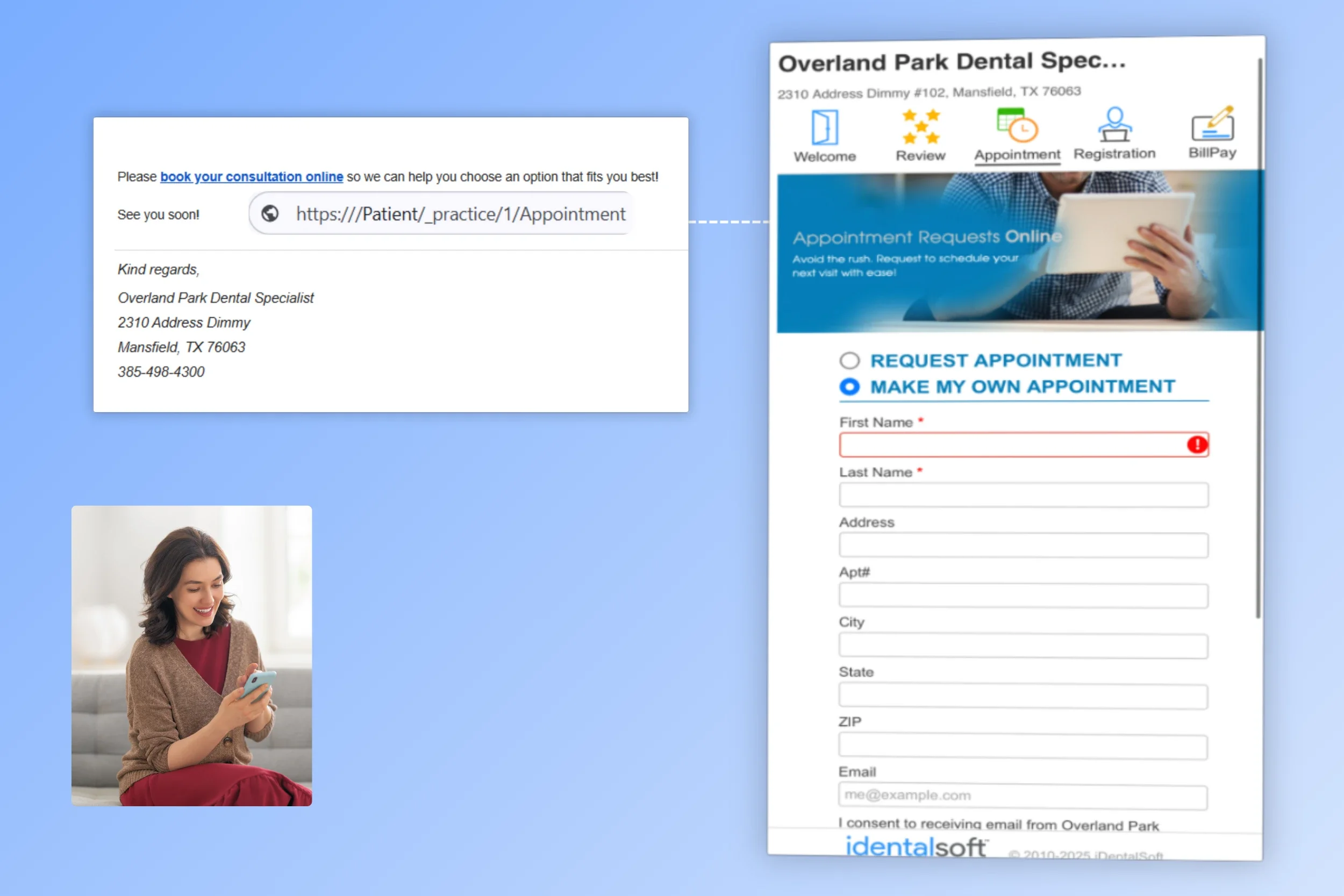
Deliver the full patient experience in one portal
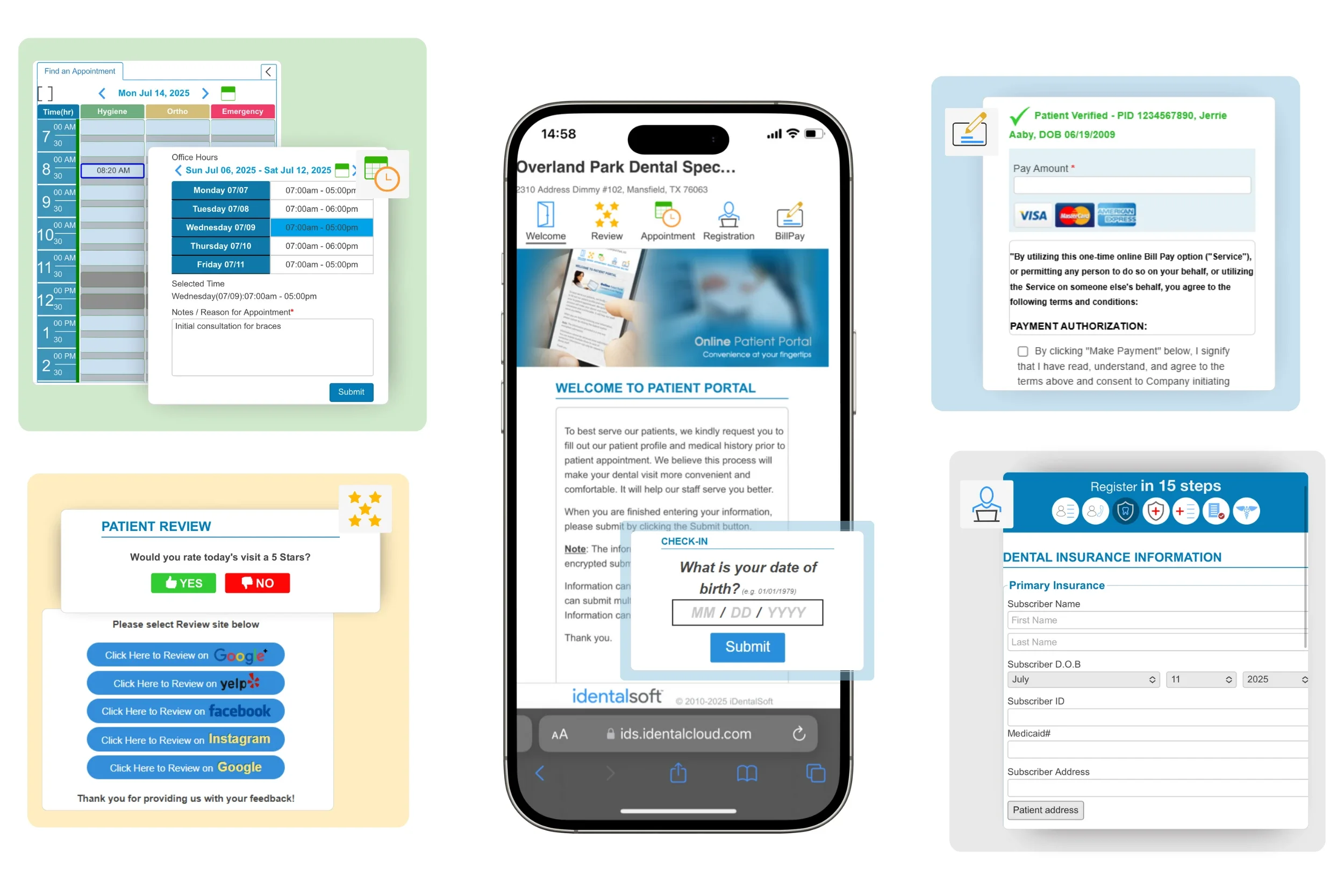
Give patients a way to manage their entire care journey with all-in-one tools built right inside the portal:
Appointment Scheduling & Reminders
24/7 self-scheduling, synced calendar, and automated reminders.
Payment Processing
Patients pay their way with flexible plans, text-to-pay, and stored payment methods.
Treatment Plan & X-rays Access
View treatment plans with cost estimates, insurance coverage, intraoral images, and eSign.
Dental Review Management
Boost 5-star reviews with automated requests, smart feedback routing, and private concern resolution.
Self Check-In
Patients confirm their arrival with a quick date of birth verification using a check-in link, right from their mobile phone.
The portal that pays off for every practice
Happier Patients
A self-service experience reduces wait times and increases engagement
Less Admin Stress
Teams handle fewer calls and repetitive tasks, improving focus on patient care.
Lower Overhead
Cut paper, printing, and server costs—saving resources at scale.
Frequently Asked Questions
-
When a patient submits a portal activity, such as intake forms, appointment requests, messages, or payments, the details are available to review inside the practice system. Staff can search for an existing patient profile, then apply the update:
If the patient is new, a profile can be created.
If a matching profile exists, staff can click to update the profile with the new information.
-
Practices can encourage patient portal use through in-platform tools that generate targeted lists and enable batch messaging. These lists can be filtered by criteria such as:
Active/Inactive patient
Treatment type
Birthdays
Review requests post-appointment
Appointment status (e.g., no-shows, cancellations)
Patients without insurance coverage
-
The dental patient portal supports multi-location practices by syncing patient data, appointments, and communications across all sites in real time. Staff with access can view records, manage requests, and respond to messages without manual transfers