
Less Front Desk Work With Built-In Dental Texting Software
Increase patient responsiveness with automated dental texting, integrated into one cloud-based system so messages stay tied to the patient record.
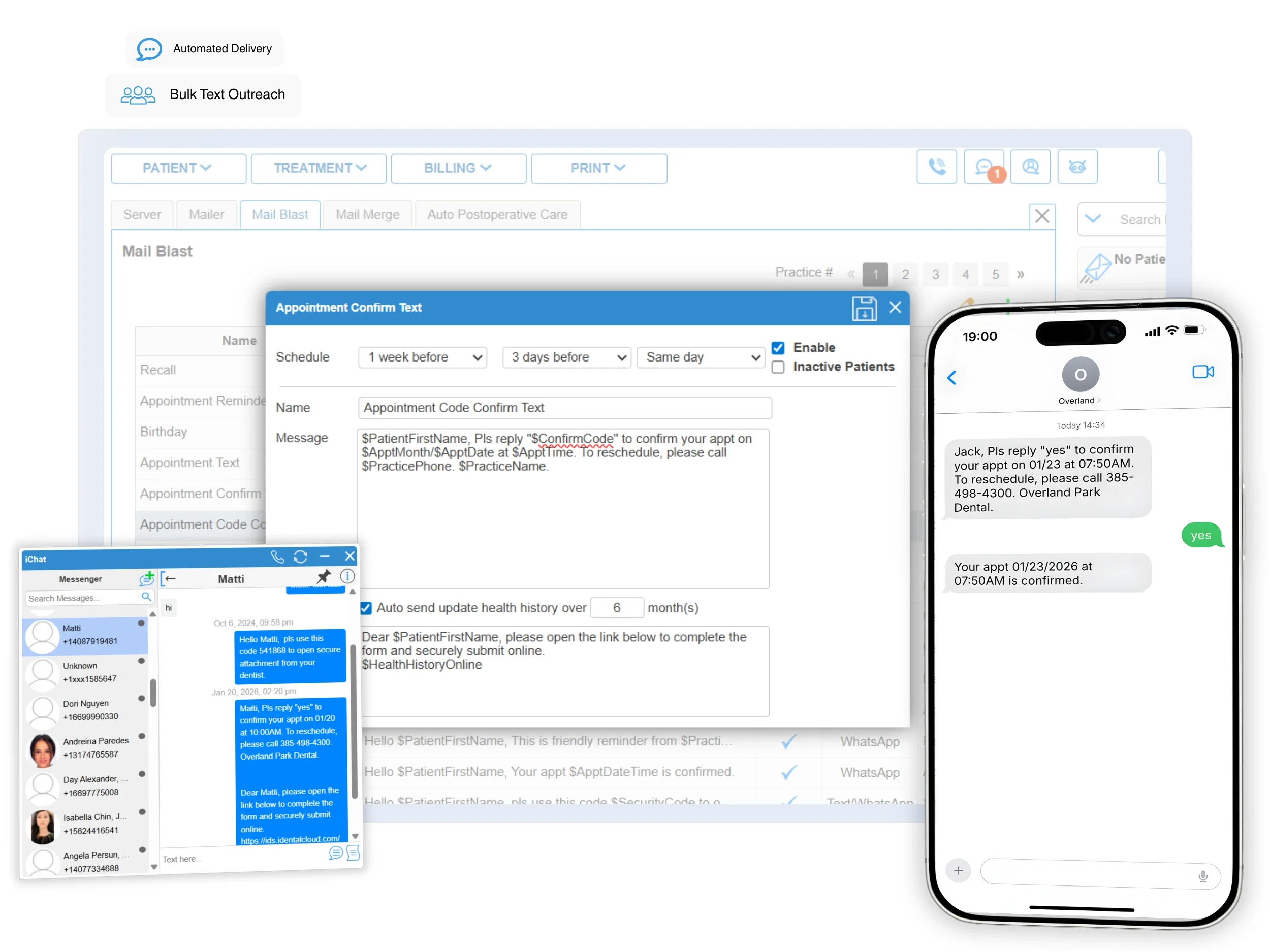
Reply with full patient context using iChat
Two-way messaging
Use iChat, our two-way texting feature, to keep patient messaging in the same dental software your team runs all day, without switching into a separate add-on. Staff can reply while viewing the appointment schedule and patient record, and click to call the patient directly using the integrated phone system when a detailed conversation is needed.
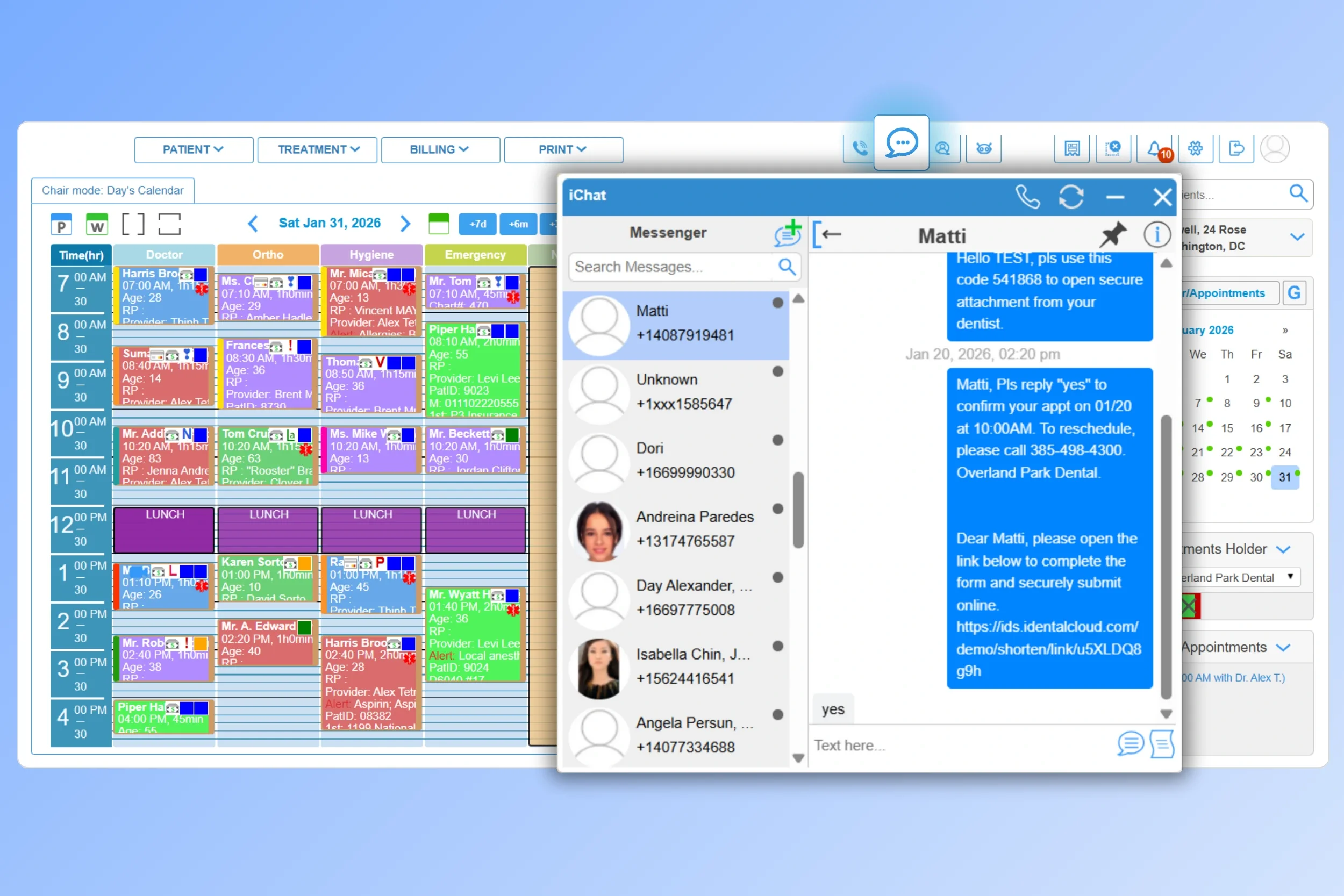
Saved texts
Store common responses as macros (like reschedule instructions, check-in directions, or registration reminders) to reply faster and reduce repetitive typing.
Mobile access
Allow staff to respond to patient texts remotely with the same patient context.
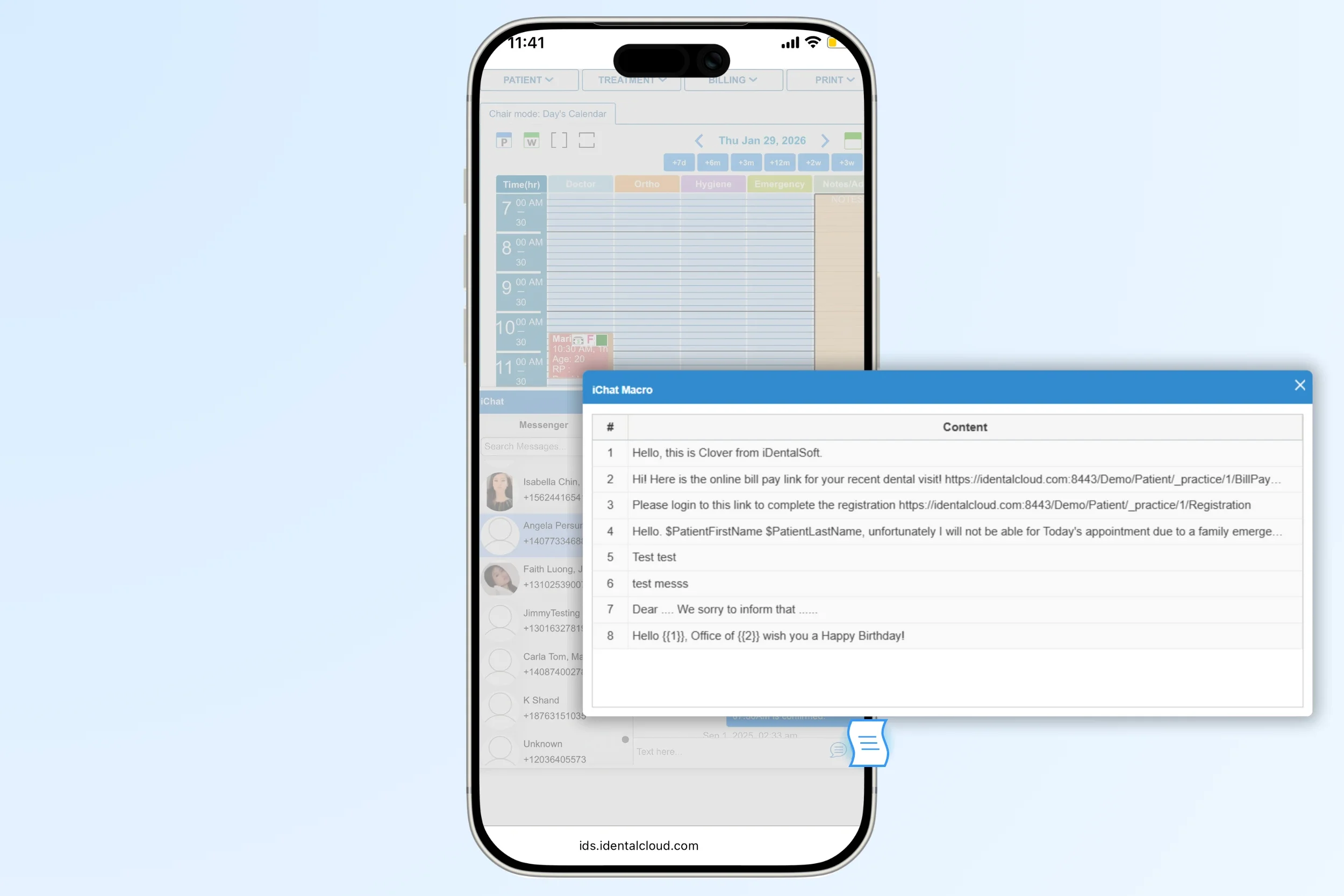
Automated text messaging at every patient touchpoint
Set up once, and deliver automatically. iDentalSoft keeps automated texts connected to the right features, so patients receive timely messages to complete the next steps without extra front-desk work.
Appointment Reminders
Send text reminders by days or hours before the visit. Support quick confirmations when patients reply “CONFIRM” to update appointment status automatically.

Recall Outreach
Text patients when they are due for cleanings or exams, based on recall intervals linked to procedure codes.

Registration Request
Text new patients an online link to complete registration forms on their phone before they arrive.
Review Invitations:
Deliver a link to leave a 5-star review after the completed appointment, supporting online reputation.

Birthday & Yearly Event:
Send greetings on birthdays and yearly events, such as Thanksgiving, to strengthen patient relationships.
These are just starting points. Use message templates to customize automated texts to your care approach.
Bulk SMS sending for targeted patient outreach
Build outreach lists
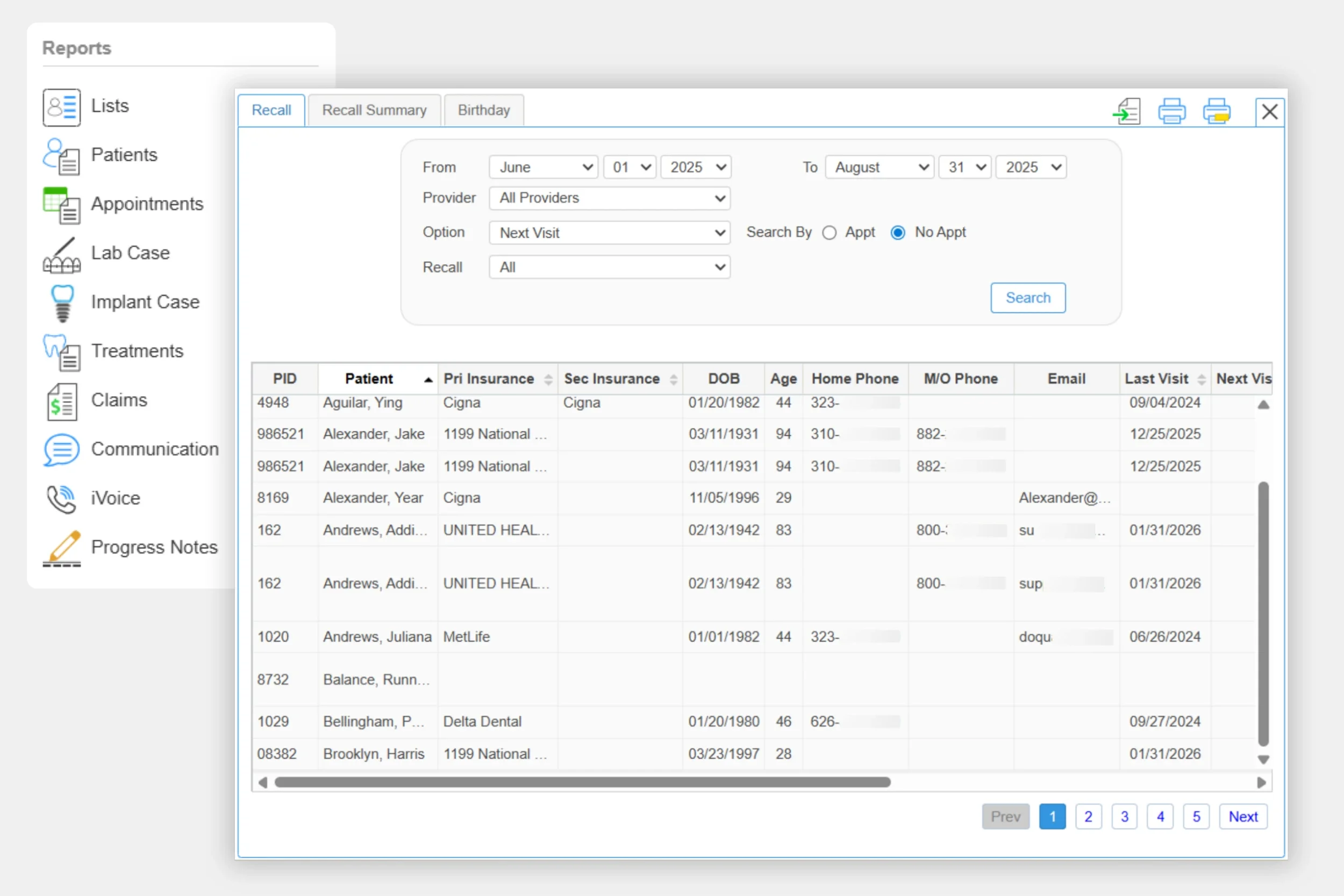
Use the iDentalSoft patient list generation tool to build the right outreach list, so your team can send bulk texts at once. Lists can be built from filters such as:
Time since last completed procedure or appointment (e.g., no visit in 6+ months).
Specific treatments or procedure codes
Missed or canceled appointments without rescheduling.
Inactive patient within a selected date range
Patients without a future appointment scheduled.
Age groups (e.g., pediatric patients due for annual exams).
Custom list criteria based on your office workflows.
Launch bulk outreach with templates
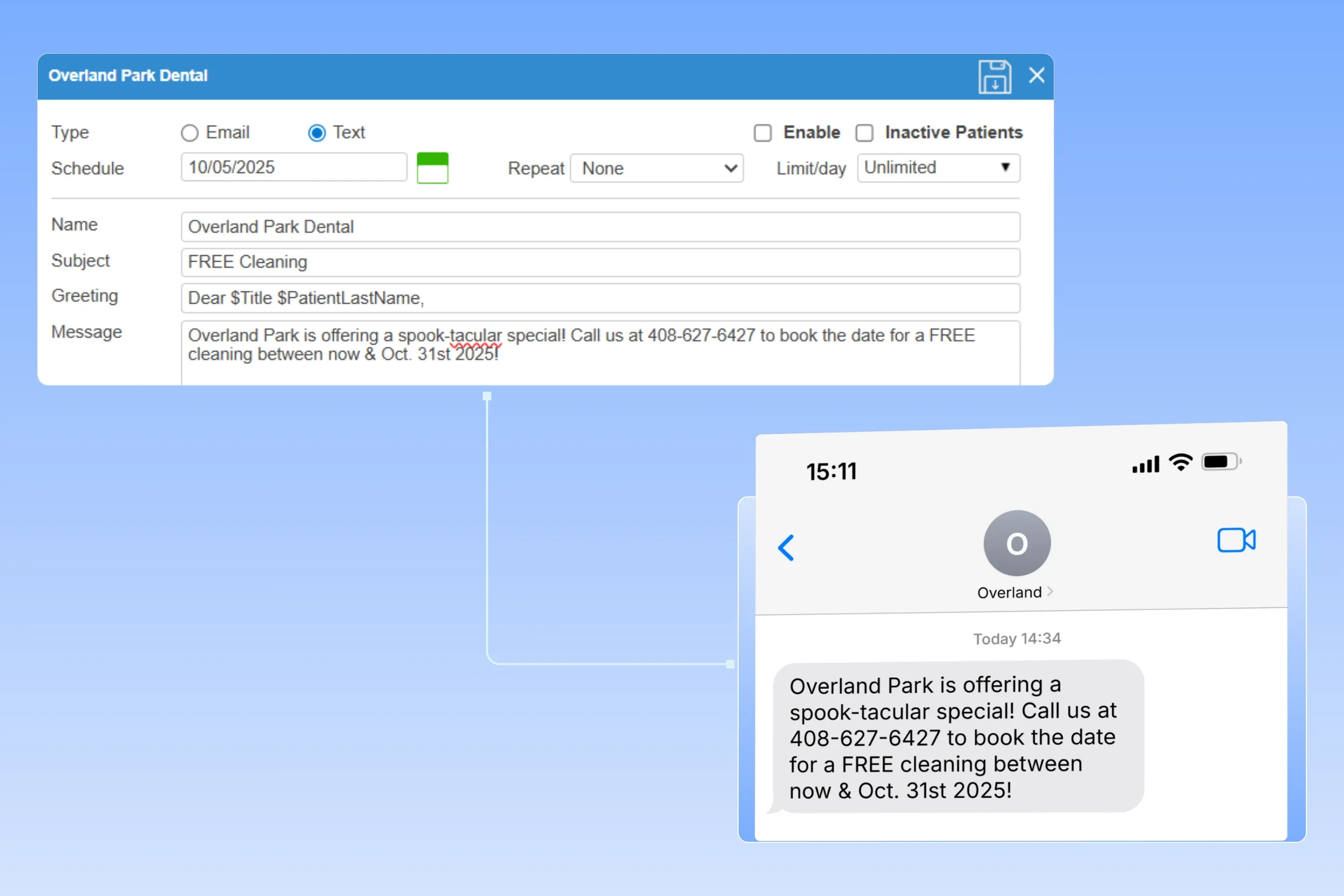
Template setup: Build text templates for each targeted patient list, with auto-fill fields (e.g., patient and provider details, appointment link) for personalization at scale. Customize the message for the office outreach and marketing, such as event notification or limited-time offers.
Timing control: Set start dates and repeat settings, and control frequency so patients receive messages at the right pace without feeling over-contacted.
HIPAA-compliant texting system
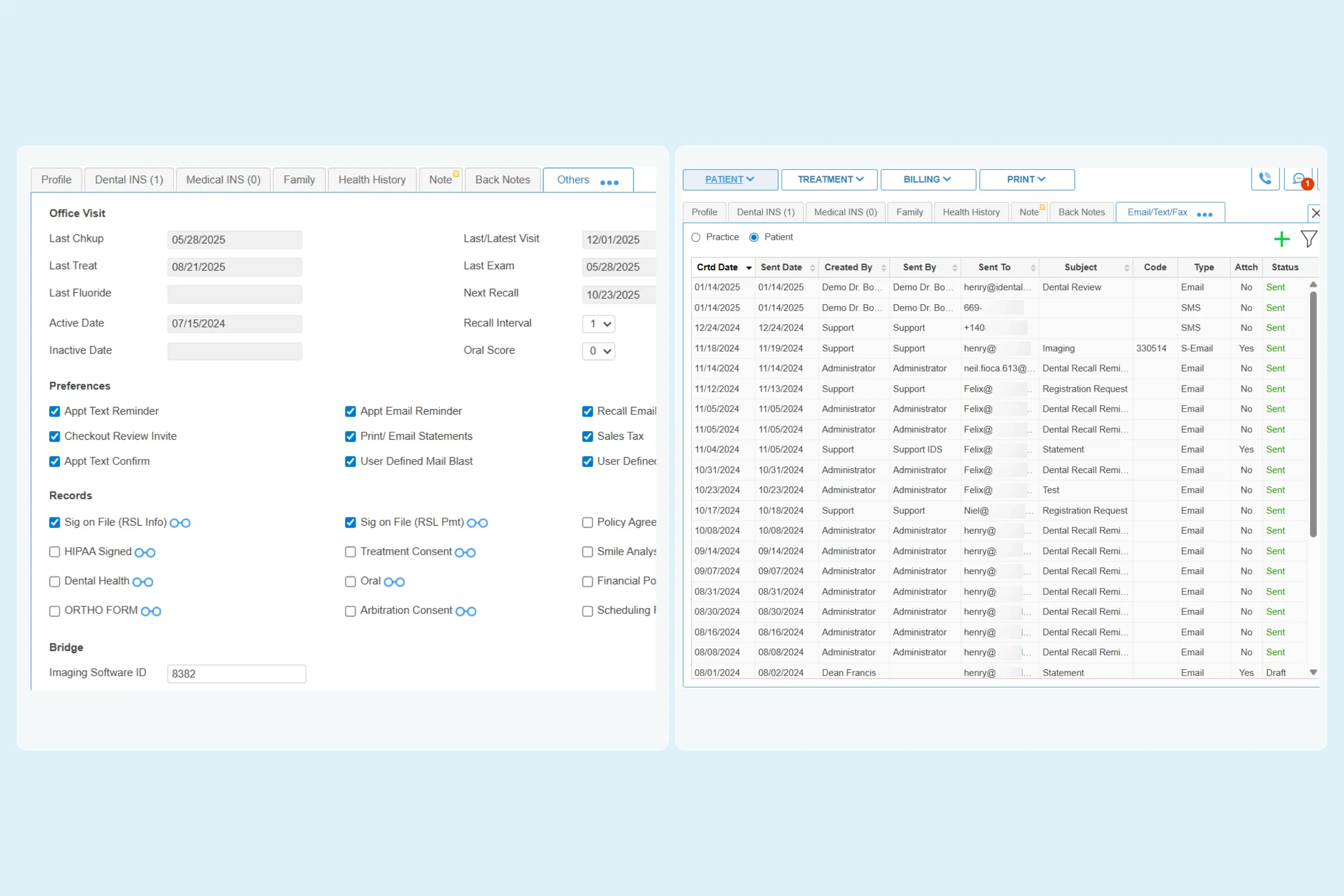
Consent tracking: iDentalSoft tracks SMS consent and patient messaging preferences (by text or email), so your office can follow opt-in requirements and honor opt-outs based on recorded selections.
Non-clinical texting: Keep PHI (Protected Health Information) out of standard SMS by using encrypted links for forms and treatment details.
User control: Limit who can configure texting using user access controls, keep message history, and send logs for compliance review and patient follow-up. Managers can confirm what went out, when it was sent, and how the team handled responses for accountability.
A2P support: For US delivery reliability, iDentalSoft supports A2P 10DLC carrier registration to improve delivery rates and reduce the risk of messages being filtered or flagged as spam.
Frequently Asked Questions
-
Yes. WhatsApp setup is available as an alternative to SMS texting for both national and international offices.
-
Patients can set their contact preference and consent as part of the online intake workflow, where they choose how they want to receive office messages. Those selections are saved to the patient’s record, and staff can later adjust the SMS/email toggles and consent status in the patient profile when patients request a change.
-
Yes. When Chrome Notifications are enabled and allowed, staff can receive desktop pop-up alerts for new patient texts even if the software is open in a background tab or not currently in focus.
-
Yes. Text templates are limited to the standard 160-character SMS length. When building a template, it is necessary to keep in mind that auto-fill fields can vary in length and may exceed the limit once real details are inserted.
-
Yes. You can pause automated texting for an individual patient by disabling SMS/Text in their communication preferences within the patient profile. This stops texts from being sent to that patient without changing your office-wide texting setup.
-
Auto-fill fields (also called merge fields) are placeholders you insert into a template. When the bulk text is sent, the software replaces each placeholder with the correct data for each recipient.