
Dental Payment Processing Software - Secure Solution for Practices
Give patients more ways to pay with iDentalPay. A cloud-based software built to simplify collections and front desk workflow.
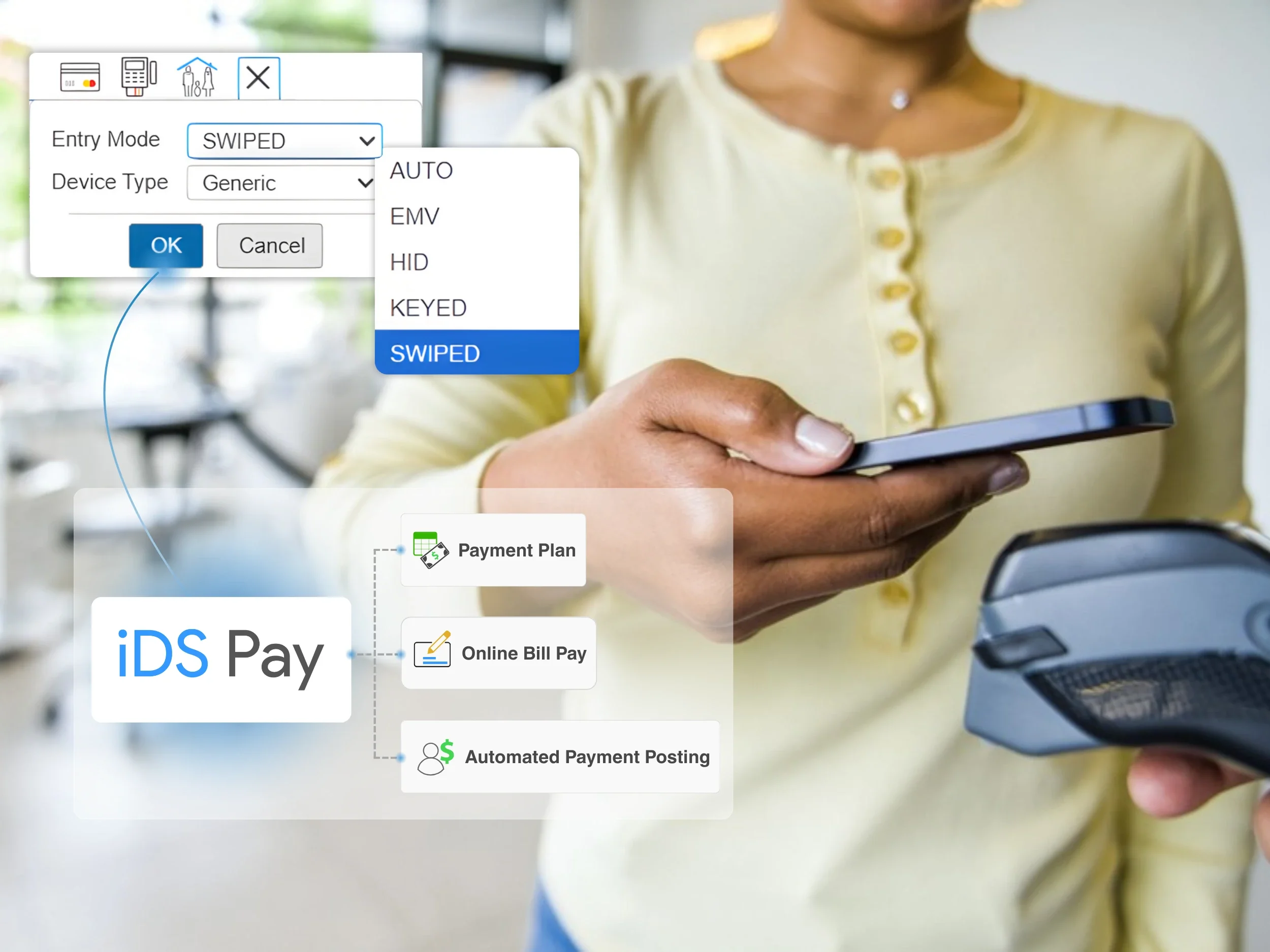
Let patients pay their way
Integrated credit card processing
iDentalPay lets your office accept credit and debit card payments at the front desk, or online through a mobile-responsive patient portal. Get instant confirmation without third-party syncing.
Saved payment methods
Patients can store a card or ACH details within the cloud portal. For repeat billing, your team can keep the payment method on file and use it when the patient approves or when an authorized plan runs.
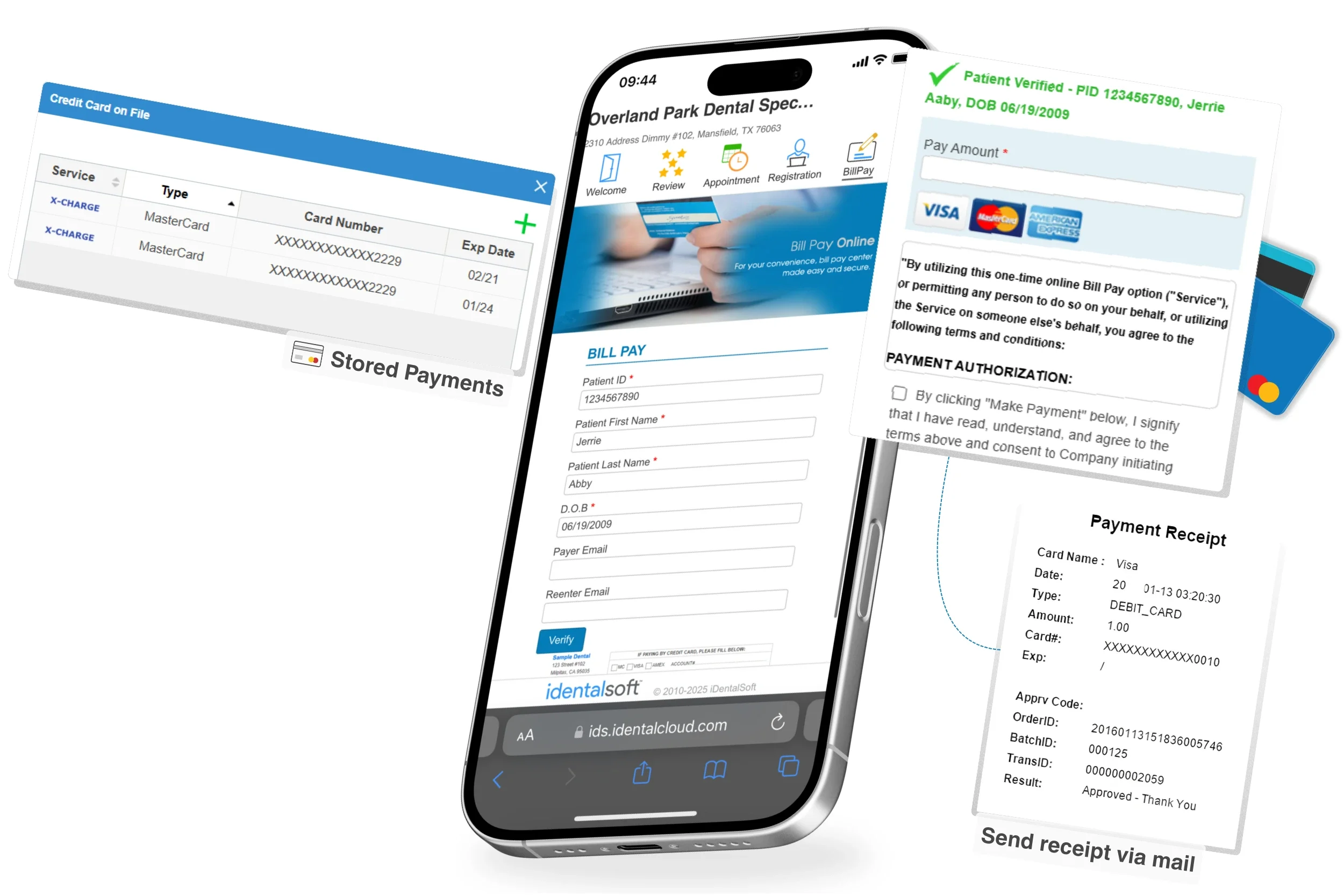
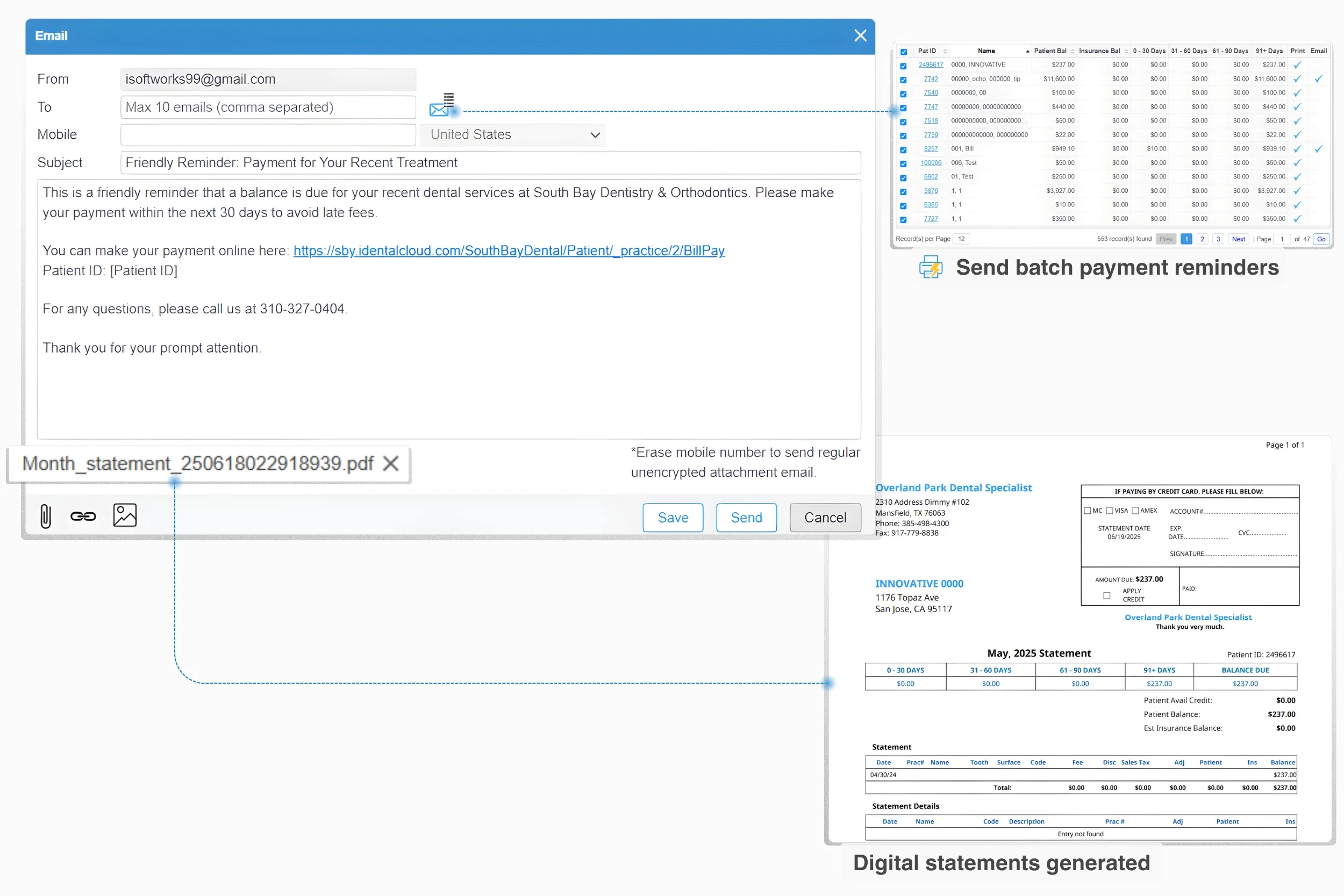
Automated text-to-pay and digital invoicing
Automatically send an online payment link by text or email, so patients can pay in seconds. Use batch payment requests to reach a filtered list of patients based on balance status or treatment activity, with customizable messages and frequency.
Secure payments
All transaction data is protected with PCI-level safeguards, including encryption and tokenization, plus HIPAA-focused security practices across your iDentalSoft environment.
Flexible payments that support treatment acceptance
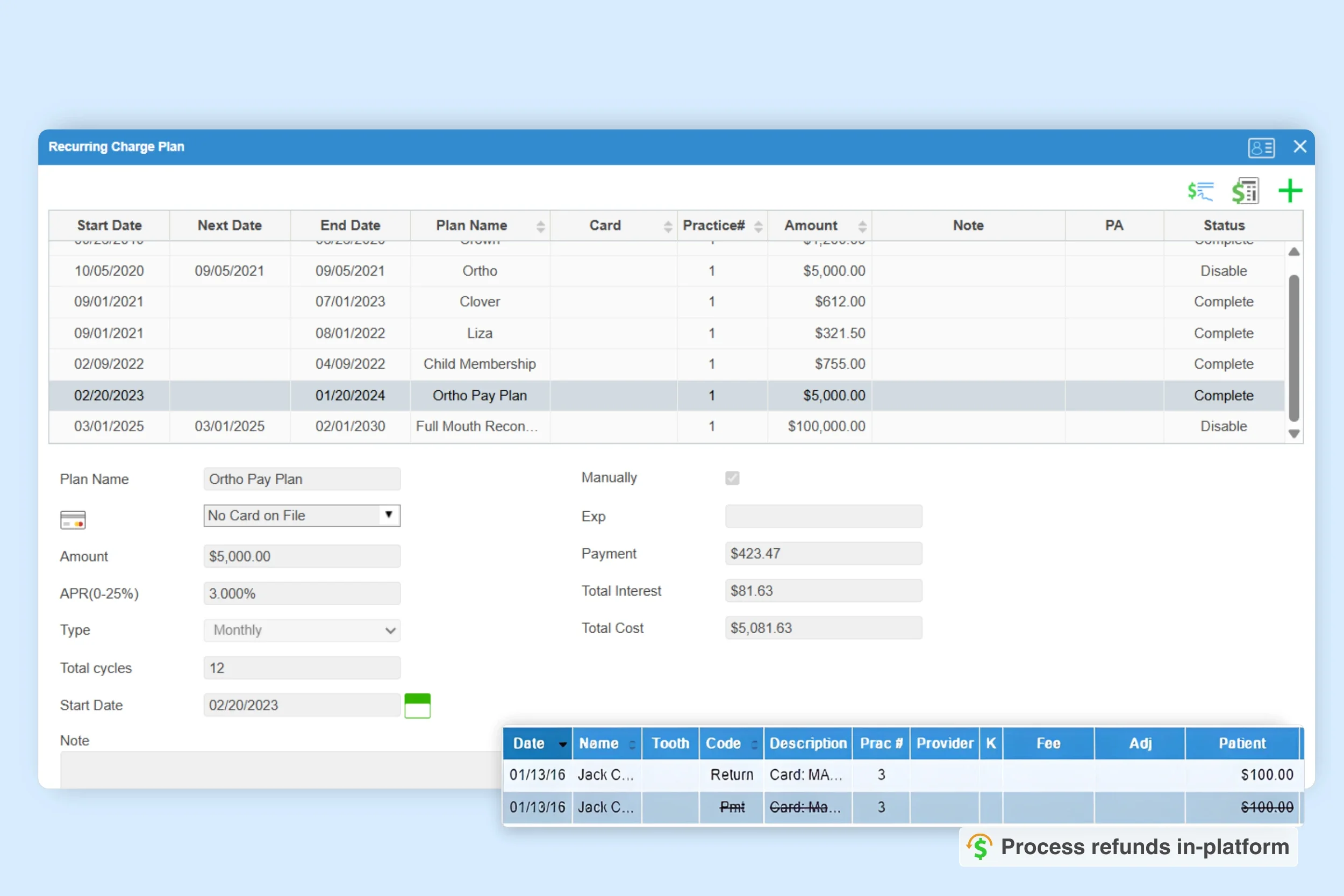
Payment plan customization
Make treatment easier to accept by offering flexible ways to pay. iDentalSoft supports both Office Membership Plans and patient payment plans, so patients can choose monthly membership billing or installments based on what works for them. Set terms like down payment and timing, then link a saved card for automatic billing to reduce follow-up tasks for your team.
In-platform Void & Refund
Process voids or refunds directly in iDentalPay to resolve payment concerns faster. Clear refund handling helps patients feel confident moving forward with care. Every adjustment stays recorded for reporting and audit review.
Faster posting and clearer reconciliation
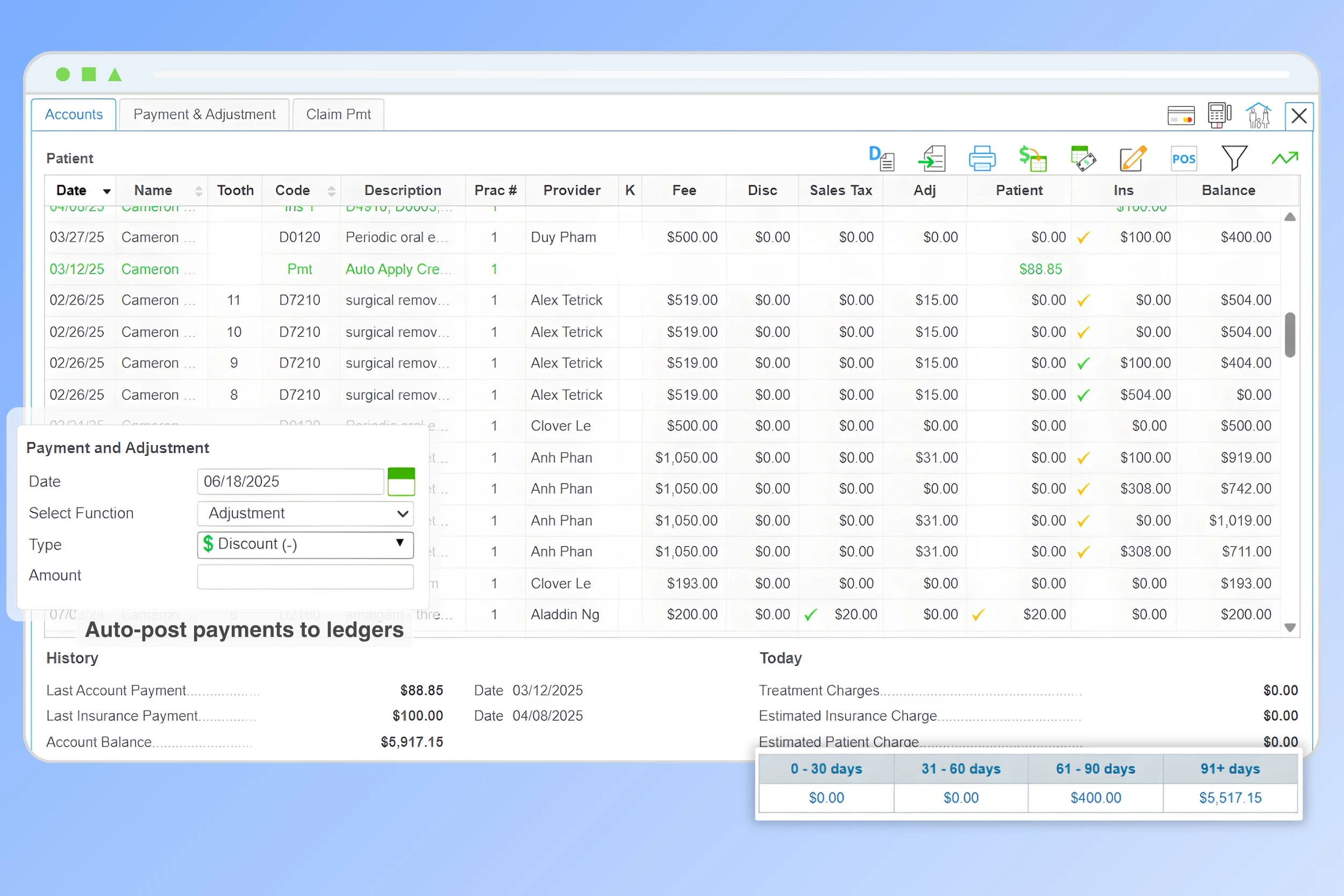
Automated payment posting
Payments can post to the correct patient ledgers automatically, reducing manual entry and end-of-day cleanup. Transactions are logged for reporting as soon as they’re processed.
Multi-location sync
Support real-time payment data syncing across locations and specialties with our cloud-based dental software, so teams don’t lose context when patients move between offices.
Payment tracking
-
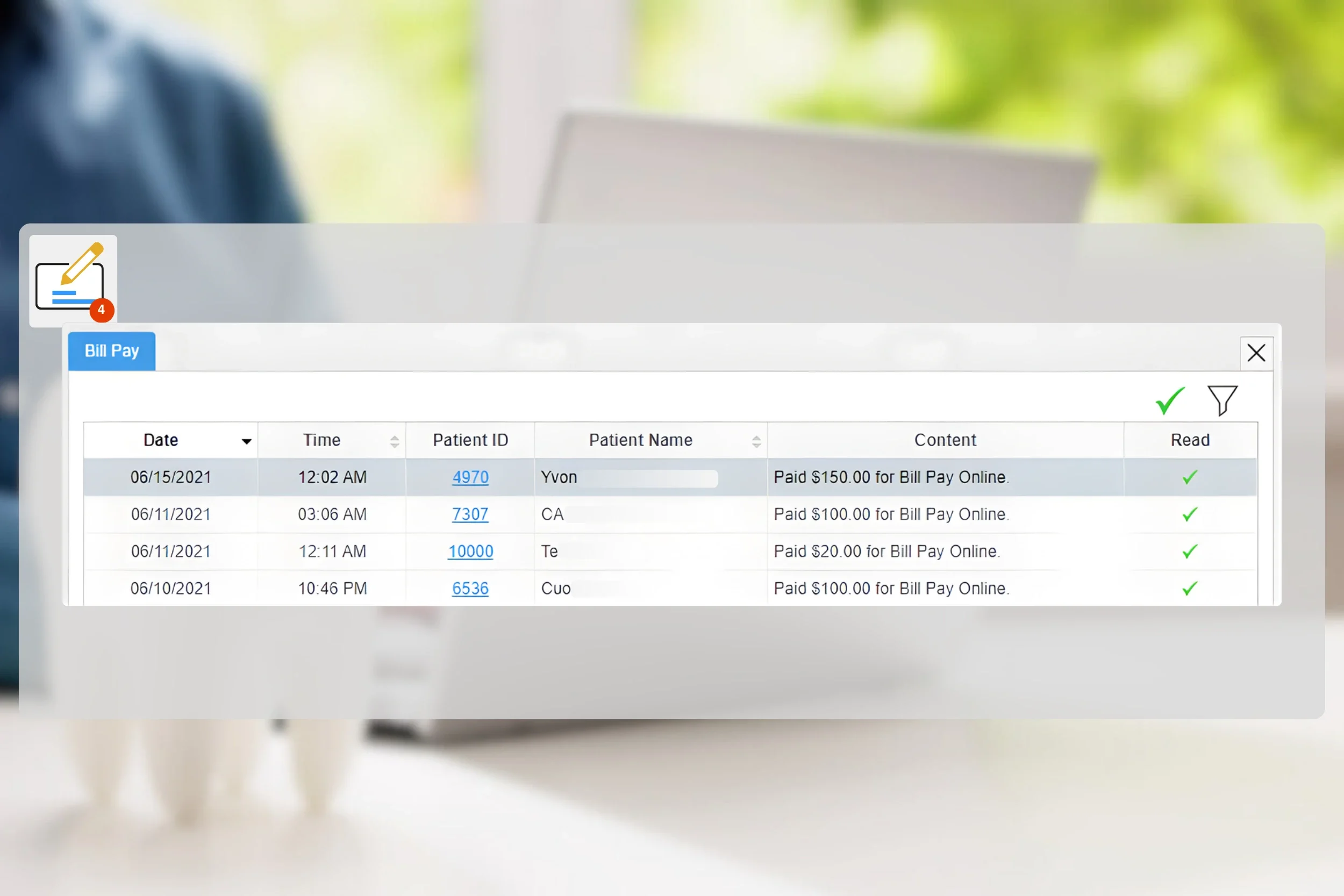
Capture new payment activity instantly in the iDentalSoft notification center, including portal payments and declined card alerts. Open the notification to review the payment details, then click Accept to confirm it.
-
From the payment list, staff can click into a specific patient to view the posted payment in their account ledger alongside charges, balance, and aging, keeping payment follow-up clear.
-
Keep patient payments connected to your dental billing by managing eligibility verification, claims, and collections in the same platform with a unified record.
How iDentalPay transforms your payment processing
$1,800 Saved/Year
Cut costs by 57% annually compared to traditional payment methods.
12 Hours Saved/Month
Reduced manual reconciliation and admin tasks.
35% Faster Payments
Accelerated revenue and higher patient satisfaction with flexible payment options.
Frequently Asked Questions
-
iDentalPay is iDentalSoft's in-platform way to accept debit and credit cards, ACH, and online payments. Practices can collect payments, post them to the right ledgers, and track transaction status without relying on separate payment apps.
-
Yes, the dental payment software supports role-based access, so administrators can allow or restrict who can process payments, issue refunds, view transaction details, or manage financial settings.
-
Yes. Payments can be allocated across linked accounts while keeping each patient’s ledger, balance, and treatment records accurate.
-
The system logs failed transactions and triggers alerts for follow-up. Staff can resend a payment request or call the patient to update their payment method.
-
Most teams can learn the core payment workflow in 20-30 minutes due to the software’s user-friendly interface. 1-on-1 training, video guides, and email support are available to help staff get comfortable and address questions as they arise.