
Keep Patients on the Line with Reliable Dental Phone Systems
A cloud-based VoIP built for dental offices, iVoice keeps patients from slipping away with fully connected call tools.
Key Dental Phone Features
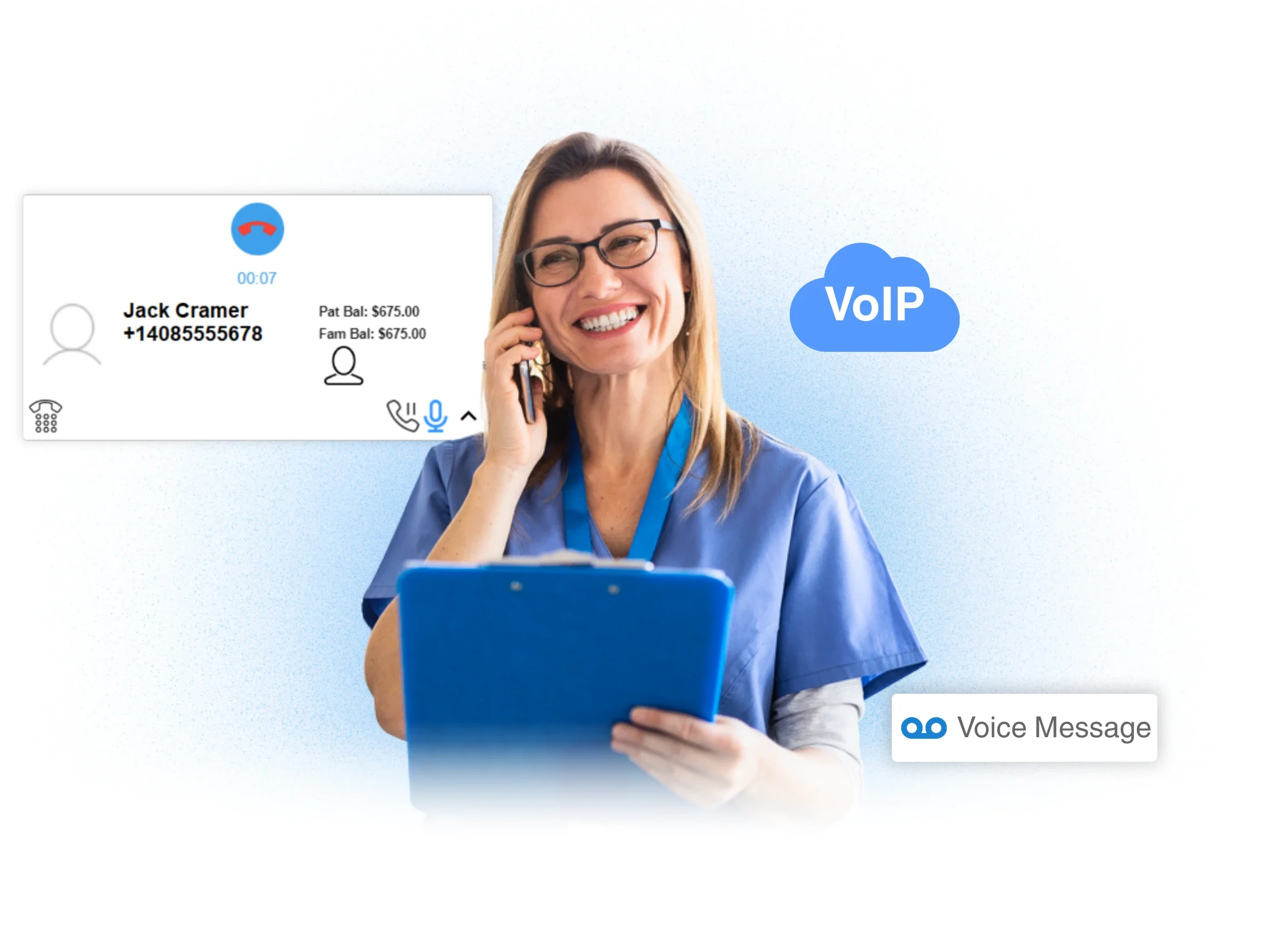
Best care starts by knowing your incoming calls
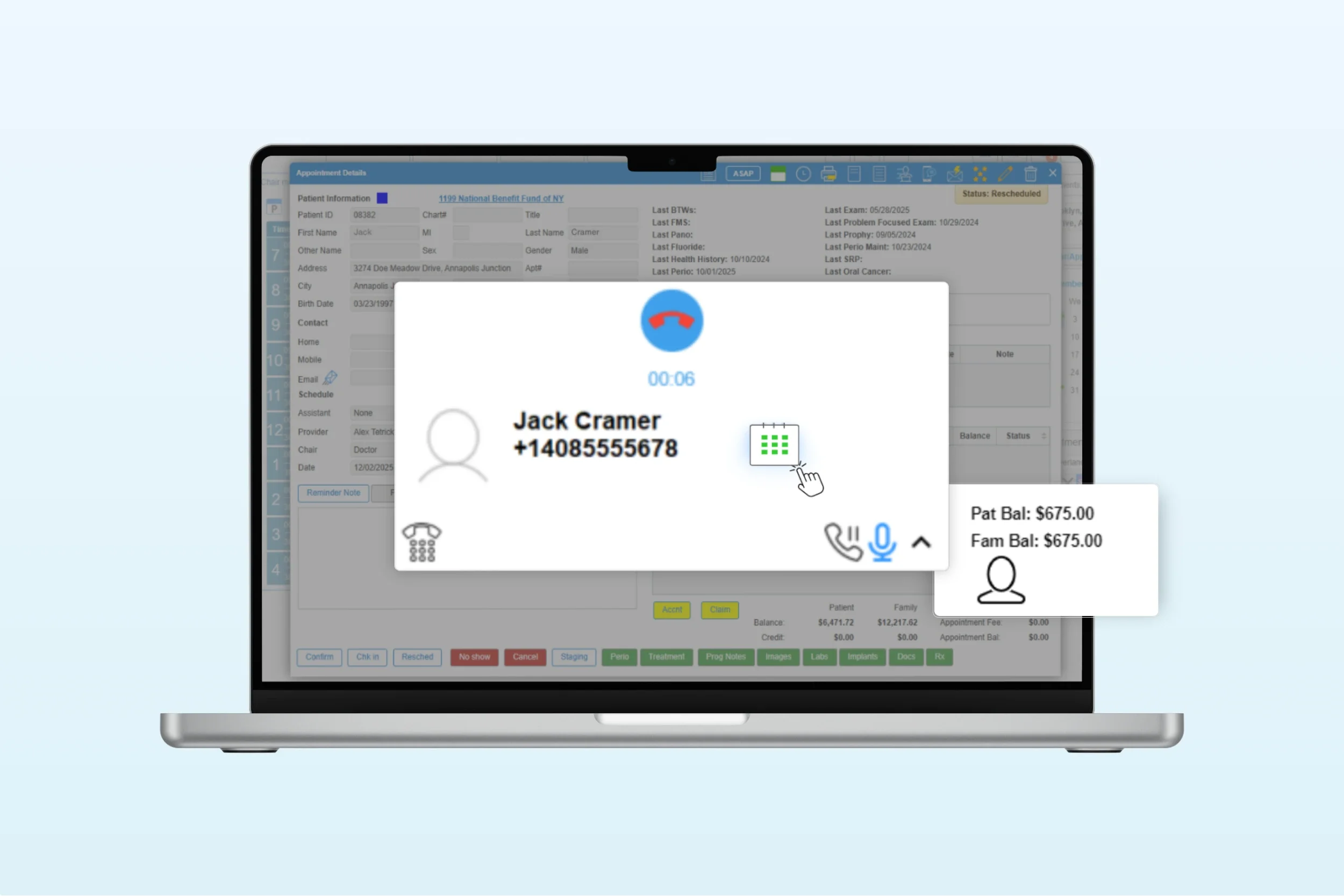
When a patient calls your office, iDentalSoft instantly displays the key details your team needs on the screen, including patient name, upcoming appointments, and balances. So staff can guide the conversation confidently without searching for information.
One-click access to the patient profile tab allows your front desk team to quickly review treatment notes or medical alerts, supporting an appropriate phone consult.
The VoIP system for full flexibility
Built for staff to make and receive calls directly from our cloud dental software interface, using a clean VoIP softphone that can communicate from anywhere. Ideal for fast-paced front desks, remote teams, and mobile dental workflows.
Port your existing office number and use it for both calls and patient SMS texting on any device, preserving continuity for your patients and reinforcing trust in every interaction.
Call handling mastery with iVoice
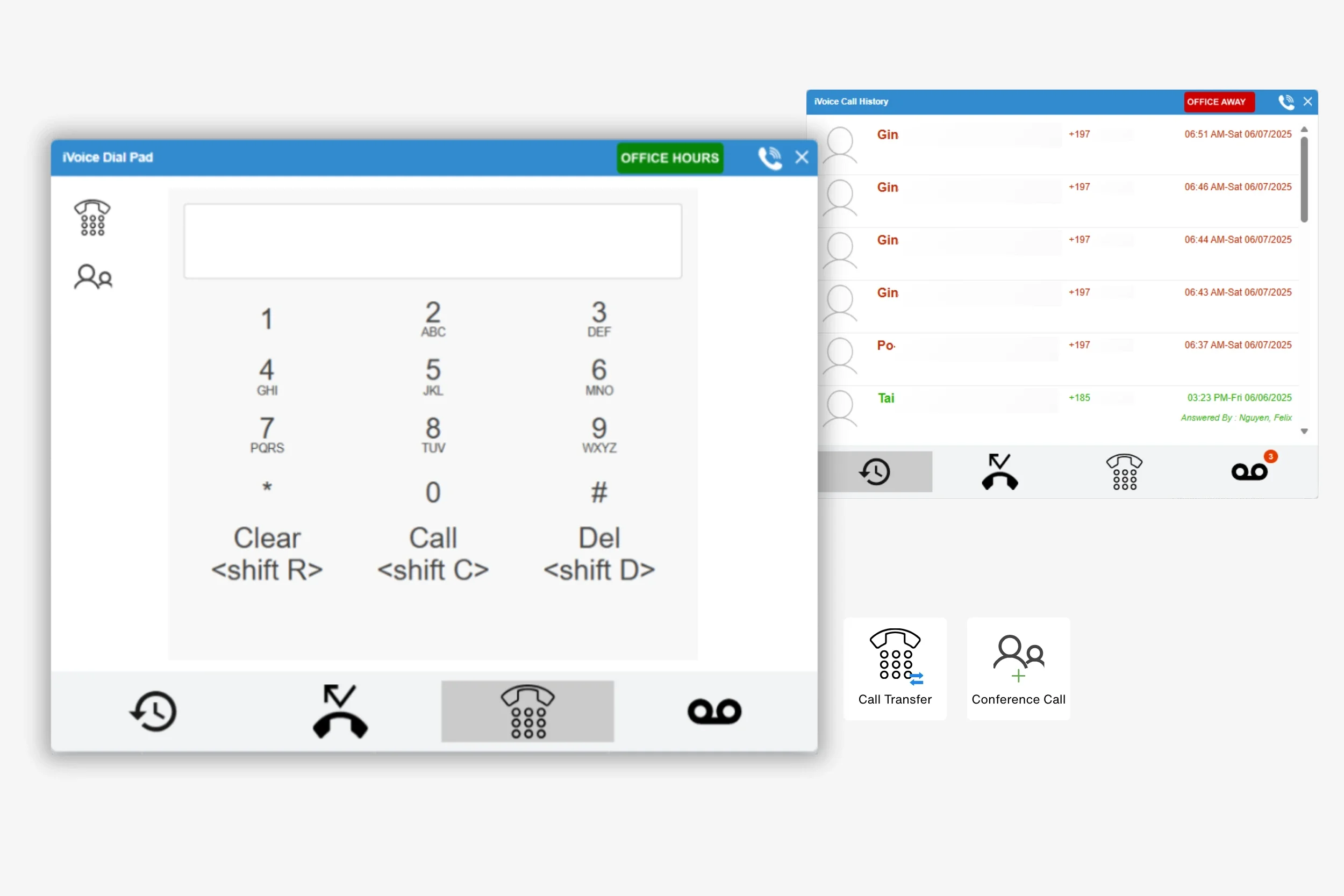
Our iVoice gives your team the tools they need to handle every call smoothly by:
Transfer call: Quickly route incoming calls to other logged-in staff members or the responsible dentists.
Conference call: Create a multi-attendee conference (with staff or outlines lines) directly from an outbound call.
Outbound dialing: Simple outbound calling via the digital Dial Pad.
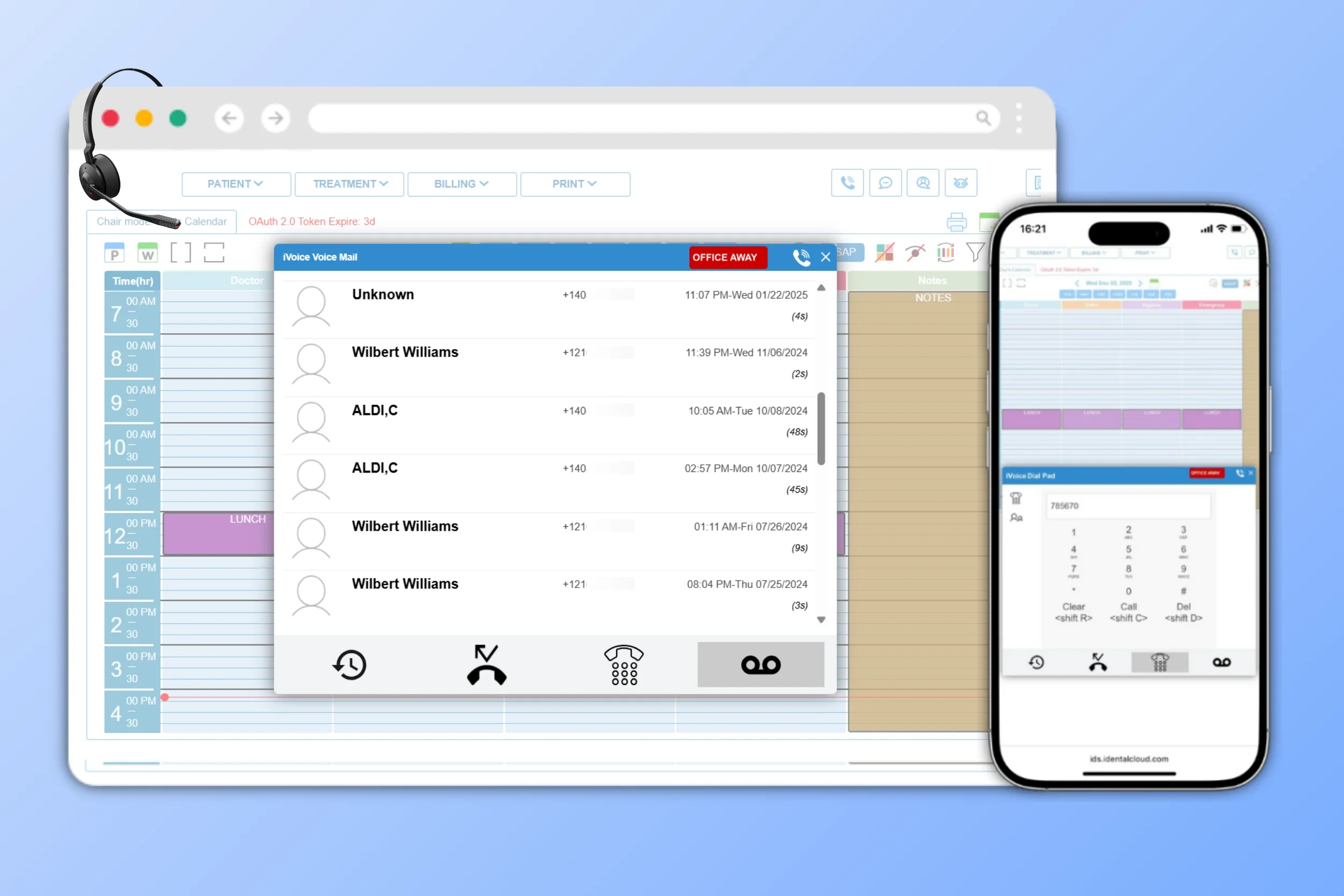
Never loses track of a conversion with auto-logged call history and missed call list.
Automatic Voicemail Routing
Customize your voicemail inside iDentalSoft to ensure you don’t lose patients on the phone again:
-
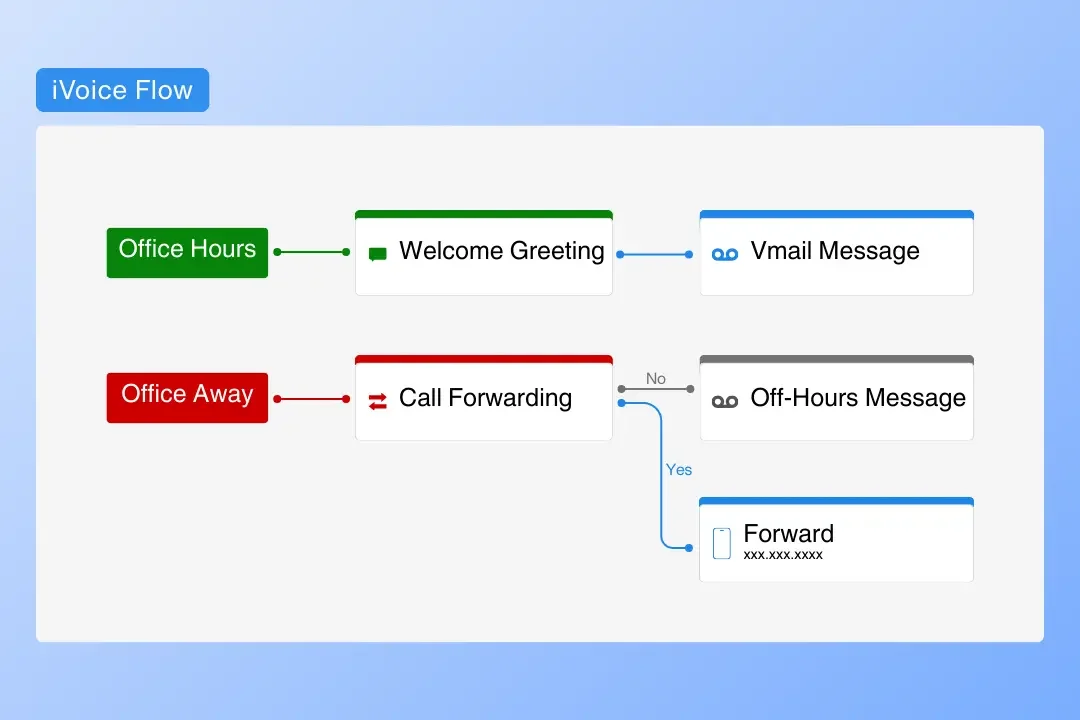
Automatically play your Welcome Message during office hours, Voice Message when staff can’t pick up, and Off-Hours Message after the office closes. Offices can also enable call forwarding during off-hours to a designated number for added coverage.
-
Choose the voice that delivers your automated greetings from natural-sounding male or female synthesized options, giving every caller a polished first impression.
-
Voicemail transcription converts messages to text for quick scanning and notifies staff at the assigned email address so they can catch up at any time.
Understand call performance with iVoice reports
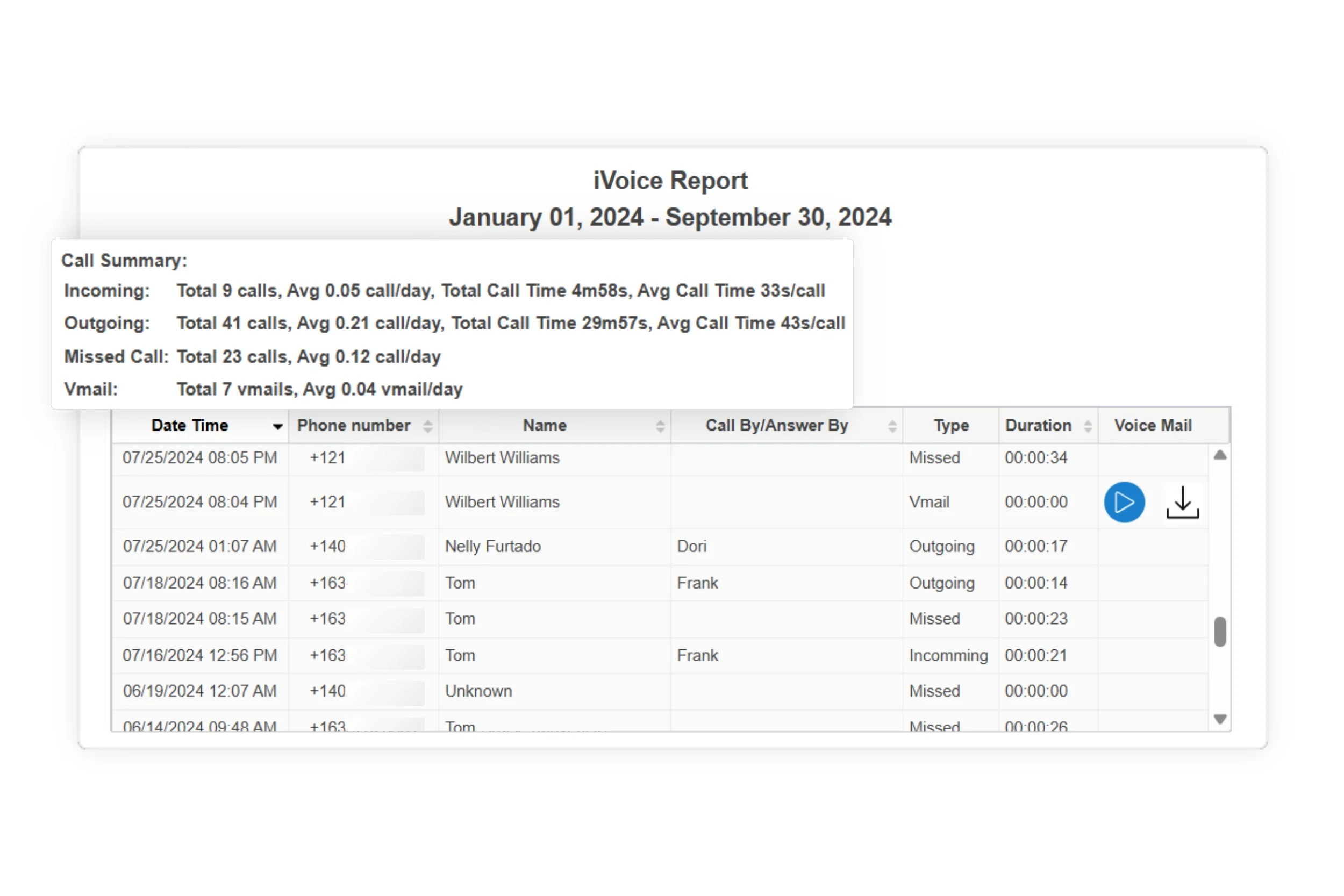
Filter reports by call type and data range to instantly see a breakdown of incoming, outgoing, missed, and voicemail calls. Helping you track performance, identify missed opportunities, and export the list for follow-up bulk recall campaigns.
Maximize your phone system with iDentalSoft
Your office phone system becomes even more powerful when it works hand-in-hand with the rest of our included practice management tools.

Appointment Scheduling
Patients can book appointments online from their phone, with real-time calendar sync.

Patient Forms
Collect digital pre-registration forms before the visit and auto-populate them directly into each patient’s profile.

Online Payment
Offer patients convenience credit card payments and flexible payment plan options.
Frequently Asked Questions
-
Yes. The software allows you to assign role-based access to the phone system, so only authorized team members can make or receive calls. Giving you full control over how calling permissions are managed within your office.
-
Yes. You can choose preset sounds or upload your own preferred ringtone to match your practice’s preference.
-
No physical desk phones or landlines are required to use the VOIP system. The support team will handle the start-up configuration, including porting your existing office number into the dental software, so it works virtually. After setup, your staff can make and receive calls from any device via the software.
-
The system automatically matches the incoming caller ID to the registered patient record in your database. When the number is recognized, key details instantly appear on the screen.