
Bring More Patients Back with Automated Dental Recall
Turn completed treatment into scheduled recare by automating recall rules used in dentistry, generating targeted patient lists, and sending bulk outreach by text or email from one cloud platform.
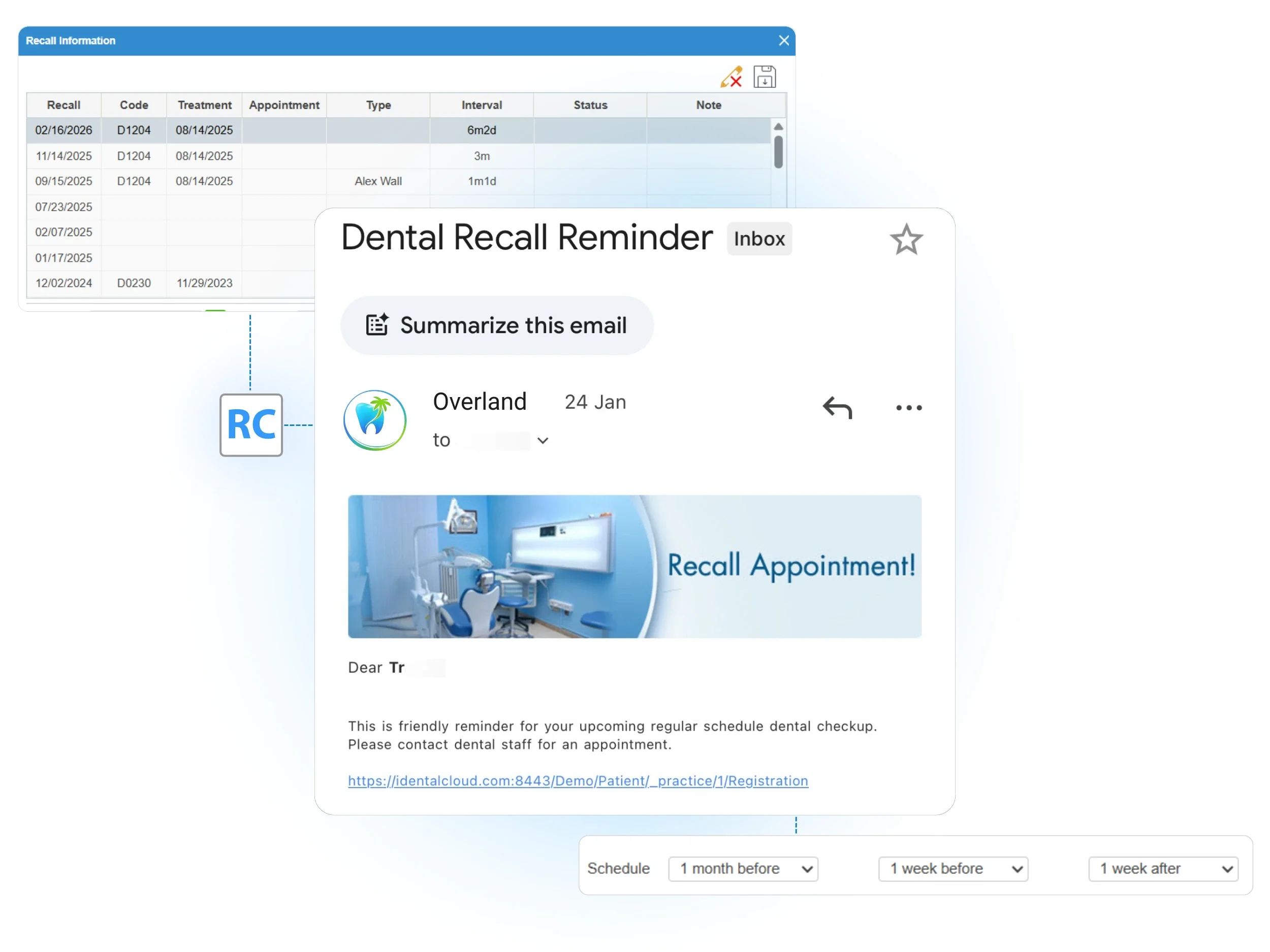
Automate every follow-up with procedure-based recall rules
One-time setup, automatic recall delivery
Set recall rules once, then iDentalSoft generates the next recall automatically when a treatment is marked as completed. Create recall types that match your services, assign the right interval (6 months, annual, or custom), and link to procedure codes so the next due date is created without manual entry.
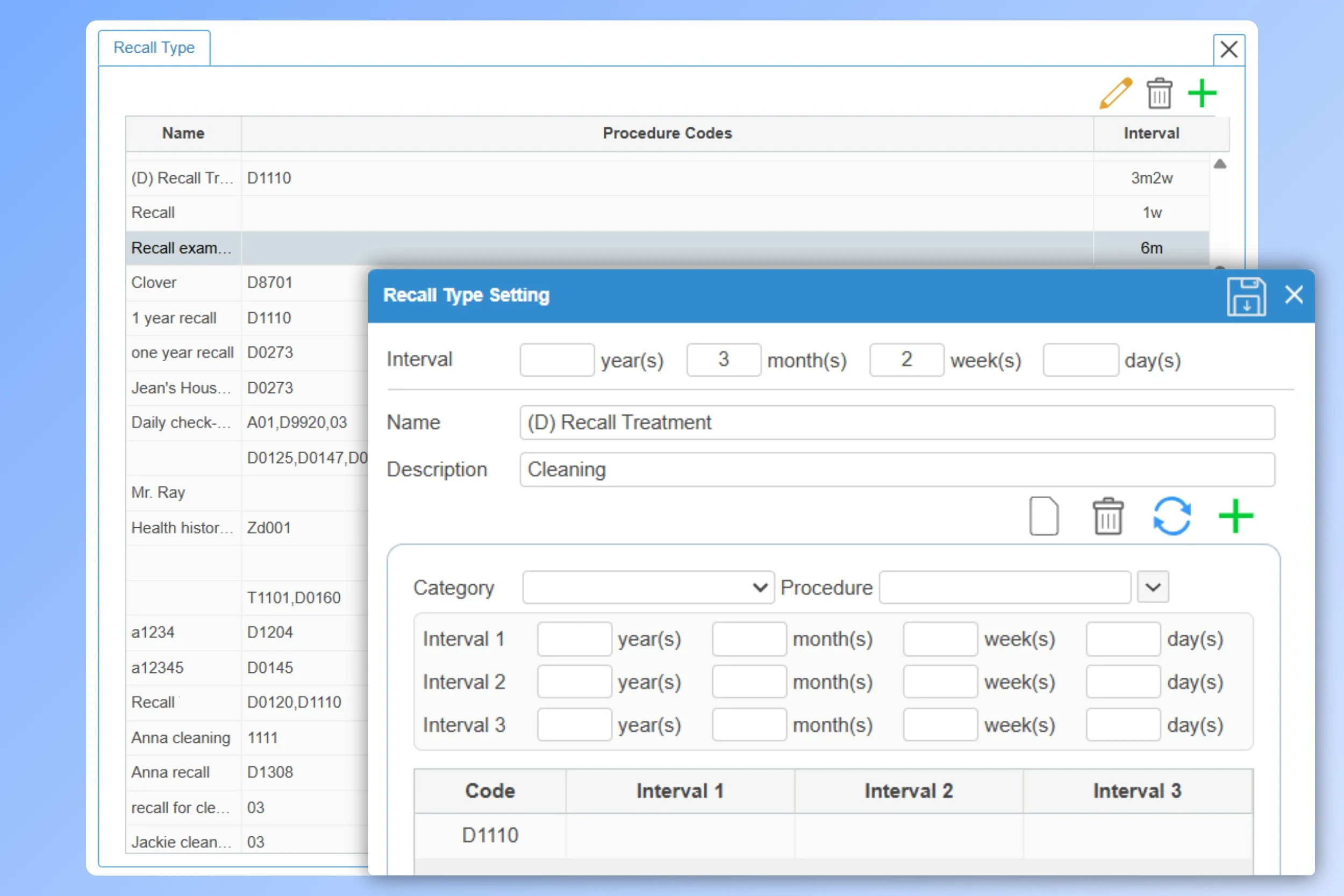
Custom recall templates for email and SMS
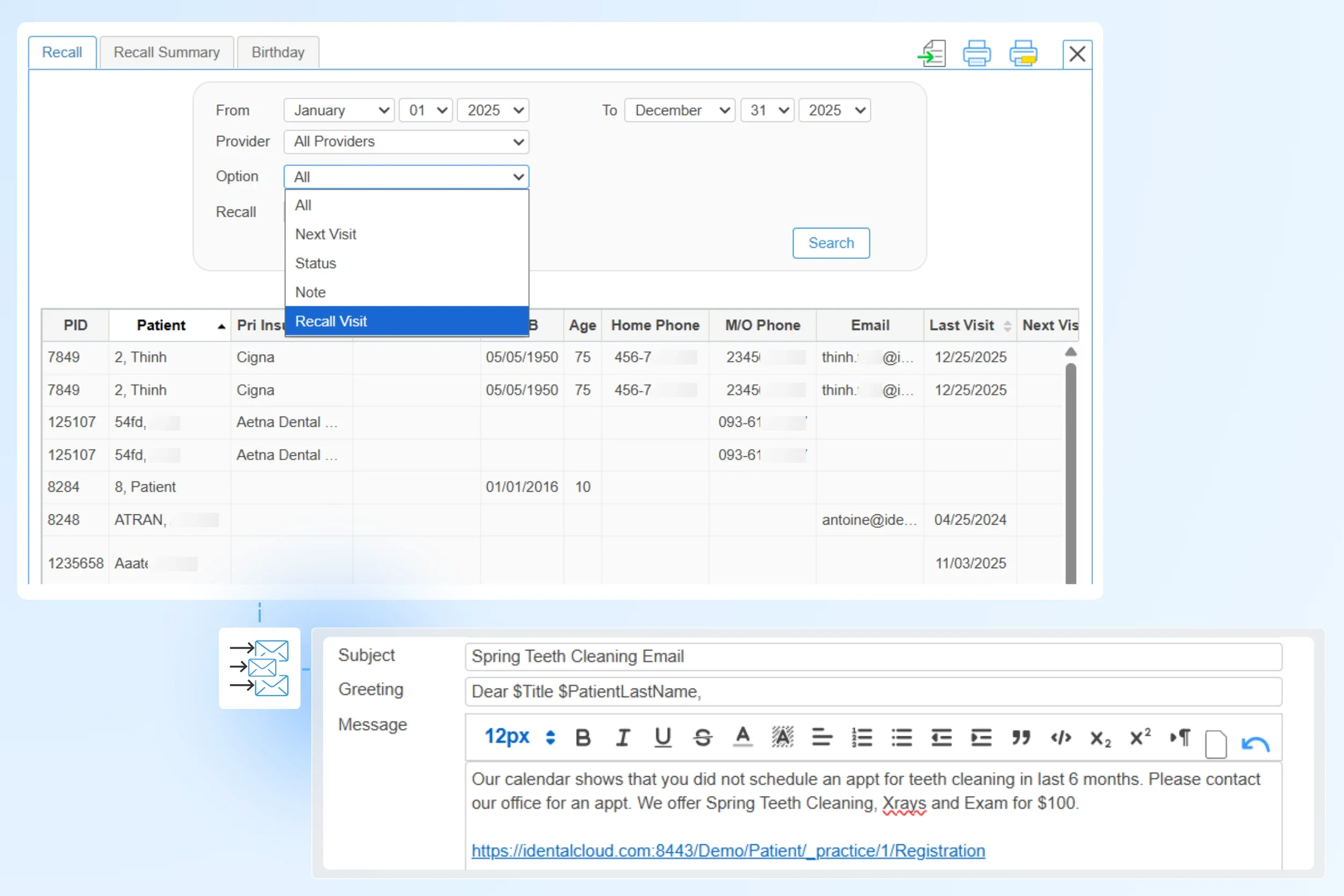
Send recall outreach by email or text using customizable templates that include your office greeting and signature, so every message stays professional and on-brand. Use auto-fill fields (such as patient, appointment, and provider details) to personalize at scale, then include a patient portal link so patients can schedule their next visit directly.
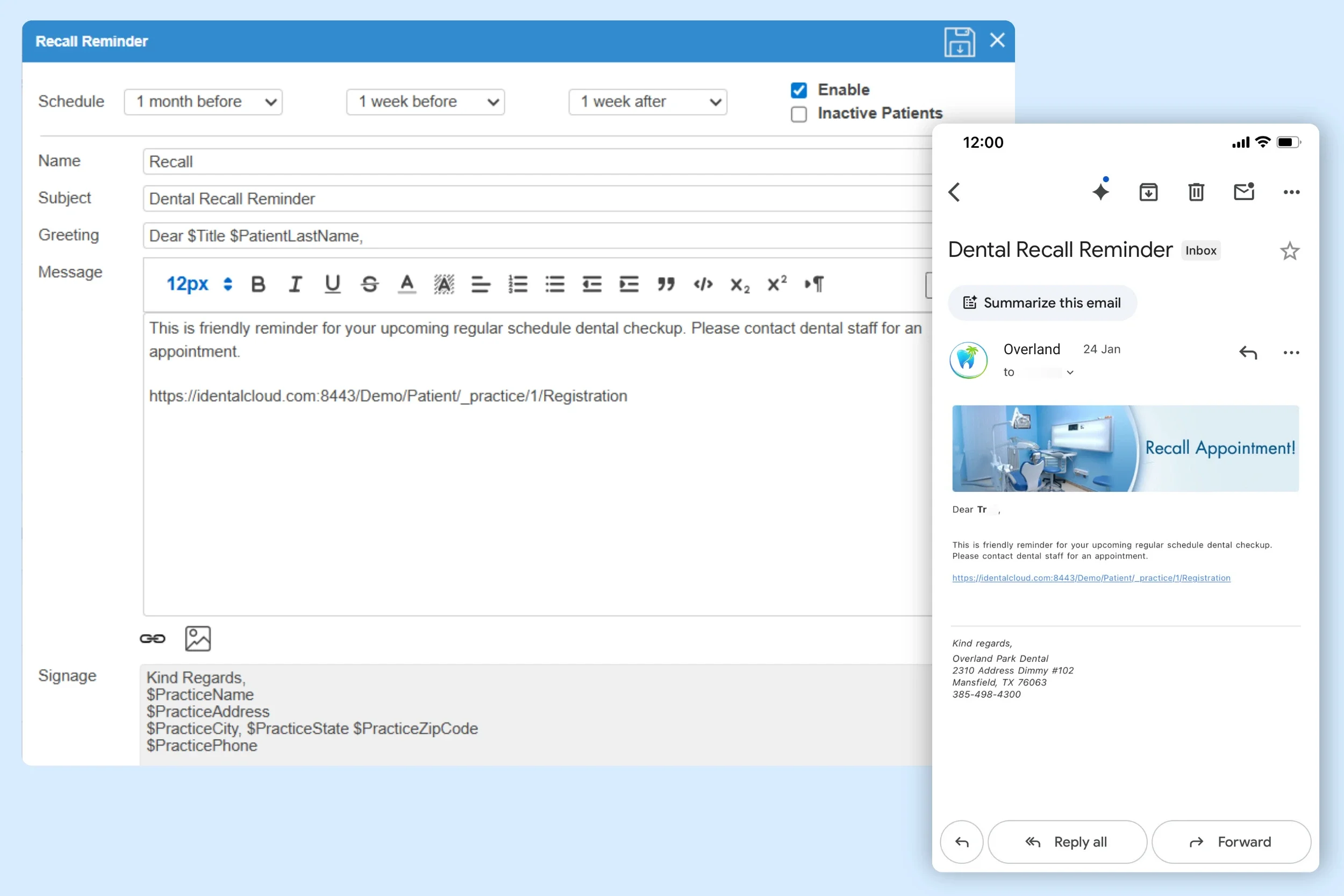
Control recall from the treatment view
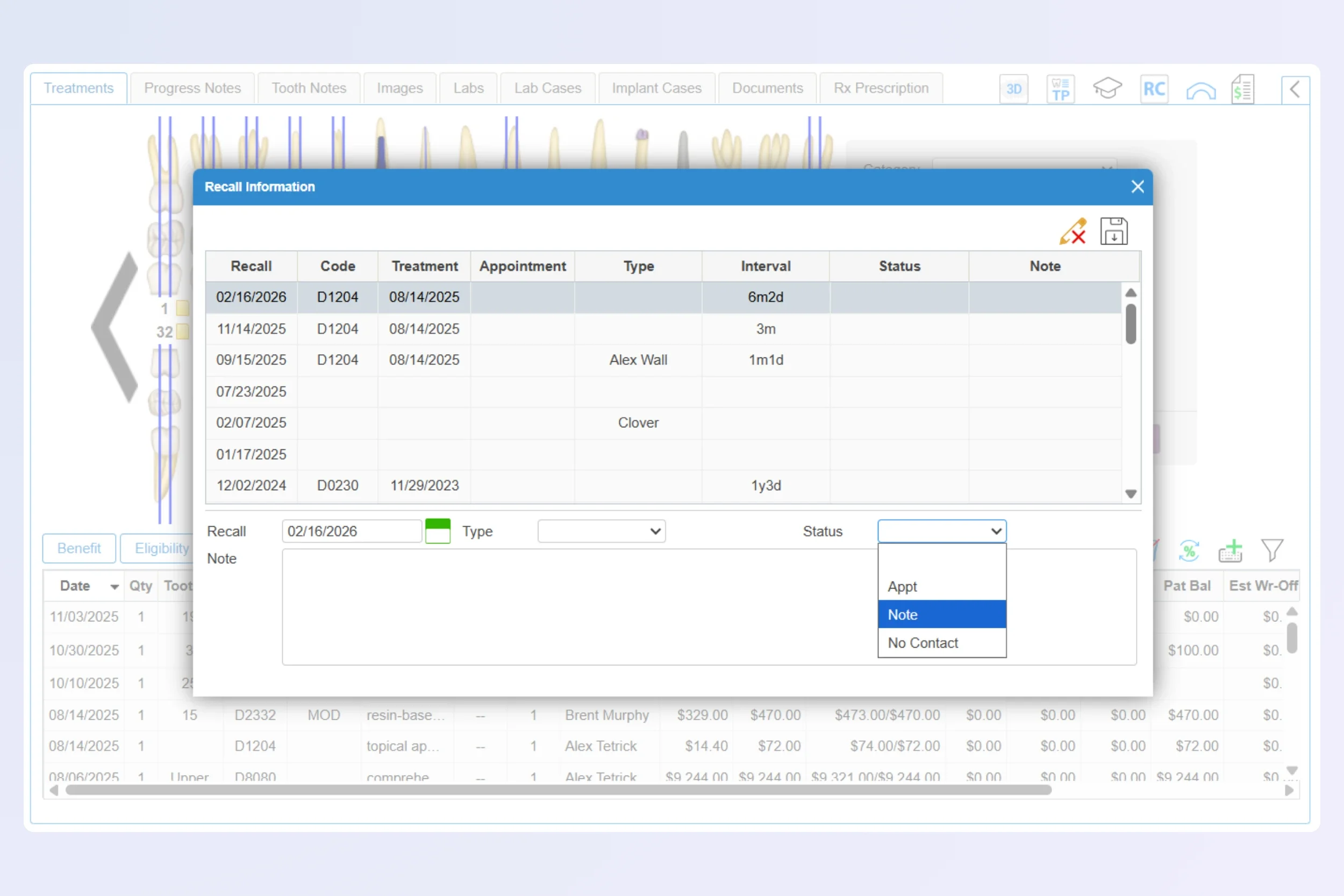
Review the generated recall in the treatment plan tab, linked to the completed procedure. When exceptions come up, staff can take action right away:
Edit recall due dates or intervals per patient.
Manually add a new recall and link it to a scheduled appointment date to prevent missed follow-up.
Remove a recall when it’s no longer needed.
Use role-based permissions to manage who can edit recall settings, lists, and outreach.
Fill schedules faster with a patient recall list generator
-
Build recall lists based on patient status, such as next-visit, overdue for recall, completed treatment, or inactive patients. Filter by recall type, date window, provider, and location so outreach reaches the right patient at the right time.
iDentalSoft also helps you recover production by generating patient lists in seconds for same-day no-shows and cancellations, so your team can launch targeted outreach inside the platform.
-
Bring more patients back with Mail Blast, the bulk outreach tool for recare reminders, seasonal offerings, or patient reactivation. Run targeted campaigns from your generated patient recall lists, with automated sends that don’t require exporting or reformatting data.
-
Recall status updates automatically when a recall appointment is scheduled or completed, avoiding double-touching patients and helping your outreach stay focused on who still needs follow-up.
Manage recall outreach end-to-end
Keep follow-up aligned
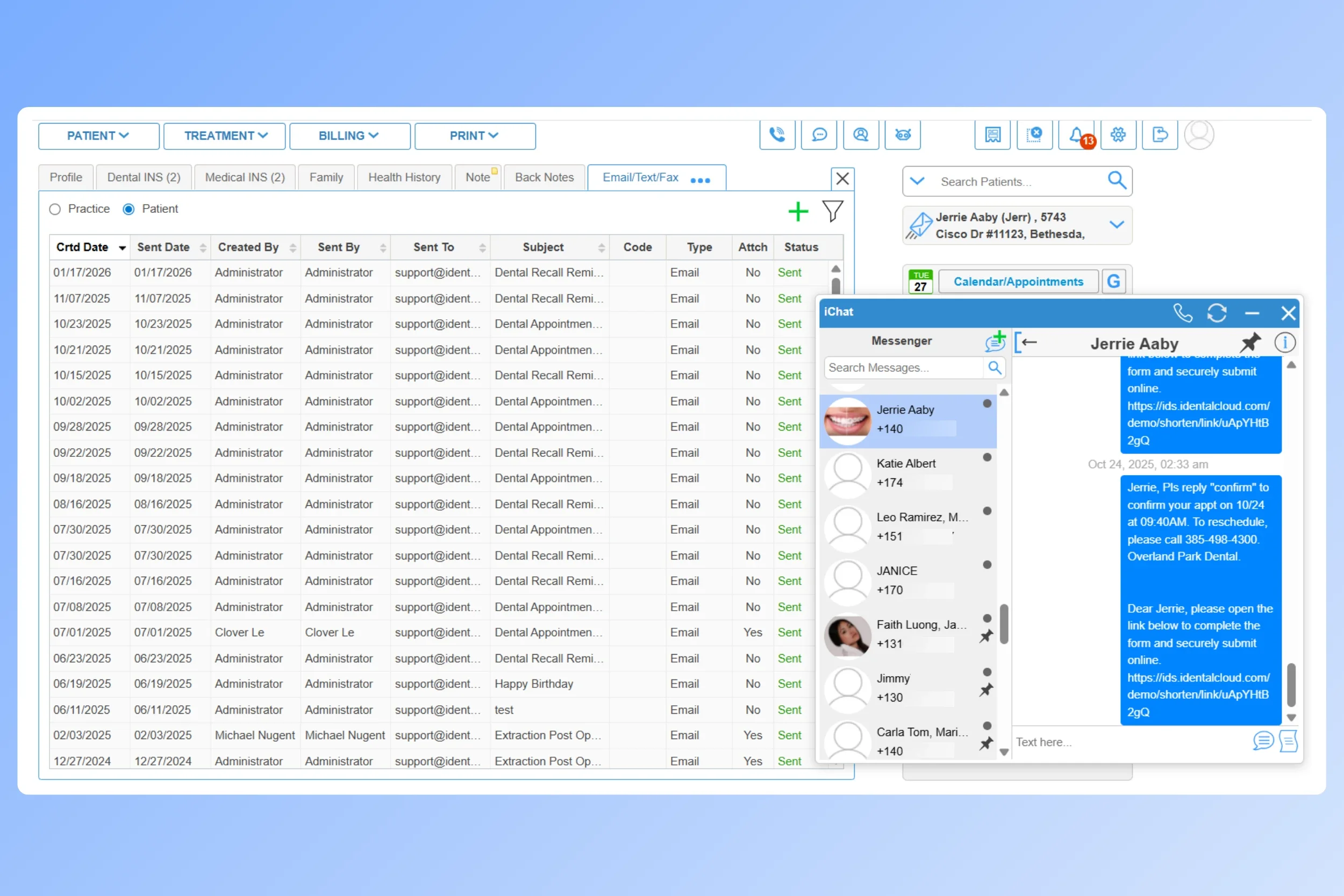
Manage recall replies inside the patient communication hub, where your team can follow up with the full message history. Once a patient books, iDentalSoft helps reduce missed visits with an automated appointment reminder sent before the scheduled date.
Recall outreach tracking
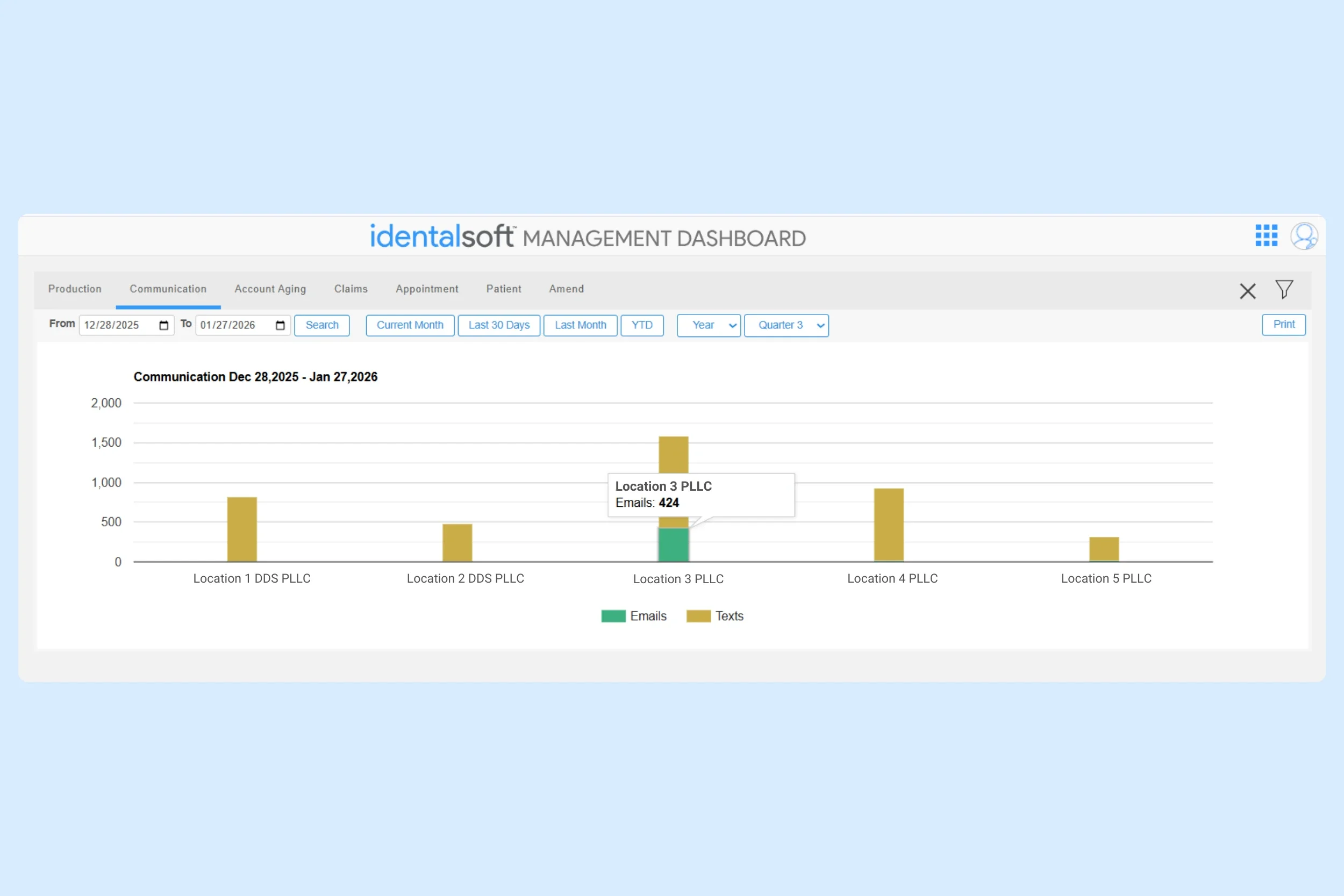
Get a clear view of recall activity through reports showing email and text volume, filtered by date range and facility. Then compare it to production trends in the integrated analytics dashboard to evaluate whether outreach effort is turning into booked care.
Our Integrated Features
Frequently Asked Questions
-
Common recall types in the system include:
Hygiene recare (prophylaxis/cleaning)
Periodontal maintenance
Exam recalls (periodic or comprehensive)
Restorative follow-ups
Specialists, such as orthodontics or pediatrics.
You can also create custom recall types by naming and linking it to procedure codes, which supports specialized protocols.
-
Yes. The software supports WhatsApp as an outreach channel for recall messaging in international workflows (outside the US), alongside email and SMS.
-
Yes. The software has options to export recall lists to Excel and print recall labels.
-
Yes. Different recall settings can be configured by provider, location, and treatment type, so recalls follow each team’s protocols.
-
Patients choose a preferred communication channel and provide consent during online registration forms. Staff can update those preferences later in the patient profile by enabling or disabling SMS/email and checking or unchecking consent options.
-
Each recall reminder is tied to the individual patient profile, so even when family members share a phone number, messages can include patient details to reduce confusion.