
Effortless Perio Charting Starts Here
Transform the way you chart with iDentalSoft’s cloud-based perio solution. Intuitive by design and built for accuracy.
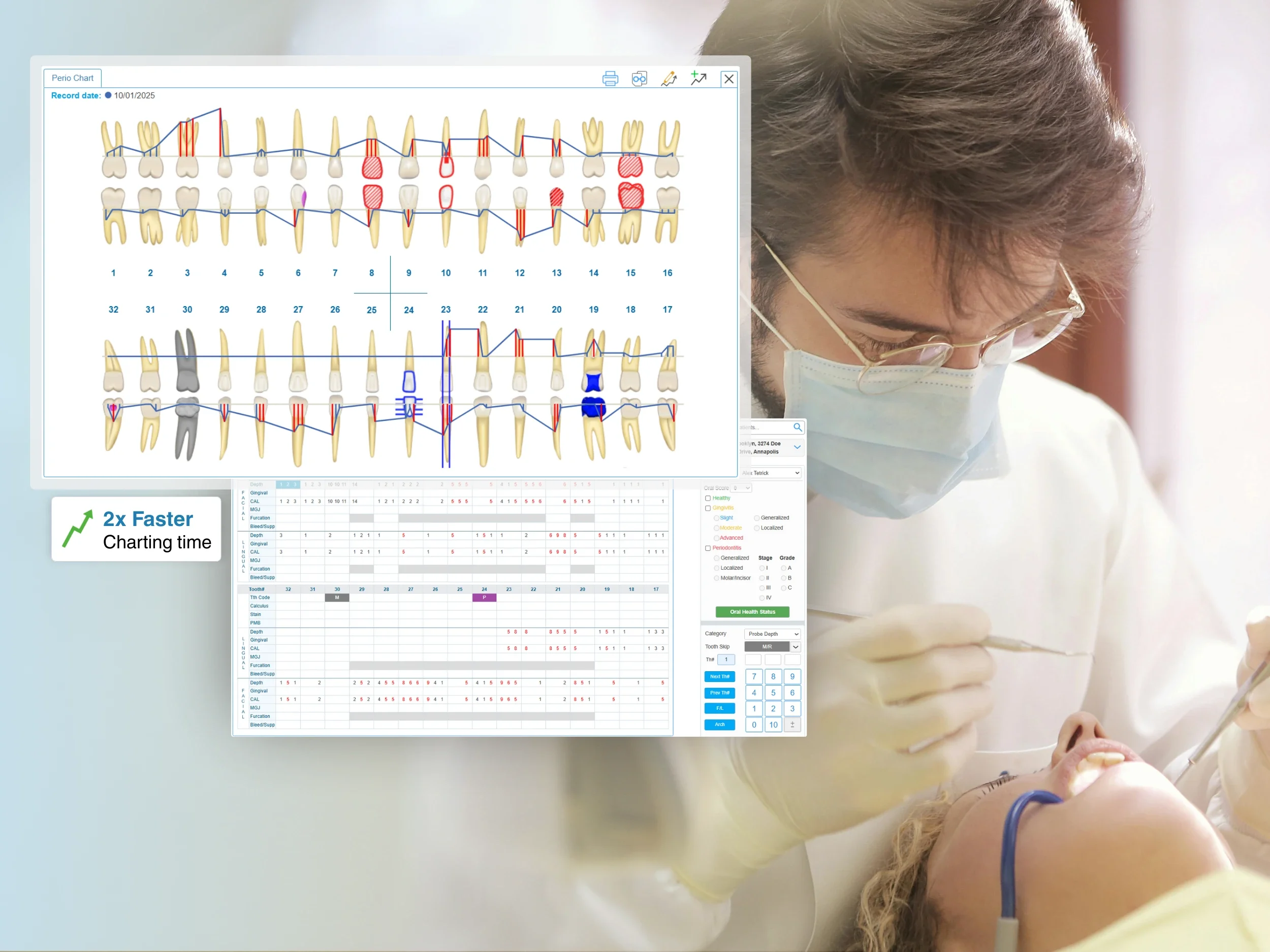
Comprehensive periodontal assessment
Detailed clinical capture
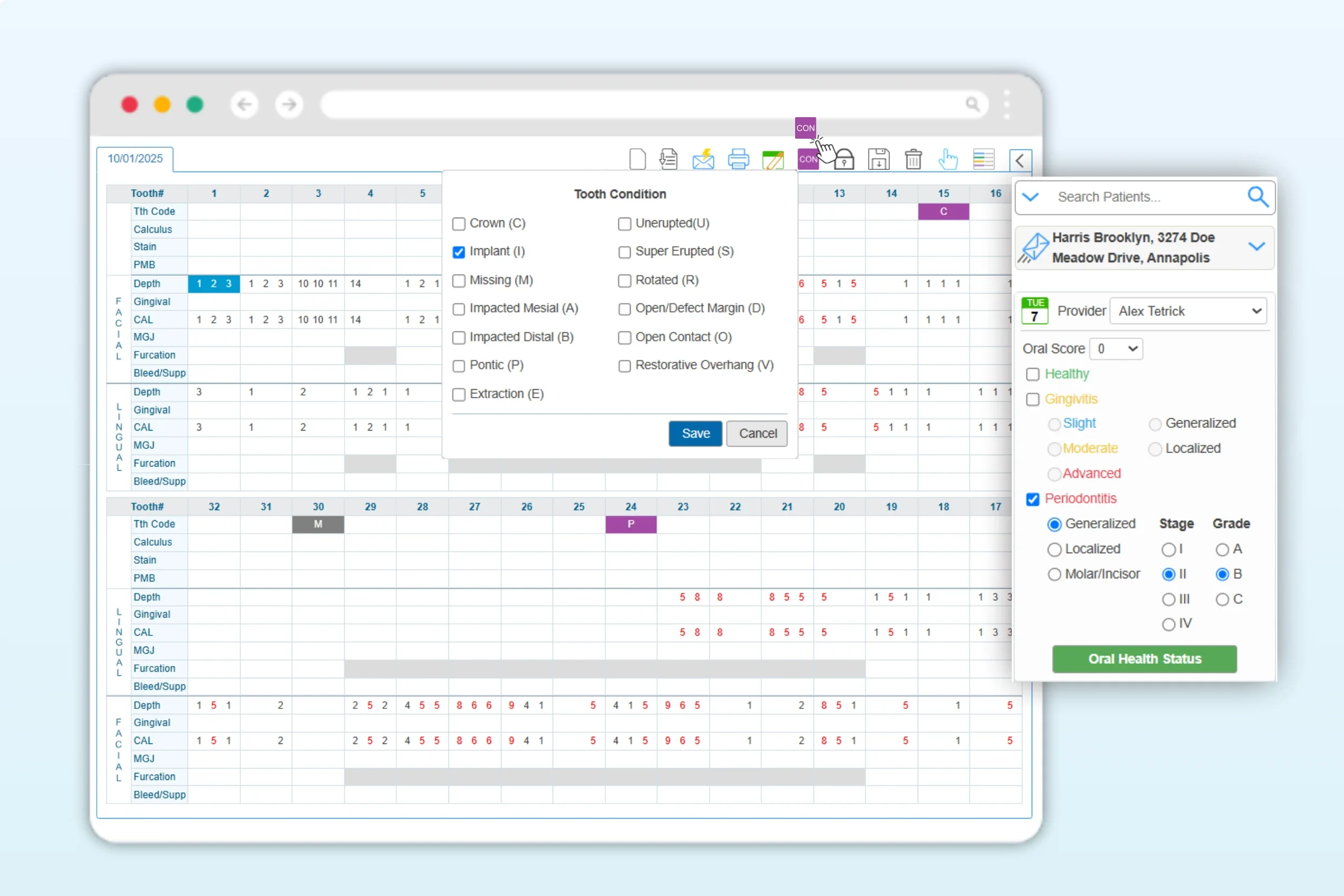
Record every critical periodontal metric, from pocket depth and gingival margin to CAL (auto-calculated), mucogingival junction, furcation, and more. With iDentalSoft’s interface, your team gains the full clinical picture with precision.
Accurate condition mapping
Easily document and monitor tooth conditions like missing teeth, crowns, or implants. Each update is stored securely in the cloud-based software, ensuring consistent records across providers and offices.
Oral health summary
Quickly indicate each patient’s overall periodontal health status, including health classification, stage, and grade, directly within the Perio Chart. The summary appears alongside detailed measurements, making chart reviews faster and patient communication clearer.
Make charting an easy task
-
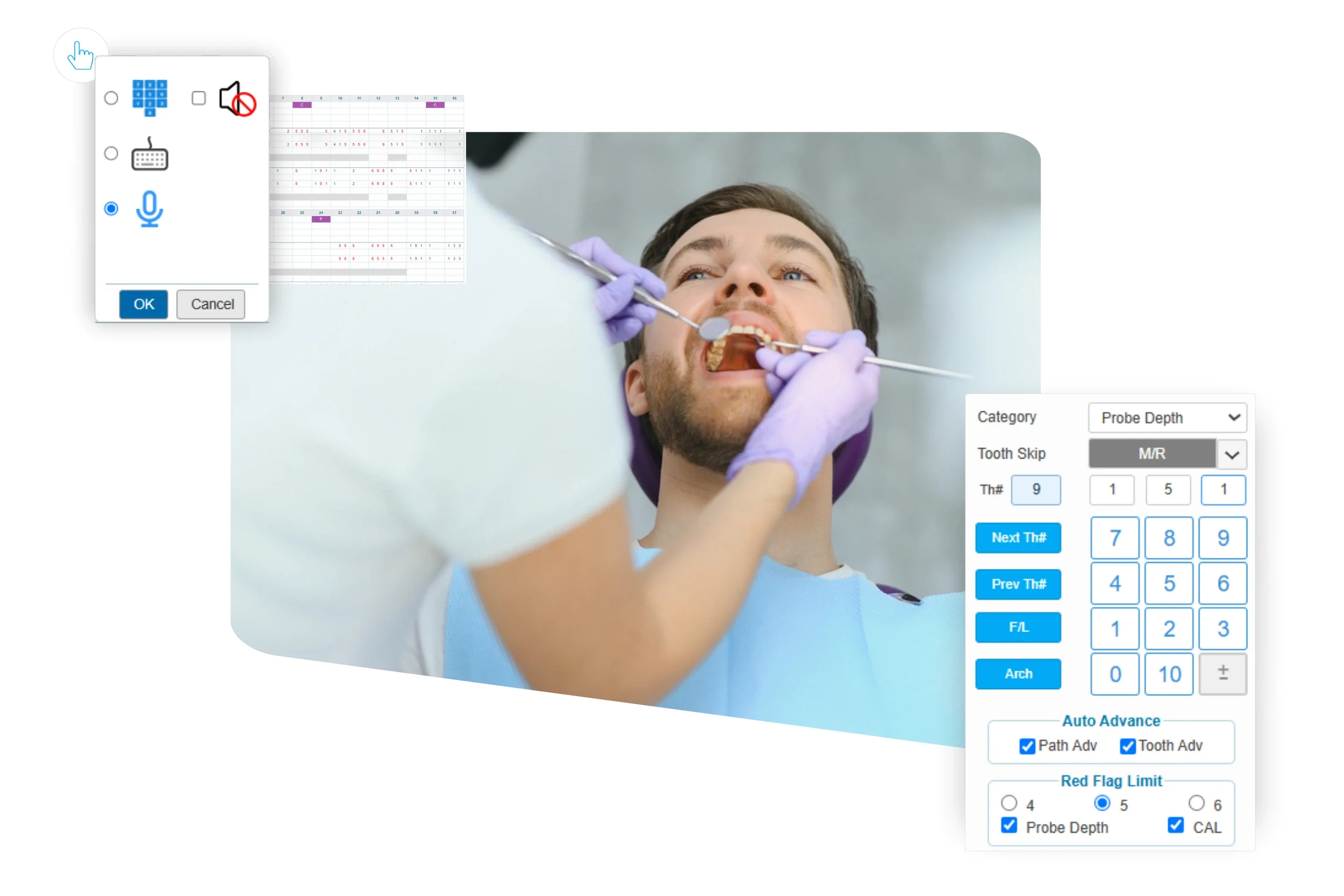
Go completely hands-free with Perio Voice, designed to keep your focus on patients, not the input tasks. Simply activate voice detect mode, speak your measurements or commands, and iDentalSoft records them instantly in the correct fields.
For a traditional setup, the system also supports on-screen or keypad entry, giving every provider the flexibility to work the way they perform best.
-
iDentalSoft lets providers chart in a sequence that matches their natural workflow. Measurements follow a clear, customizable pathway across quadrants and arches, from maxillary to mandibular surfaces, ensuring consistency that mirrors real chairside charting practices.
-
Spend less time on repetitive clicks. Auto Advance and Path Advance ensure smooth progression across teeth and surfaces, with the tooth skip feature automatically bypassing missing or pre-designated teeth.
-
Customizable Red Flag Limits instantly highlight abnormal measurements, helping clinicians identify problem areas at a glance. These real-time visual cues support more proactive diagnosis and consistent treatment decisions.
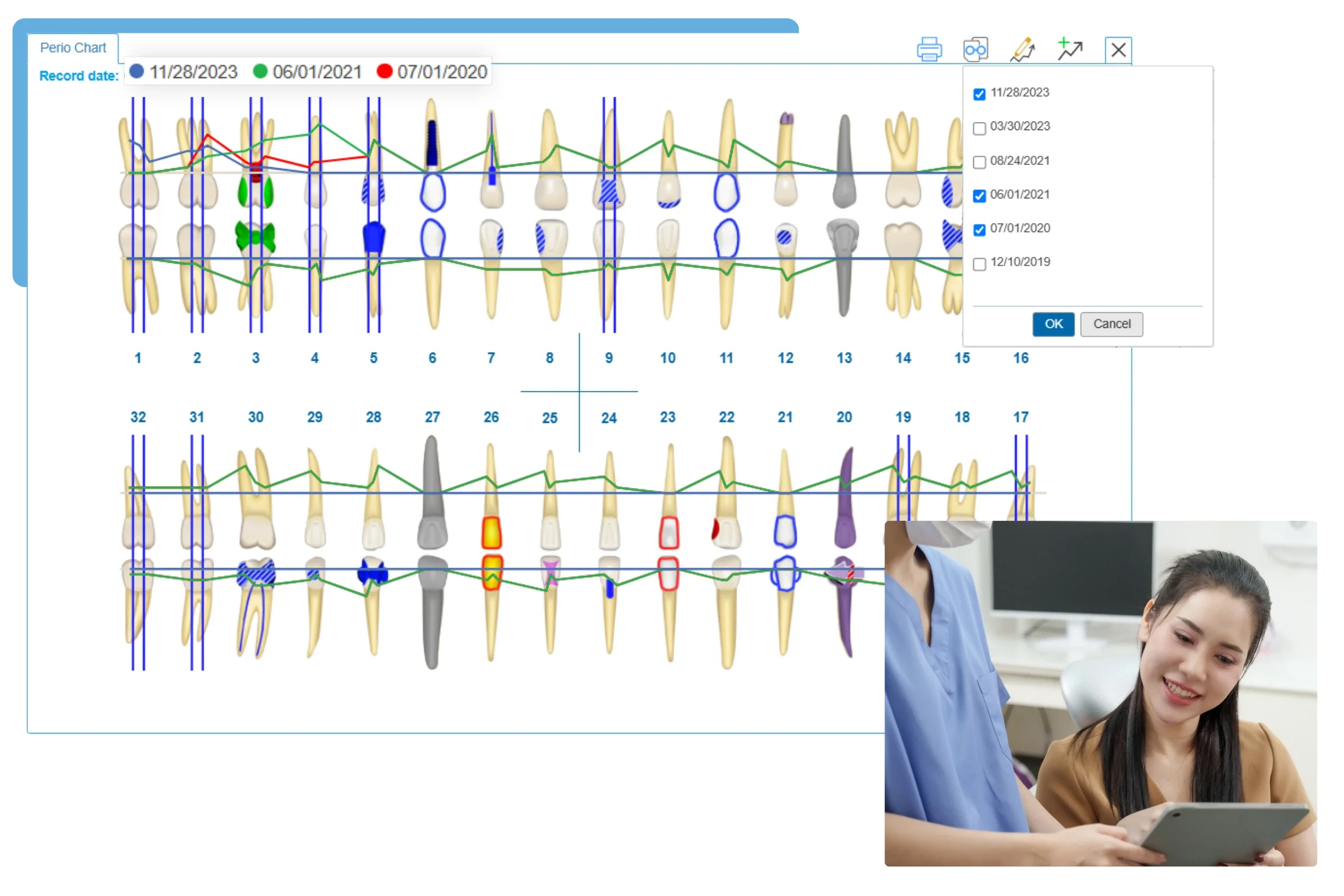
Historical chart comparison
iDentalSoft allows you to review up to four past charts side by side with color-coded trend tracking. Visual progression makes it easy to spot changes over time, monitor patient improvement, and support evidence-based periodontal care.
Unified cloud-based workflow
Quick access to the patient record
The perio chart connects directly to each patient’s profile, giving you instant access to their full clinical data. Recorded conditions automatically sync to the Treatment Planning tab to recommend and plan procedures in a continuous care workflow.
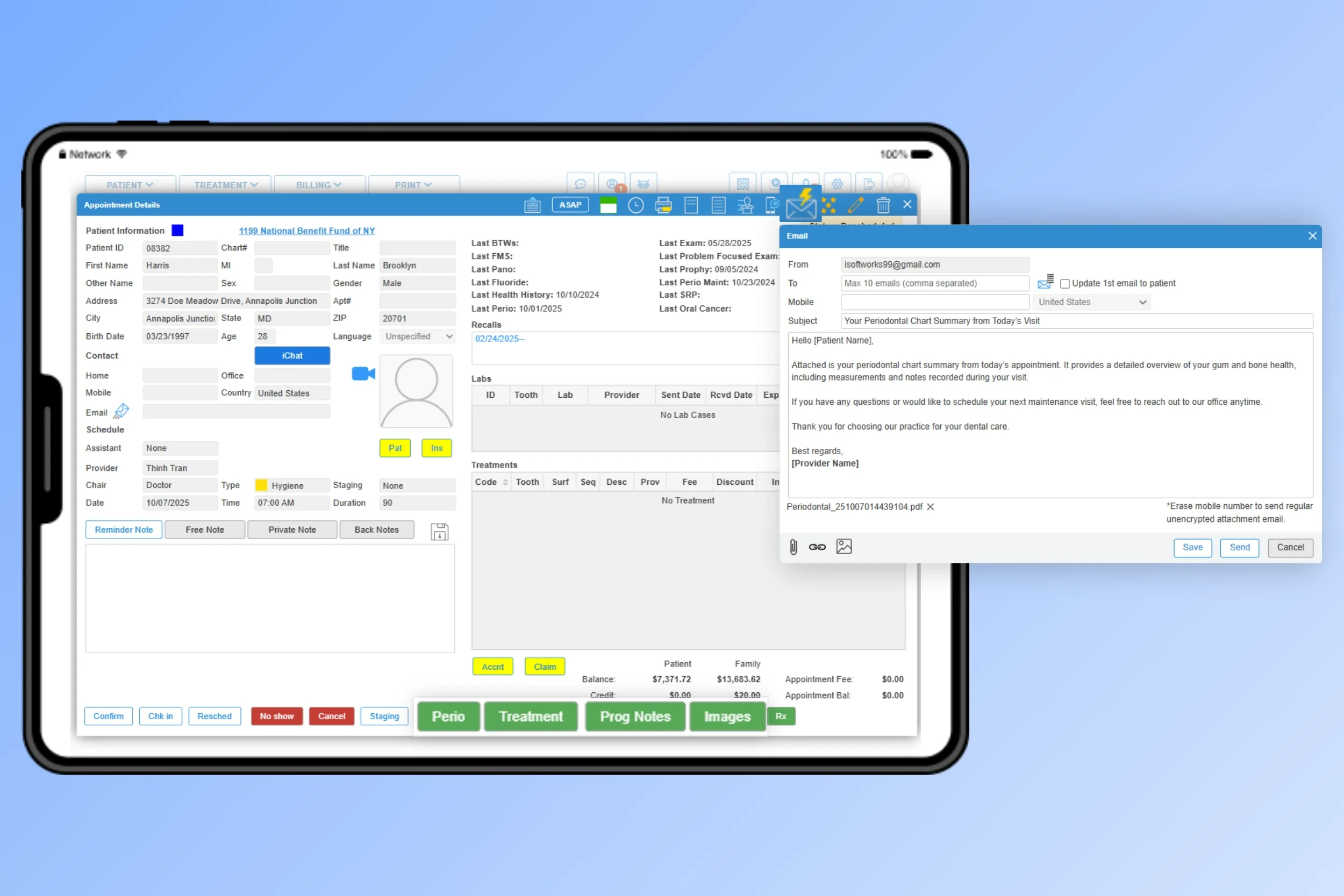
Post-appointment communication
Easily share chart summaries after each visit via secure email, SMS, or PDF, keeping patients informed or streamlining referral workflows. View more Patient Communication tools.
Secure access anywhere
Access and edit Perio charts anywhere, from any device. iDentalSoft’s cloud platform provides real-time updates, automatic backups, and secure HIPAA-compliant protection for all patient data.
Frequently Asked Questions
-
The perio charting feature is included in the base software subscription, no add-ons or extra fees are required. All users with an active plan have full access to the complete periodontal charting module and its functionality as part of the core software offering.
-
No, the software is designed to minimize the learning curve, with a clear interface that makes perio charting simple from day one. Built-in guidance, such as on-screen tooltips, context prompts, and support documentation assists new users in real time. Teams will also receive 1-on-1 training, tutorial videos, and customer support to ensure a smooth use.
-
Yes. The software automatically calculates the Clinical Attachment Level (CAL) by adding the Probe Depth value and the Gingival value for each corresponding site. This eliminates the need for manual entry, reduces the risk of input errors, and ensures consistency and accuracy in all periodontal records.
-
During perio charting, teeth can be marked as “missing” or “implant,” prompting the system to automatically skip or adjust charting steps to avoid input errors. For rotated teeth or other conditions, users can add notes or condition labels, ensuring all anomalies are clearly documented for complete and accurate periodontal records.
-
Yes. The software supports re-evaluation and maintenance scheduling through its integrated recall management features. Providers can set the next appointment based on clinical findings, and the system automatically sends reminders to patients to ensure timely follow-ups.