
Unify Every Endodontic Workflow in One Cloud Software
Simplify how your endodontic team works with a secure, cloud-based solution accessible from any device.
Complete imaging compatibility for endodontists
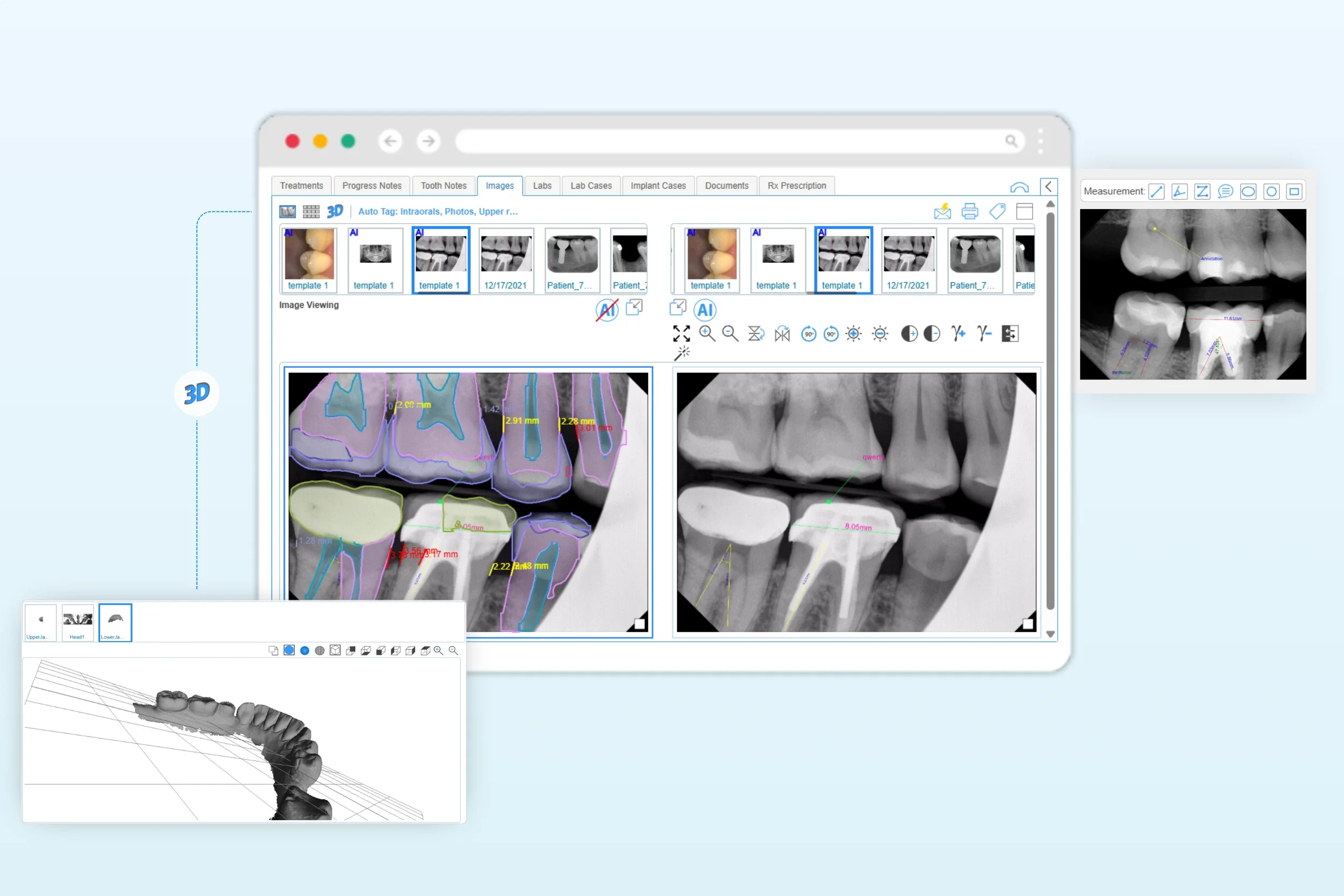
Capture & compare
Capture from sensors and intraoral cameras via TWAIN/bridge directly to the patient's chart, keeping every file organized in one place
Accurate measurement tools make it easy to measure canal length, curvature, and distances to critical anatomy (maxillary sinus, inferior alveolar nerve) on the radiograph. Save measurements to the clinical note and Image Center.
Side-by-side comparisons of pre-/post-operative or follow-up images to verify treatment outcomes.
CBCT compatibility
Our imaging features let you upload CBCT files and view them in the built-in DICOM viewer (zoom, rotate, measure) and add annotations, no third-party software required.
Image files and CTBT scans are stored in the cloud-based dental software and linked to the treatments tab for a clear clinical context.
Endodontic charting & treatment planning
Efficient clinical notes
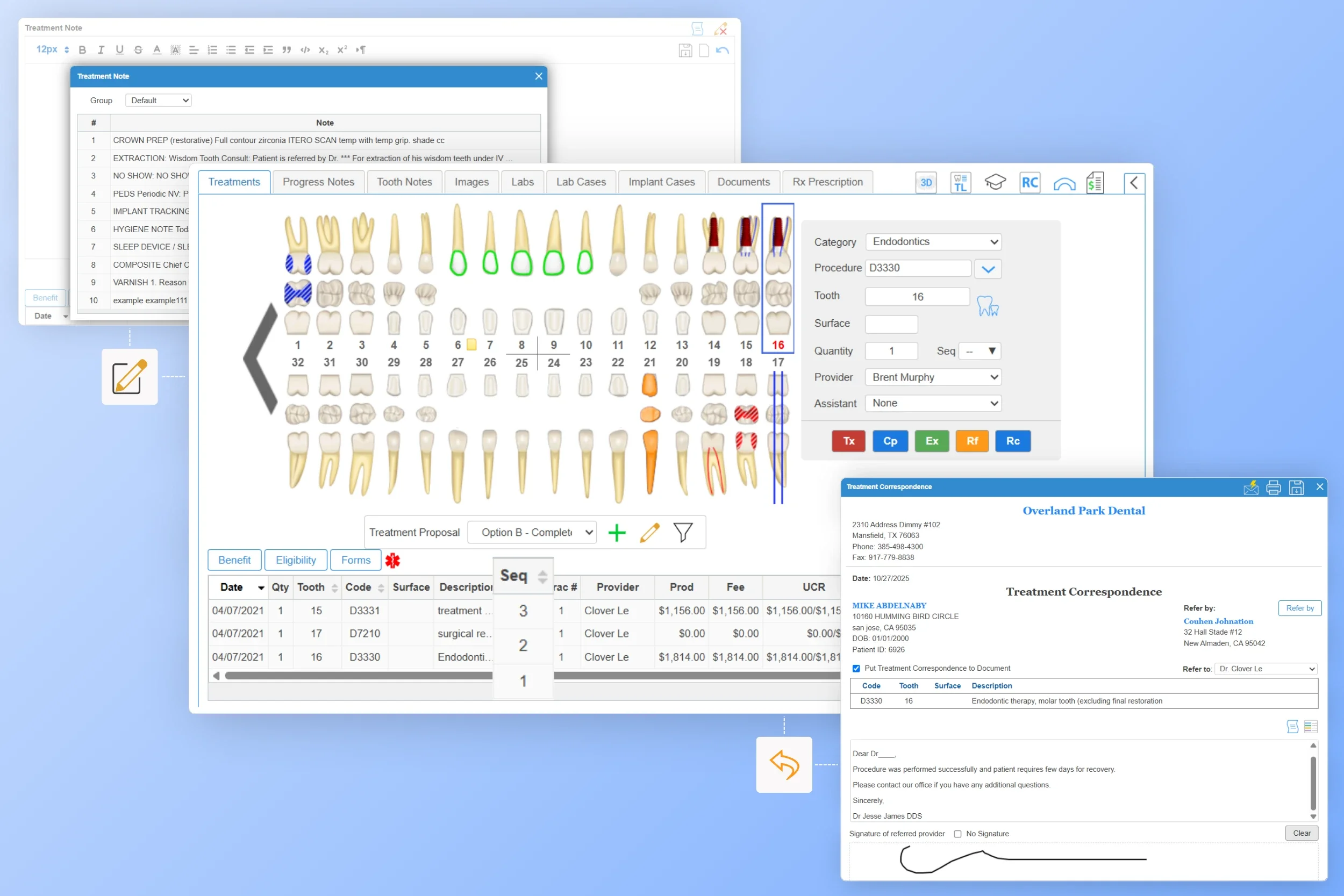
Endodontists can capture detailed diagnostic notes and treatment observations directly from the Odontogram as they work. Our platform includes customizable templates (Macros) for commonly encountered mishaps, saving chair time from repetitive documentation.
Treatment plan management
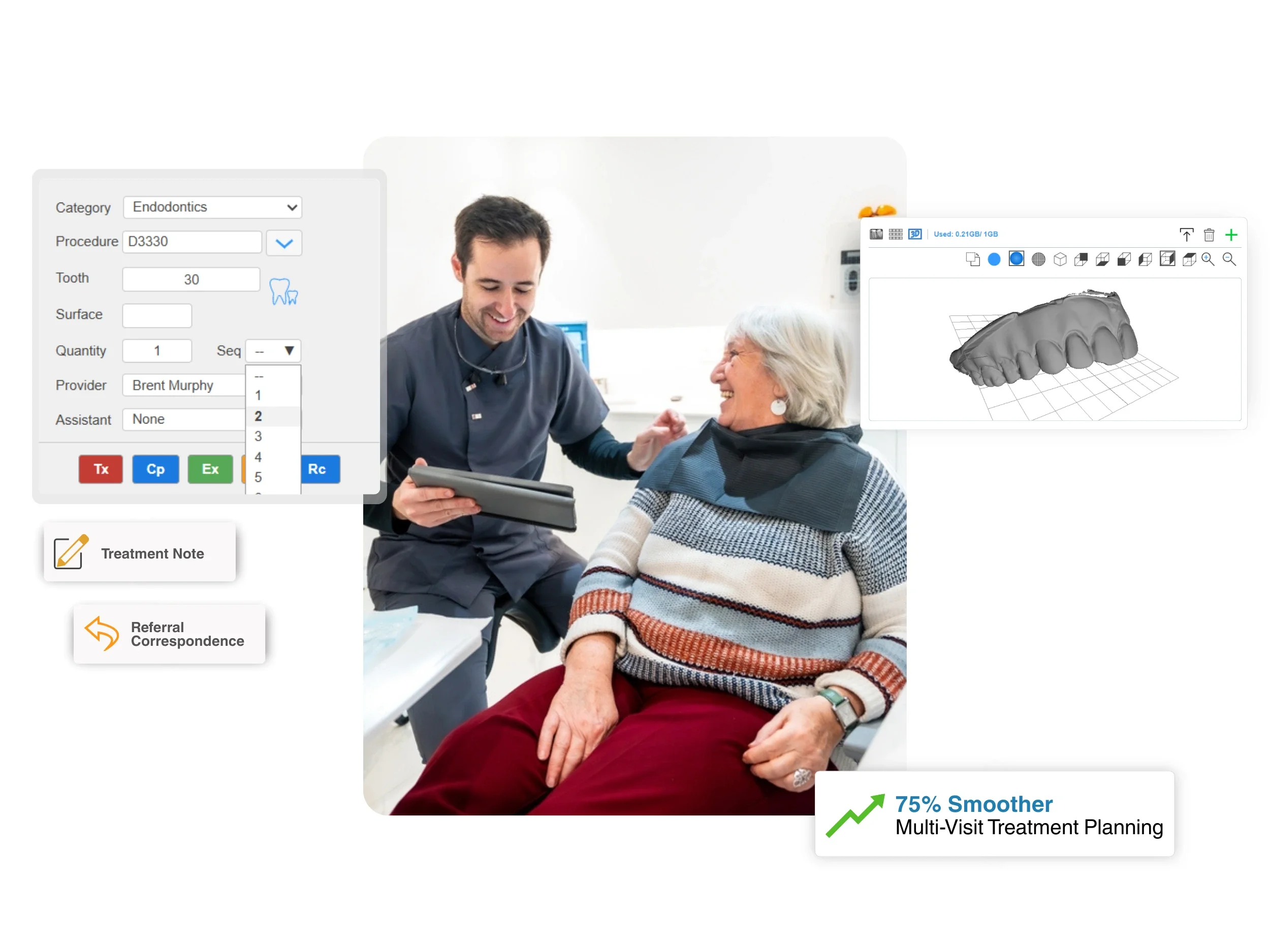
Build a complete endodontic treatment plan by selecting the relevant procedure code and assigning the corresponding tooth number and canal (MB, DB, P, or others).
Manage multi-visit cases effortlessly by sequencing each phase, from diagnosis to final restoration. Each stage is clearly outlined in a proposed plan, making it easy to present progress for patients while keeping your staff aligned on upcoming procedures and materials.
Referral sharing
iDentalSoft also supports a smooth referral workflow. Share treatment progress with referring dentists in one click—the system automatically pulls the patient and procedure details into the correspondence letter.
Optimize patient experience
Make appointments effortlessly
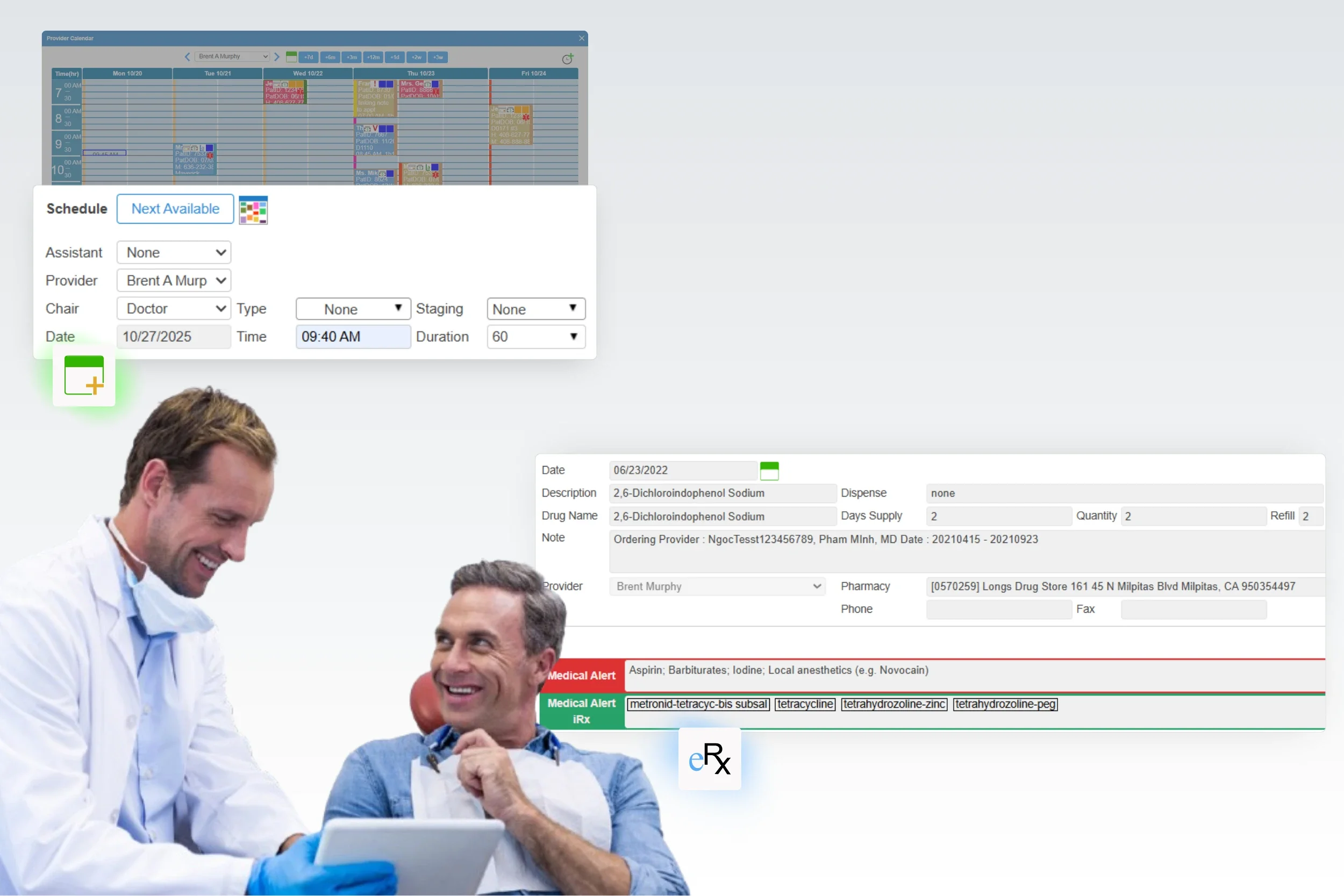
Schedule multiple appointments directly through the treatment chart without switching screens. Choose the endodontic procedure and its duration, so the front-office team can easily follow up.
Automated reminders are triggered through email and SMS as the appointment date approaches, helping patients stay on track and reducing no-shows.
Integrated ePrescribing (eRx)
Prescribe medications after endodontic treatments quickly and in full compliance with state and federal requirements. Providers with authorized credentials can search the iDentalSoft drug database or use eRx for direct transmission to the patient’s preferred pharmacy.
Supporting features for endodontic specialists

Analytics Dashboard
Track production, patient flow, referrals, or custom KPIs to your endodontic office in real time.

Billing
Submit batch claims, monitor claim status, and manage reimbursements efficiently with built-in endodontic codes.

Patient Portal
Enable patients to pay securely online, view treatment records, and request appointments anytime.

Patient Communication
Engaeg patients with two-way texting and mail blast to outreach inactive patients or sned post-treatment follow-ups.
Frequently Asked Questions
-
The endodontic software handles multi-visit treatment plans by allowing providers to create and organize each stage of care as a proposed (planned) treatment, assign sequence numbers to indicate the order of visits, and update the status of each procedure (planned, scheduled, or complete) as treatment progresses. This structure gives a clear record for both staff and patients.
-
The software includes linear and angle measurement tools for endodontists to assess digital X-rays precisely, along with annotation options to mark and label key points or anatomical structures directly on the image. Saved measurements can be exported or printed with the image for case documentation.
-
The recall feature supports follow-up care for endodontic patients by automatically generating reminders based on the specific procedure codes entered during treatment. Once a procedure is completed, the system uses predefined or customized recall intervals to schedule future check-ups or post-treatment evaluations. These recall reminders are tracked within the patient’s record and can trigger automated notifications via email or text.
-
No, you don’t need to purchase separate modules for endodontic-specific features. All core functionalities and specialty customization are included in the standard package. This all-in-one approach keeps your software choice cost-effective and ready to use from day one.