
Dental Imaging Software for Native Capture and Fast X-ray Viewing
Give your team a reliable way to capture, enhance, and organize dental images in one cloud system, with device compatibility built in and AI-assisted diagnosis.
Digital imaging tools that support faster clinical decisions
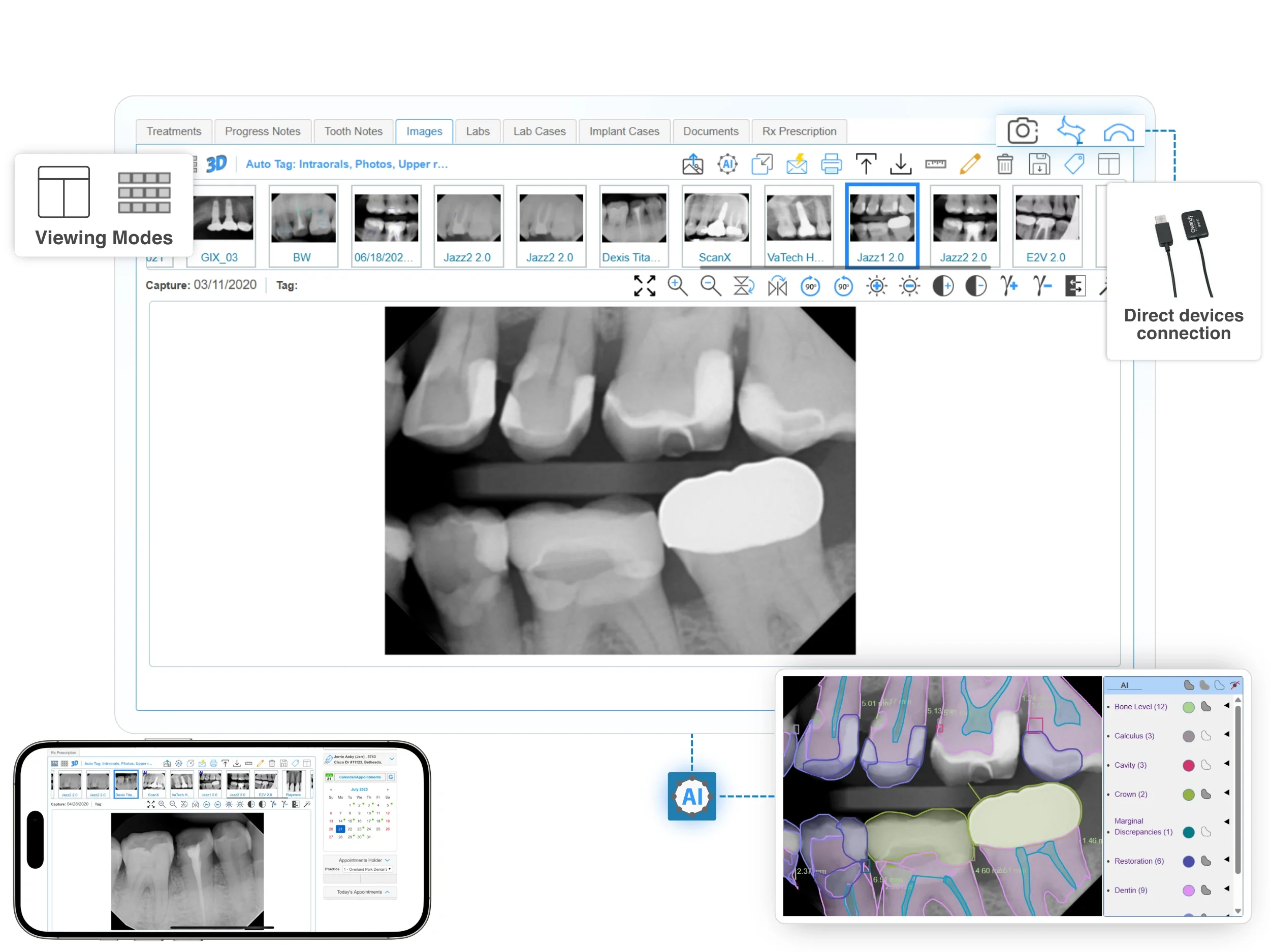
Direct capture with TWAIN device integration & Bridge support
iDentalSoft lets practices capture images directly with TWAIN compatibility, ensuring broad support for your current devices. Easily acquire intraoral, panoramic, cephalometric, and 3D scans without additional system or costly hardware changes.
Use our iDS Bridge to connect supported devices through the browser, without requiring ActiveX. Our team helps configure drivers and verify capture during setup.

Enhance and measure images for clearer diagnosis discussions
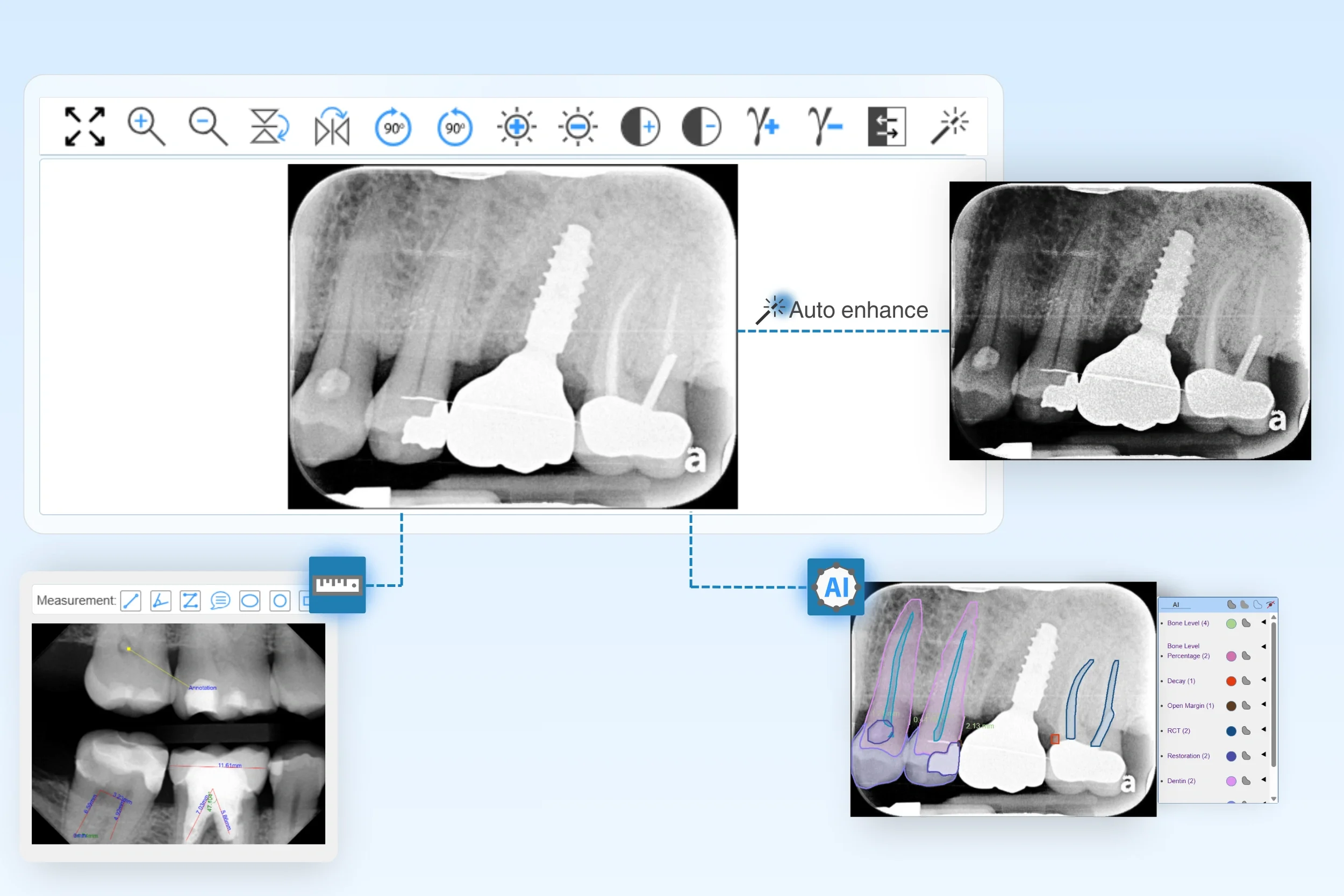
Help providers review images faster with one-click auto-enhance, plus manual controls for brightness, contrast, gamma, sharpness, rotate, flip, and zoom.
Measure distances directly on the image using built-in tools to support documentation and treatment conversations.
Make chairside reviews more efficient by pairing imaging with AI X-rays for quick findings and the 3D odontogram to support clearer case presentation.
Centralized image workflow
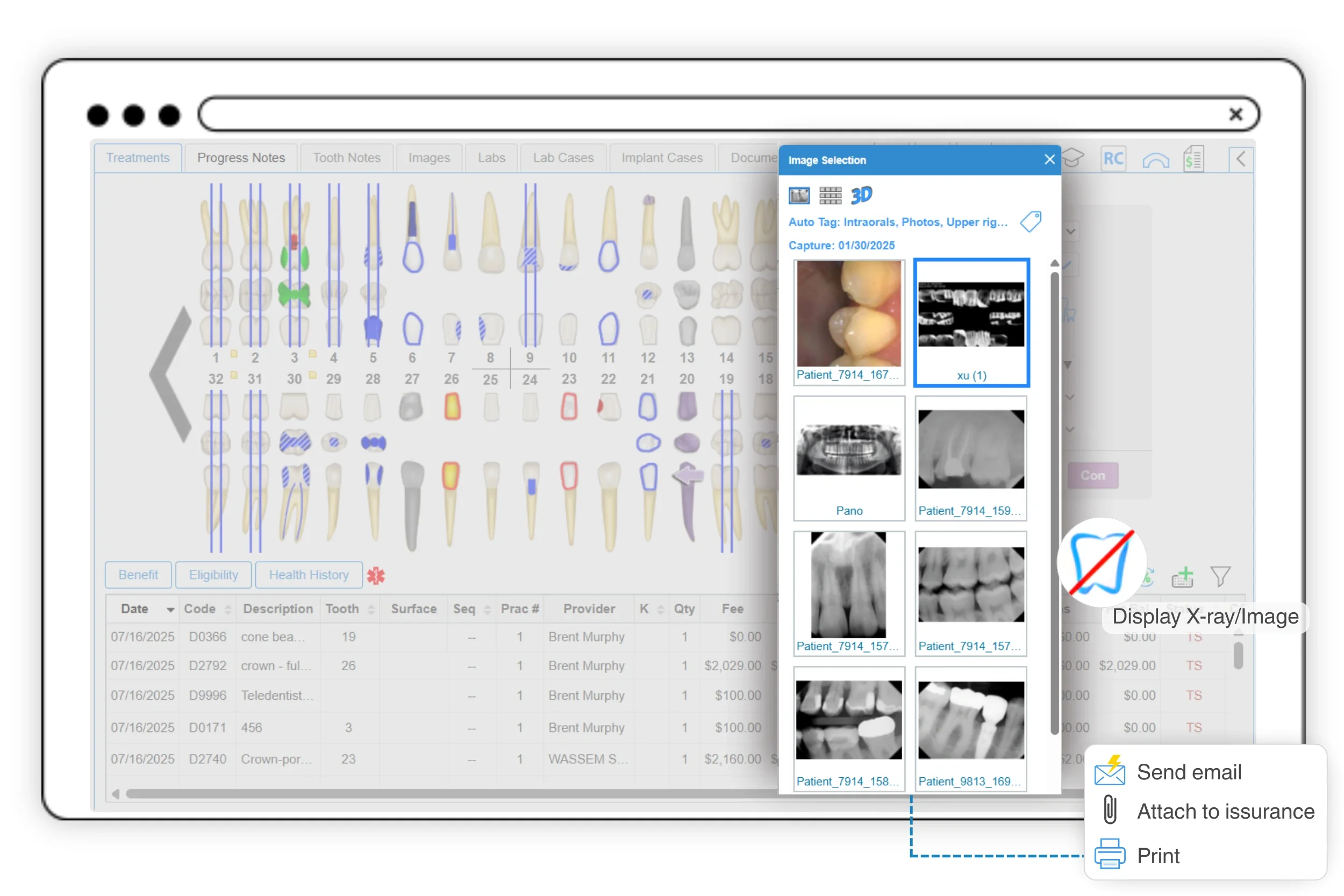
Click to overlay dental images over the tooth chart for quick reference and stronger case explanations. Providers can also import new images from any file type, including DICOM and high-resolution CBCT data.
The workflow stays connected. Attach images for insurance submission, auto-save to the patient record, and share by email for patient updates or referrals.
Organized image library with flexible Viewing Modes
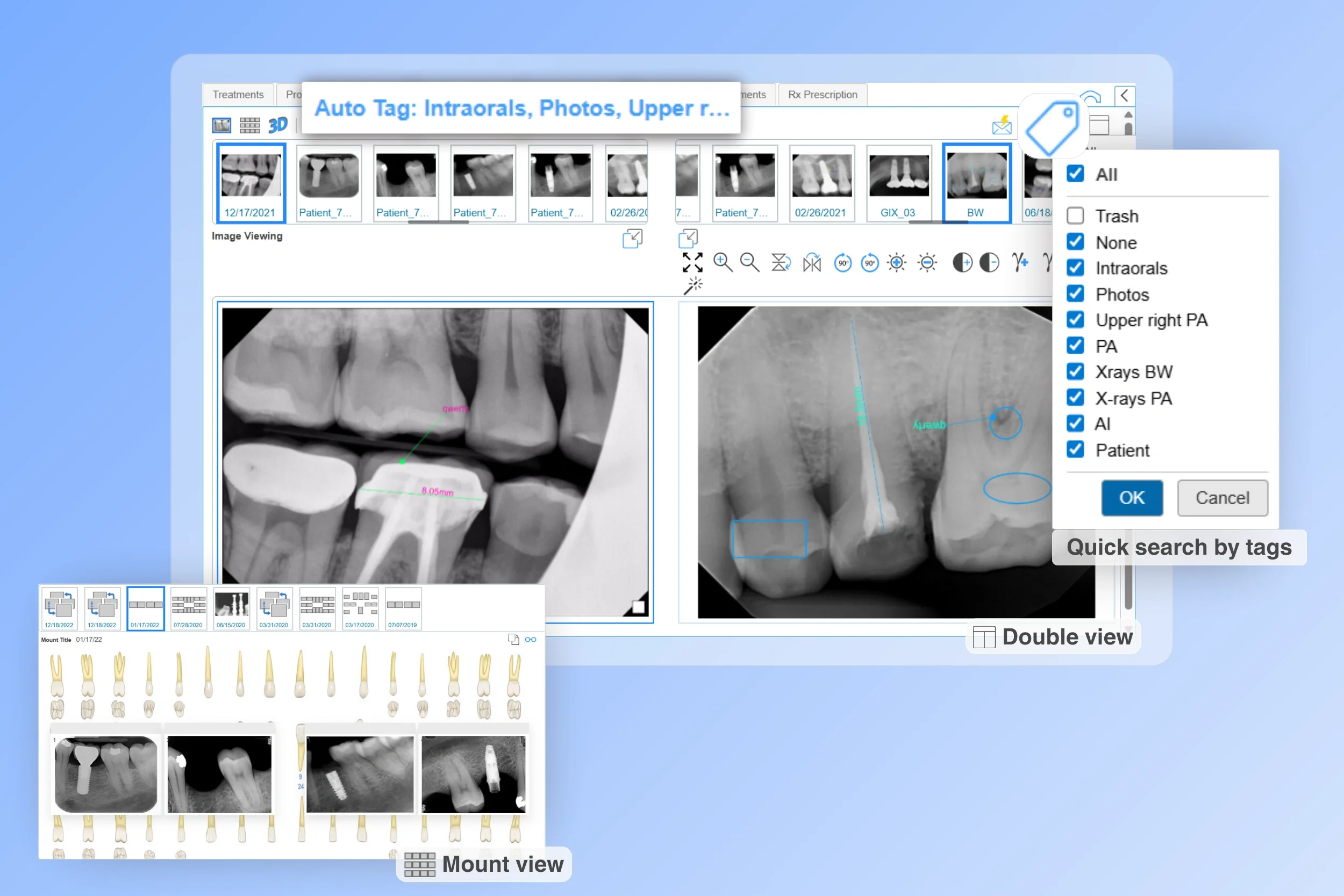
Access all patient images in one searchable, categorized library. Automate image tagging and search filters for quick retrieval.
Compare progress using multiple viewing modes, including Image View, Mount View, Double View, or Vertical X-ray View.
Why choose iDentalSoft cloud dental image software?
Access anywhere
Securely view images from any device, anytime; perfect for multi-location practices and mobile dentists.
Scalable cloud storage
Eliminate local server costs with encrypted storage that grows with your practice. All data is backed by a HIPAA-compliant cloud infrastructure.
Automatic backups
Protect patient records with real-time, redundant backups; no manual steps or IT overhead.
All-in-One integration
Link imaging with scheduling, treatment planning, and billing so teams work in one platform.
Fully supported migration to iDentalSoft Imaging software
Switching to iDentalSoft’s dental imaging software includes all setup, training, and support at no extra charge. Here’s what to expect:
1. Image & data conversion
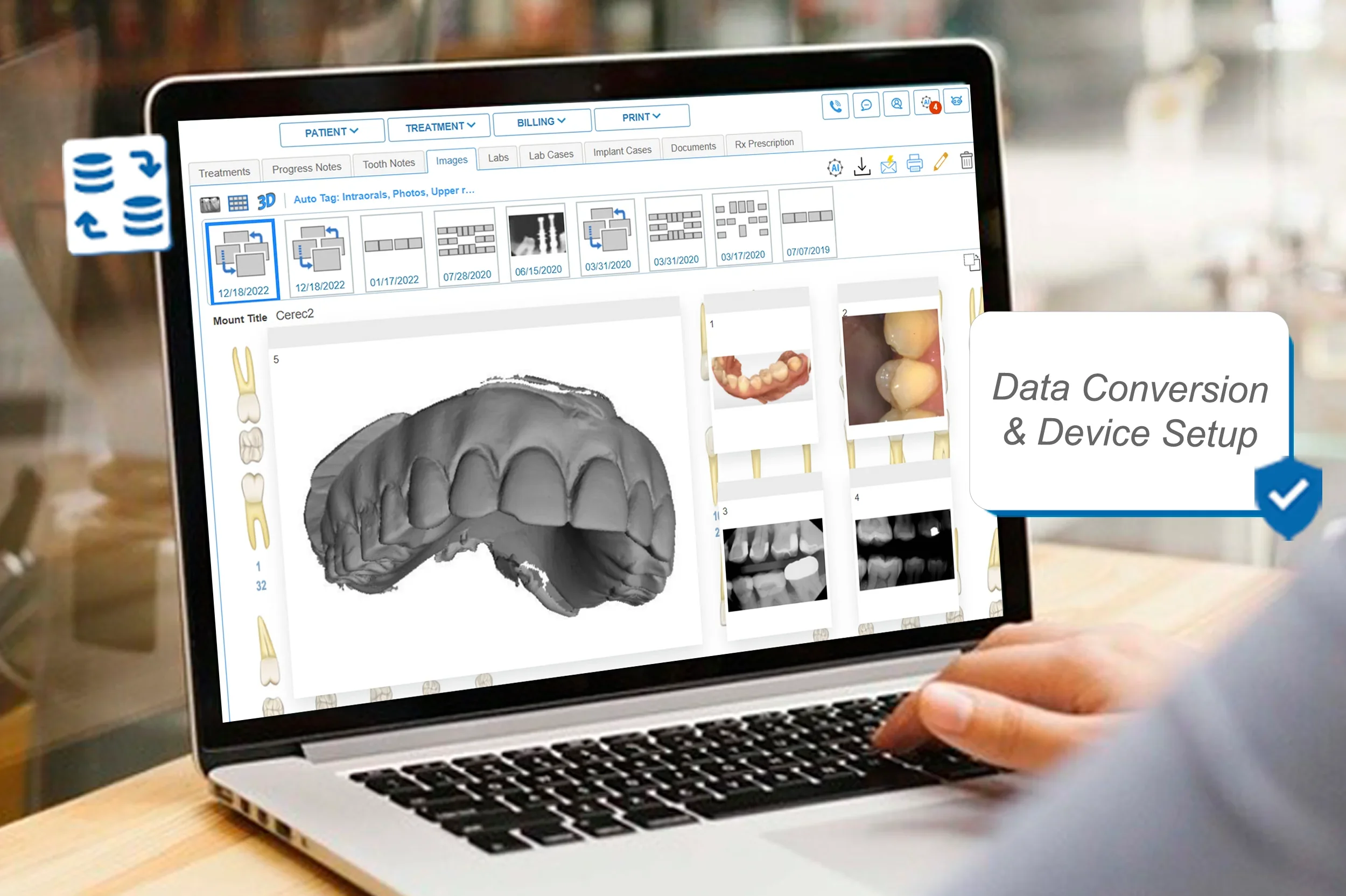
We help you migrate historical patient images and related data from your current system into iDentalSoft, ensuring documents are preserved and accessible.
2. Setup & device testing
Our support team works directly with you to install required drivers (e.g., TWAIN), configure browser and workstation settings, and integrate your current imaging devices. Once setup is complete, test scans will be made to ensure devices function properly. No in-house IT team needed.
3. Staff training
Your team gets 1-on-1 training on imaging workflows, like how to capture, upload, and organize, along with guidance on overall practice management features.
4. Ongoing support
If you add devices, upgrade equipment, or need configuration help, our support team can assist by remote session or email.
Frequently Asked Questions
-
No. The dental imaging software includes a built-in image viewer, so staff can open and review images inside the platform without installing a separate viewer.
-
The dental imaging software supports TWAIN standards, allowing it to connect with a wide range of imaging devices across different brands. It also accepts all major dental image formats, including intraoral, panoramic, cephalometric, and 3D scans.
-
No. The software is designed for efficient image organization and retrieval, so dental images typically load fast even when a patient has a large number of files. If your office notices slower loading, support can review the setup and help improve performance.